






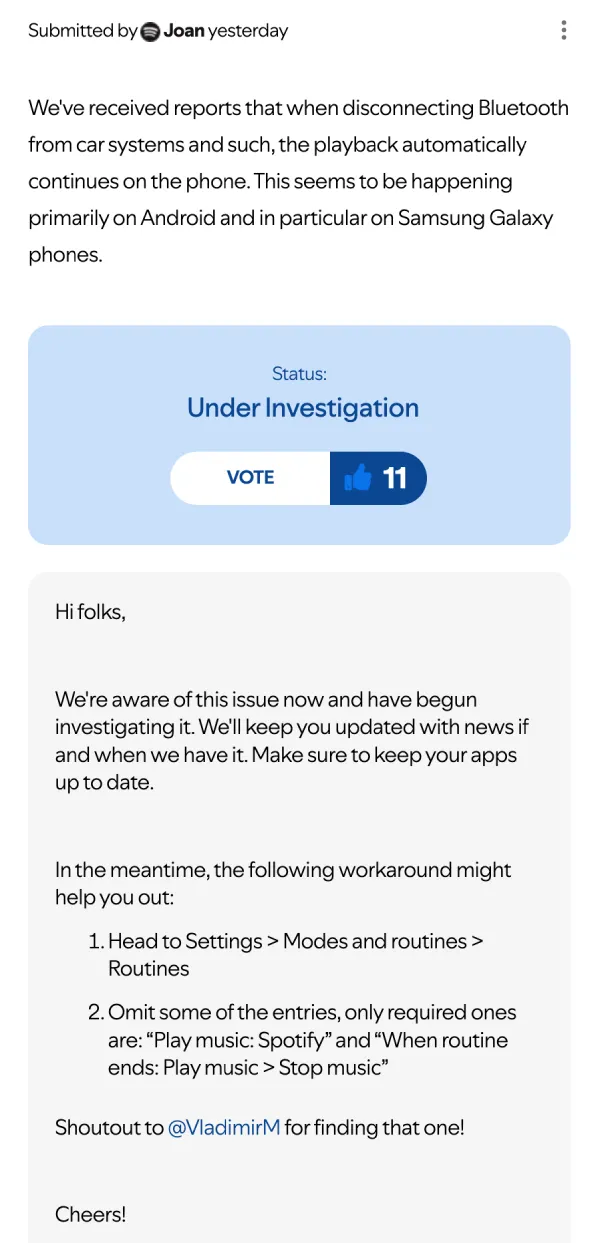
Update 17/11/25 – 03:52 pm (IST): Spotify has finally acknowledged the problem in a post on its community forums. The team says the issue is under investigation and shared a workaround for users to try out in the meantime.
- Head to Settings > Modes and routines > Routines
- Omit some of the entries, only required ones are: “Play music: Spotify” and “When routine ends: Play music > Stop music”
Original article published on November 14, 2025, follows:
If you’ve been hearing random music coming from your pocket lately, you’re not alone. Spotify users across Reddit and the company’s community forums are reporting a frustrating new glitch where their music keeps blaring through their phone speakers after disconnecting from Bluetooth devices.
The issue seems to have started a few days ago. One Galaxy S23 user on r/truespotify described the problem simply: “Recently I’ve started having this issue where I get out of my car or turn off a Bluetooth speaker and Spotify is automatically playing through my phone speaker.” They noted that other apps like Audible work fine, pointing the finger squarely at Spotify.
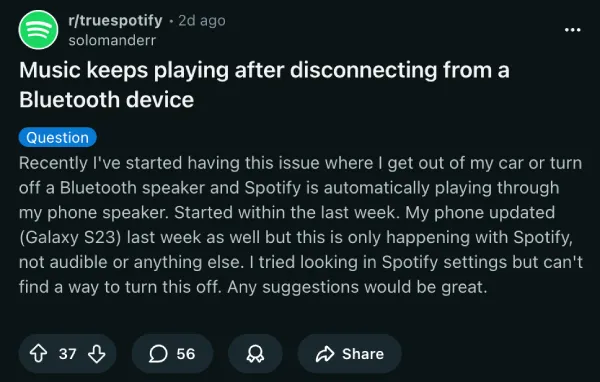
Samsung phone owners seem to be hit the hardest, with reports coming from people using everything from the S22 to the brand new S25 Ultra. Several users mentioned their phones received a software update around the same time the problem started, specifically the One UI 8.0 update for Samsung devices.
Some users disconnect from their car’s Bluetooth and find Metallica still playing in their pocket minutes later. Others have had the embarrassing experience of their music suddenly blasting in quiet office spaces or on public transport. One S24 FE owner shared on the same Reddit thread that they kept hearing faint music while waiting for the elevator at work, only to realize it was their phone playing the whole time.
The bug doesn’t seem to affect everyone the same way. A few people mentioned that if they’re actively in the Spotify app when they disconnect, the music stops properly. But when the phone is locked and tucked away, that’s when the chaos starts. The playback just switches to the phone speaker without any warning.
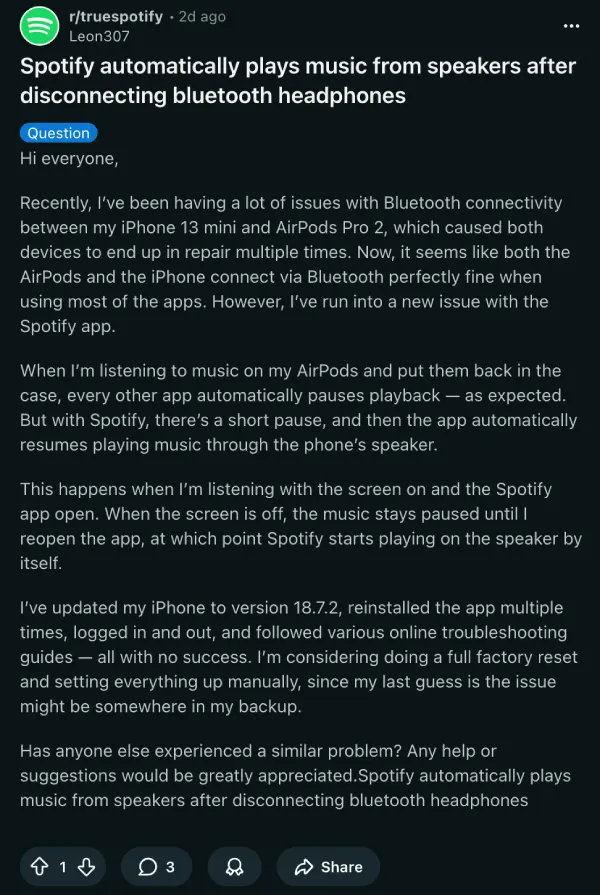
While Android users dominate the complaints, there are scattered reports from iPhone users too. One person with an iPhone 13 mini and AirPods Pro 2 posted in another thread saying their music resumes playing through the phone speaker after a brief pause when they put their AirPods back in the case.
Some frustrated users have contacted Spotify support, but the responses haven’t been particularly helpful. One S24 Ultra owner spent an hour texting back and forth with support, going through the usual troubleshooting steps like turning off autoplay settings. Nothing worked. Clean reinstalls of the app haven’t fixed the problem either, according to multiple reports on Spotify’s community forums.
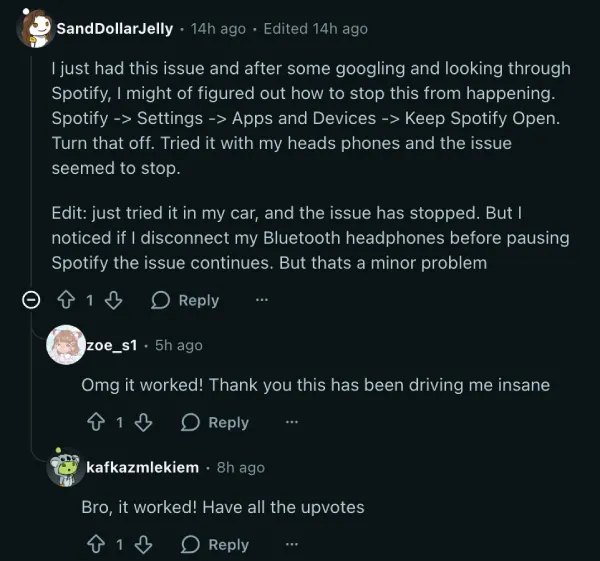
There might be a workaround, though. One user on the original Reddit thread found a potential solution after digging through Spotify’s settings. They suggested going to Settings, then Apps and Devices, and turning off “Keep Spotify Open.”
Several people who tried it confirmed the fix worked for them, with one person saying, “it worked! Thank you this has been driving me insane.” The workaround isn’t perfect since you still need to pause before disconnecting your Bluetooth device, but it’s better than nothing.
Still, given how many people are complaining about the problem, it’s clear that Spotify (or Samsung) needs to work on fixing the bug. We’ll keep an eye out for any further details and will update the article.


Dwayne Cubbins
3097 Posts
I cover fast-moving stories across apps, online platforms, and everyday tech — phones, wearables, consoles, and whatever else people are fighting with this week. Bugs, rollouts, scams, policy enforcement, and the occasional internet-culture rabbit hole are all fair game. My goal is simple — make confusing tech news readable. When I'm not working, I'm working out or chilling with my dog. Got a tip? You can find me on X @dcubbins.
Next article View Article
