





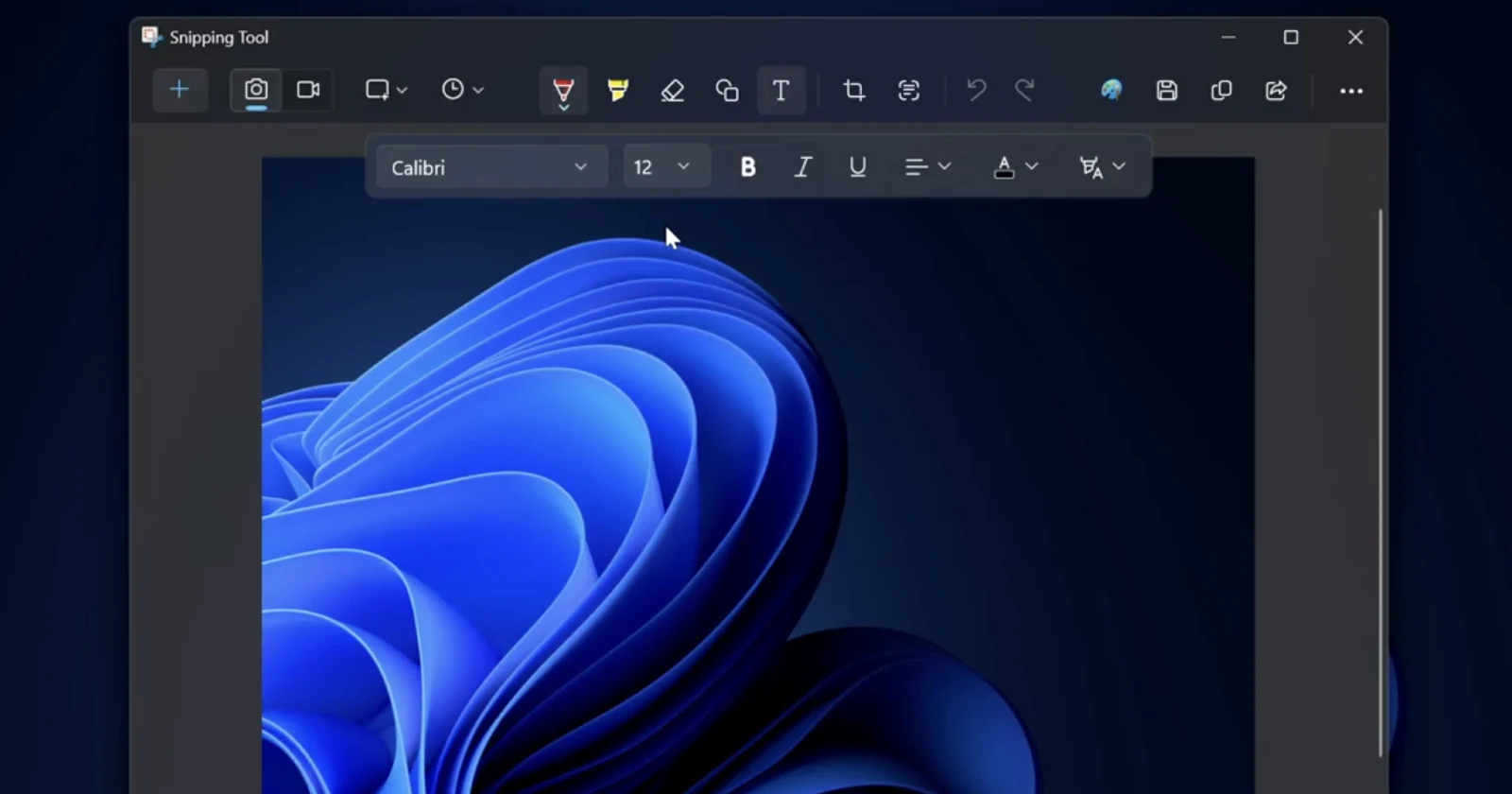
Windows 11's Snipping Tool is finally getting the ability to insert text when editing screenshots! Here's a look at the feature: pic.twitter.com/IbVdWBddy7
— phantomofearth 🌳 (@phantomofearth) November 9, 2025
After years of user requests and workarounds, Windows 11’s Snipping Tool is finally getting the ability to insert text directly when editing screenshots. The feature, which was spotted in preview code by @phantomofearth on X, is currently being tested in Windows Insider builds and marks a significant upgrade to the long-standing screenshot utility.
For anyone who’s ever captured a screen grab and needed to add typed annotations, you know the drill. You take your snip, paste it into Paint or PowerPoint, add your text boxes, maybe throw in some arrows, and then save it again. It’s always been a clunky two-step process that felt more tedious than it needed to be. The new text insertion tool changes that by letting users type directly onto their screenshots within the Snipping Tool editor itself, right alongside the existing pen and shape tools.
What makes this update particularly interesting is just how long people have been asking for it. Head over to Microsoft’s forums and you’ll find requests dating back years, with users consistently pointing out that this basic functionality should have been there from the start.
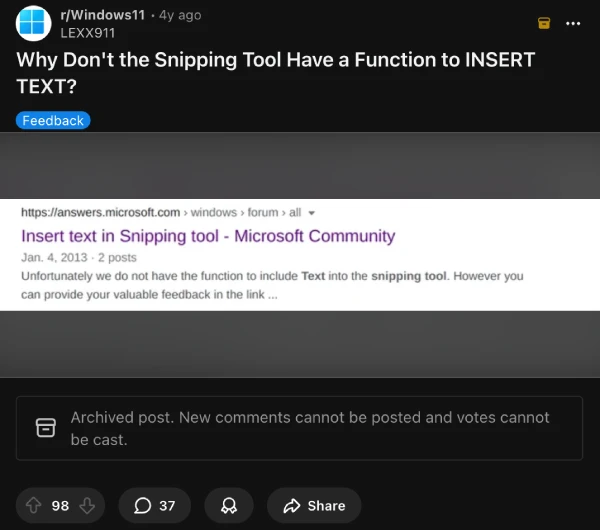
On the MSFT Feedback hub, there are two recent requests that were posted, one from six months ago and another was posted four months ago. There are also posts on Reddit discussing the missing feature, like this one from four years ago.
The truth is, many alternative screenshot tools have offered text insertion for ages. ShareX users have had access to robust annotation features for years, and it’s become the go-to recommendation whenever someone asks how to add text to screenshots on Windows.
One X user responding to the news pointed out that ShareX is “still much, much better,” which is fair. But having this functionality baked into Windows 11 means casual users who don’t want to install extra software can finally annotate their screenshots properly without workarounds.
Microsoft has been steadily building out the Snipping Tool over the past few development cycles. They’ve added screen recording, OCR text extraction, and various editing capabilities that transform what used to be a bare-bones utility into something more robust. The text insertion feature fits neatly into this pattern of catching up with features that third-party apps have offered for years.
There’s no official word on when this will roll out beyond Insider builds, but the fact that it’s been spotted in preview code suggests Microsoft is serious about bringing it to stable releases. For users who’ve been requesting this functionality since the Windows 7 days, it’s about time. As one X commenter put it: “Finally! That request has been in feedback hub for so long, even before Windows 11.”
The addition may seem small, but for technical writers, support teams, teachers, and anyone who regularly shares annotated screenshots, it’s a genuine workflow improvement. No more app-hopping just to slap a text box on a screen capture.
Share your thoughts on this upcoming addition in the comments below.

We stand out from the tech-media crowd because we break news stories; we mainly bring you stuff that you won’t find anywhere in the mainstream tech media. Our stories have been picked up by some of the world’s most popular websites and media outlets—more info is available here.

Dwayne Cubbins
3099 Posts
I cover fast-moving stories across apps, online platforms, and everyday tech — phones, wearables, consoles, and whatever else people are fighting with this week. Bugs, rollouts, scams, policy enforcement, and the occasional internet-culture rabbit hole are all fair game. My goal is simple — make confusing tech news readable. When I'm not working, I'm working out or chilling with my dog. Got a tip? You can find me on X @dcubbins.
Next article View Article

YouTube background play not working on Brave Browser app? Try these potential workarounds
Update 31/01/26 - 09:22 am (IST): Brave's support team has confirmed that the company is aware and investigating the issue. They've also provided the same workaround...
Jan 12, 2026 3 Min Read