Lately, plenty of Chrome users have run into a frustrating issue: their bookmark bars and tabs are filled with generic gray globe icons instead of the usual site-specific favicons. It’s throwing off workflows and making browsers look oddly uniform.
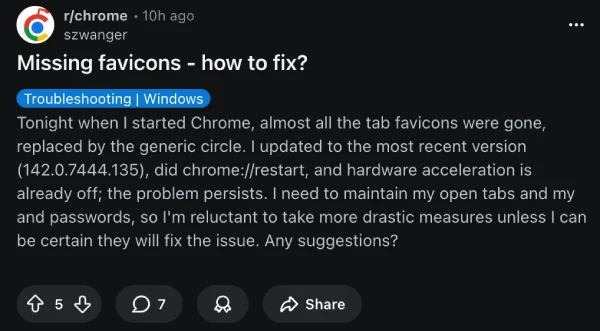
Reports about the bug seem to have started off a few days ago. On Reddit’s r/chrome subreddit, multiple threads have popped up from people dealing with the same thing. One user described how favicons vanished after an update and asked for fixes, with one reply suggesting creating a new profile and signing in with the same account. Then, delete the old profile.
Another thread pointed out Chrome failing to save browsing history alongside the missing icons, especially on older Windows setups. A Mac user shared their troubleshooting steps, from clearing cache to creating new profiles. In the comments of that post, someone eventually traced it to a symbolic link issue. Here’s what they said:
For me problem with favicons related to using symbolic link for chrome user data folder. Maybe you, like me, use symbolic link to “protect ssd”. Try without it. – SAFenfold
But Reddit isn’t the only place where people are complaining. We’re seeing multiple posts (1,2,3,4,5,6) on Google’s support forums too. Interestingly, a comment from a product expert also mentions a similar potential workaround about creating a new profile. They even provided steps that helped the OP to fix the problem completely once they confirmed that favicons showed up properly in a new profile. So give this a shot and try your luck too:
Since we know a fresh profile works, the best fix is to move you into a new, healthy house, so to speak. Here is the safest way to do this:
- Step 1: The “Sync” Test
Usually, the corruption is just local to your computer, not your actual Google account data in the cloud.
- In that new profile window where icons are working, click the Profile icon at the top right.
- Click Turn on sync…
- Sign in with your standard Google account.
- Crucial: Watch what happens. Chrome will start downloading your bookmarks, passwords, and extensions.
- If the icons stay healthy (they might be blank for a second and then load correctly as you visit sites), you are fixed! You can just use this new profile from now on.
- If the icons immediately disappear again after you sign in, it means the corruption is somehow synced to your cloud data (less likely, but possible).
- Step 2: Cleanup (Only if Step 1 worked perfectly)If you are happily using the new profile and everything looks good:
- Click the Profile icon*again.
- Click the Gear icon (Manage Profiles) next to “Other Profiles”.
- Find your old, corrupted profile (it might just be called “Person 1” or your name) and delete it to avoid confusion later.
Let me know if “Step 1” works, or if the corruption followed you to the new profile. We can try a manual fix if sync fails.
That said, the frustration extends to bookmarks reverting to outdated ones, overwriting recent saves. While this doesn’t seem to be as widely reported as the favicon bug, it’s actually a comparable, if not bigger problem, at least for those who rely on bookmarks.
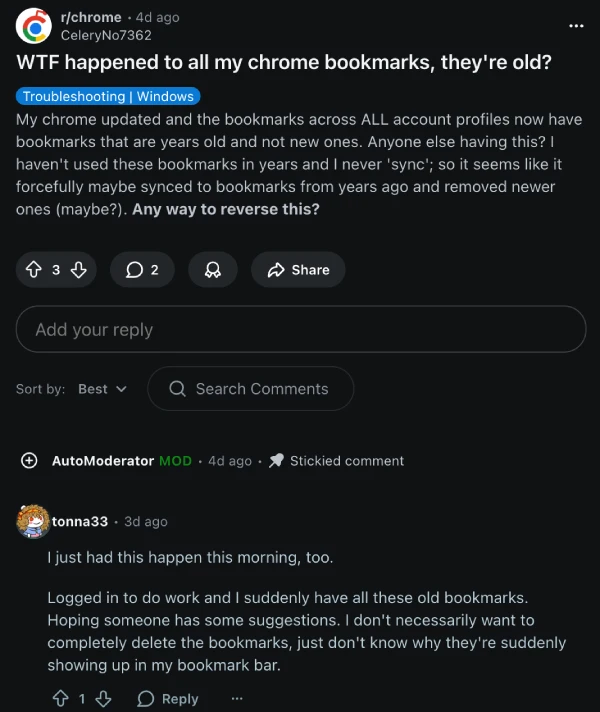
So it’s clear that Google really botched up bookmarks with the recent Chrome update for many. The company is yet to acknowledge the problem, but there’s a post on the Chromium bug tracker about the favicons bug. So it’s possible that the team might investigate the issue soon, if they aren’t already.
Either way, we’ll keep an eye out for any further details and will post an update if and when there’ something to share. In the meantime, give that potential workaround a shot and let us know if it helped or not in the comments below.

Dwayne Cubbins
1853 Posts
My fascination with Android phones began the moment I got my hands on one. Since then, I've been on a journey to decode the ever-evolving tech landscape, fueled by a passion for both the "how" and the "why." Since 2018, I've been crafting content that empowers users and demystifies the tech world. From in-depth how-to guides that unlock your phone's potential to breaking news based on original research, I strive to make tech accessible and engaging.
Next article View Article