





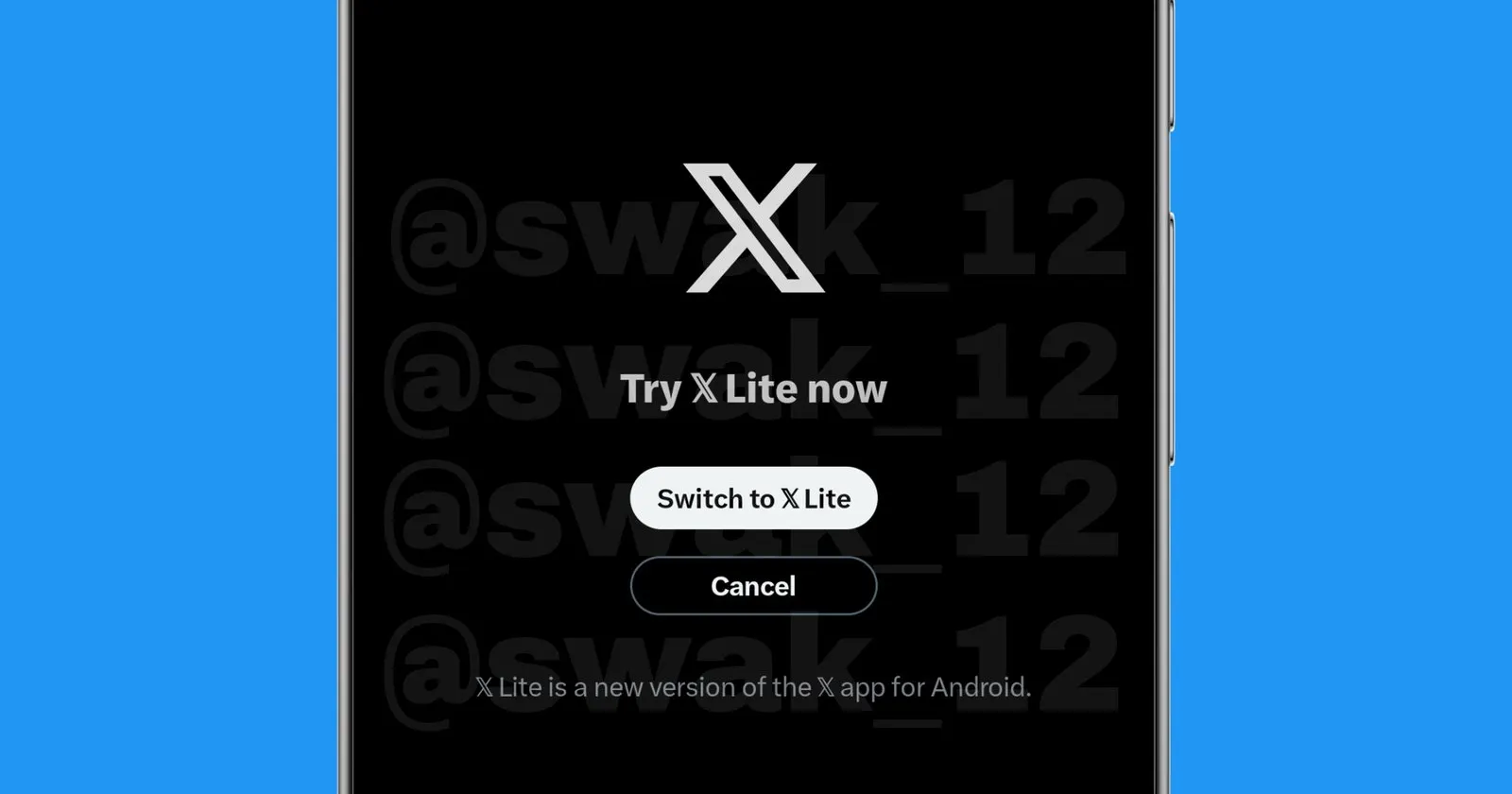
X’s Android app is getting a major under-the-hood transformation, and users might soon have the choice to experience it without downloading a separate application. Screenshots from the recent beta version reveal that work is underway to integrate the new X Lite interface directly into the main X app, giving users an optional toggle between the legacy interface and the refreshed design.
A user testing beta version 11.36.0-beta.1 discovered a new option in the app’s drawer menu labeled “New X Android” with a blue “NEW” badge. Tapping it triggers a prompt asking whether you want to switch to the new X Android experience, complete with an animated starfield background displaying the handle “@swak_12” and explanatory text about the refreshed app. The prompt makes it clear this isn’t a one-way street either. You can switch back anytime through the menu, though reverting requires reinstalling the app in some cases.
They even captured a screen recording that you can check out below:
.@X for android continues their work on app migration. We will get an option on the drawer to switch between “New X Android” & “X original”,based on our convenience.
PS: I don’t have the X Lite app. Everything is happening on the original X app.
{Screenshot from 11.36.0-beta.1} https://t.co/uxpgztekjV pic.twitter.com/fAdqjb9ffW
— Swak (@swak_12) November 4, 2025
The integration represents months of development work by X’s Android team. Back in May, they opened early alpha testing for a completely rewritten Android app under the package name com.x.android.lite.
That standalone X Lite app was built from scratch on a new codebase, promising significantly improved performance. I’ve been testing it for a few months now, and the app feels noticeably faster and more responsive compared to the original version.
However, X Lite comes with trade-offs. The standalone app currently lacks several features available in the main X app, including Grok integration and other tools that power users rely on daily.
That’s where this new approach becomes interesting. Rather than forcing everyone to choose between speed and features, X appears ready to let users toggle between both experiences within a single app installation.
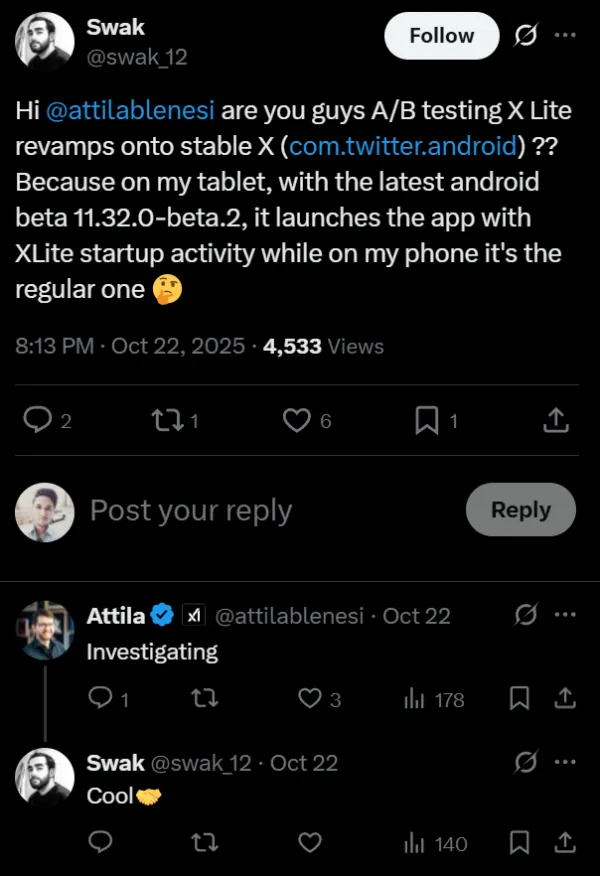
The migration work started appearing in beta version 11.34.0-beta.1, where @swak_1 noticed their tablet was launching with the X Lite startup activity while their phone was stuck with the regular interface. By version 11.36.0-beta.1, the toggle option became more visible and deliberate, suggesting X is getting closer to rolling this out more broadly.
It’s still unclear whether this will be a permanent optional feature or if X plans to eventually migrate everyone to the new codebase once feature parity is achieved. Given recent issues Android users have faced with the X app, including missing permissions and login errors, a smoother and more stable foundation would be welcome.


Dwayne Cubbins
3009 Posts
I cover fast-moving stories across apps, online platforms, and everyday tech — phones, wearables, consoles, and whatever else people are fighting with this week. Bugs, rollouts, scams, policy enforcement, and the occasional internet-culture rabbit hole are all fair game. My goal is simple — make confusing tech news readable. When I'm not working, I'm working out or chilling with my dog. Got a tip? You can find me on X @dcubbins.
Next article View Article
