
Sonos pushed out a new software update earlier today for both iOS and Android users, bringing the app to version 80.32.35 on iOS and 80.32.32 on Android. The update includes firmware improvements for modern players (92.0-70280) and legacy devices (86.2-70230), along with bug fixes primarily targeting Spotify issues.
However, Tidal users are still reporting problems with their playlists that started popping up over the weekend, and today’s update hasn’t fixed them.
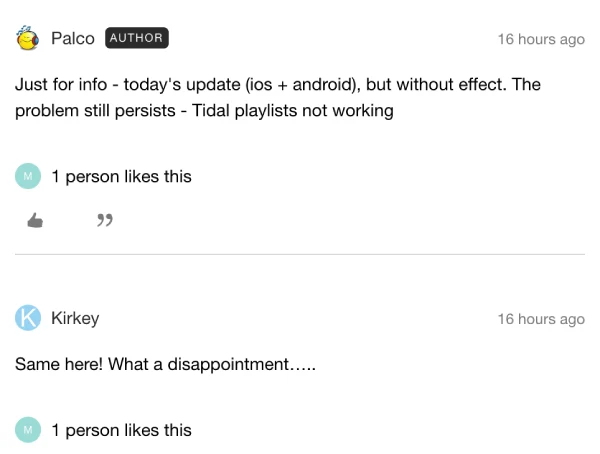
The issue first surfaced late last month, when users noticed their personal Tidal playlists stopped loading in the Sonos app. Instead of their carefully curated music collections, they’re greeted with a frustrating “something went wrong” error message. That said, Tidal’s own playlists work perfectly fine — it’s only user-created playlists that refuse to show up.
Multiple users across forums have tried the usual troubleshooting steps: rebooting routers, reinstalling apps, reauthorizing Tidal accounts, and even clearing cache data. Nothing seems to work.
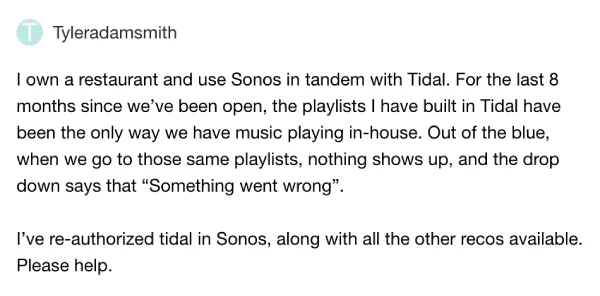
One restaurant owner mentioned relying on Tidal playlists for their business and spent almost two hours with Sonos support without getting any real solutions. Support staff reportedly just took diagnostics and said they’d “see what they could do”.
Interestingly, the problem seems limited to mobile apps. Users report that the desktop version of the Sonos app still displays their Tidal playlists without any hiccups. One workaround involves using the Windows desktop app to add Tidal playlists to Sonos favorites, though that’s hardly ideal for mobile-first users. Some on Reddit have mentioned the issue started for them over the weekend as well, with one user noting they might switch back to Spotify if this continues.
With today’s update failing to address the playlist problem, affected users are left waiting for another fix while their music collections remain inaccessible on mobile devices.
Feel free to let us know if you are still dealing with the bug after the update in the comments below.


Dwayne Cubbins
3050 Posts
I cover fast-moving stories across apps, online platforms, and everyday tech — phones, wearables, consoles, and whatever else people are fighting with this week. Bugs, rollouts, scams, policy enforcement, and the occasional internet-culture rabbit hole are all fair game. My goal is simple — make confusing tech news readable. When I'm not working, I'm working out or chilling with my dog. Got a tip? You can find me on X @dcubbins.
Next article View Article