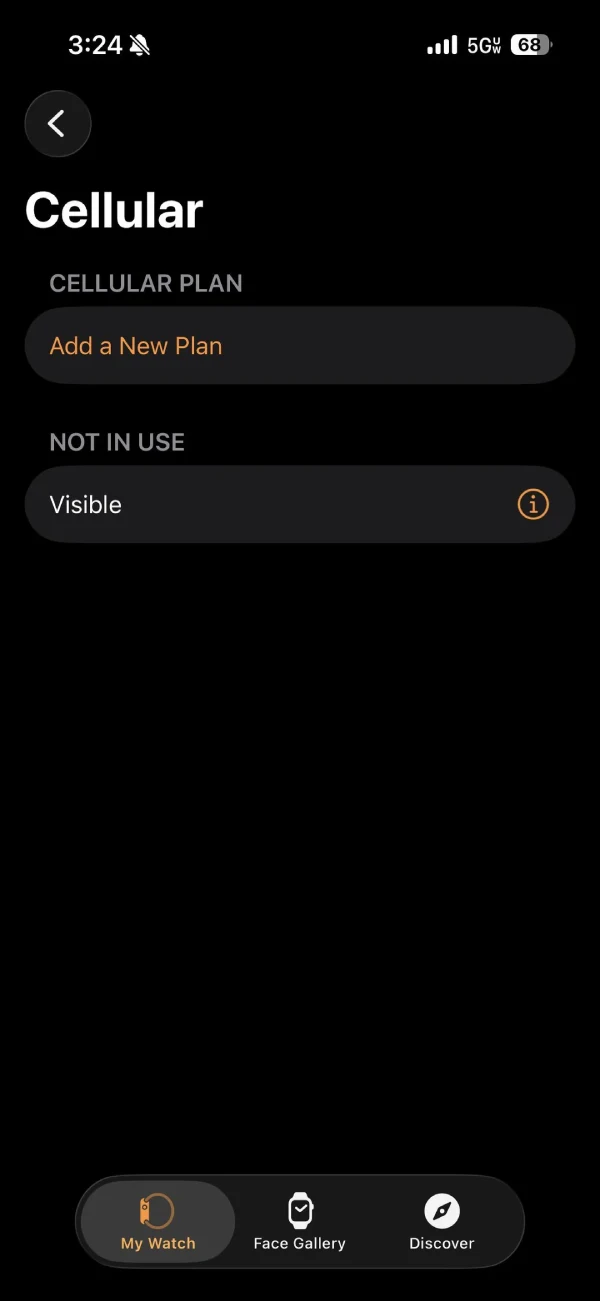
Apple Watch owners using Visible and Verizon are running into a frustrating cellular activation problem that’s been causing headaches for several days now. The issue? Their watches show “Not In Use” in the cellular plan settings, leaving them unable to connect to cellular service despite having an active line and paying for the service.
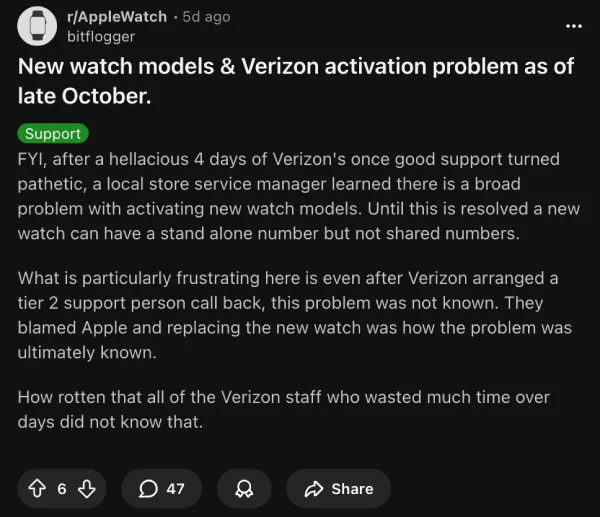
The problem appears to have ramped up significantly in late October 2024, with users flooding Reddit threads to share their struggles. One Visible customer noted that support reps claimed this was a “new issue” even though similar complaints have been popping up for weeks. Another user spent four hellacious days dealing with Verizon support before a local store manager confirmed there’s a widespread problem with activating newer watch models.
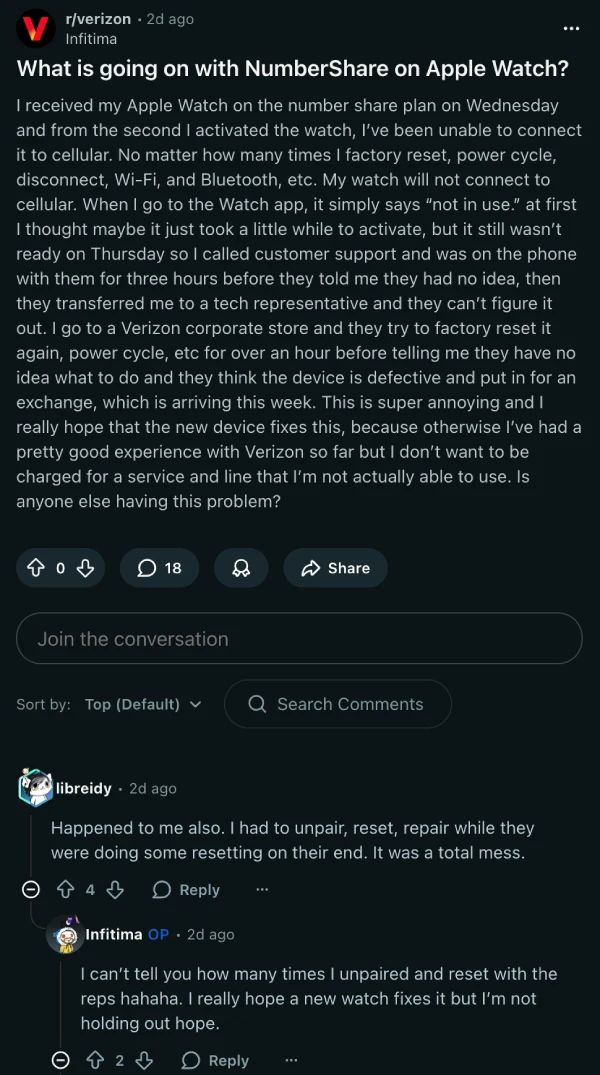
Customers report spending hours on support calls, performing countless factory resets, and even getting replacement watches that still won’t activate.
One frustrated Verizon customer described three hours on the phone with support before being told they had no idea what was wrong, while another mentioned their watch had been stuck in limbo for over a week with no resolution in sight.
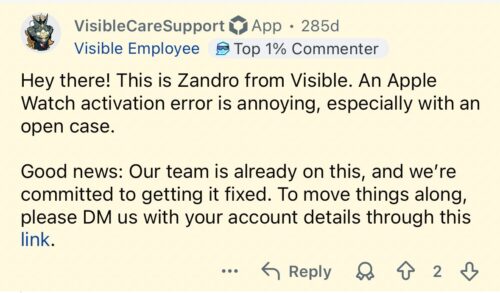
One Visible employee did mention that the company is already aware and working on a fix, but there’s no ETA for the resolution.
Several users have pointed to the issue being upstream with Verizon, affecting both their postpaid customers and Visible users (since Visible runs on Verizon’s network). What makes this particularly annoying is that customers who purchased their watches directly through their carriers are still getting hit with the problem.
There is a potential workaround that’s worked for some people. Multiple users discovered that downgrading from the NumberShare Plus plan ($25) to the regular NumberShare plan ($15) immediately fixed the cellular connection.
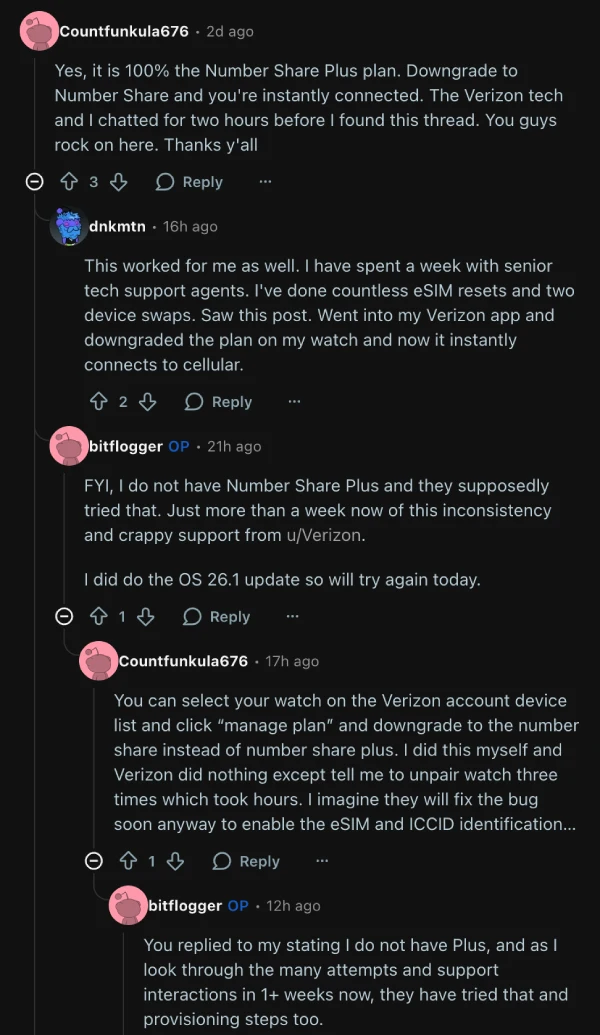
One user mentioned switching plans forced their watch to download a new eSIM, which resolved the “Not In Use” status. However, this fix doesn’t seem to work universally, and others report success by simply changing their cellular plan within the carrier’s app without removing the watch’s eSIM first.
For now, if you’re dealing with this issue, your best bet is trying the plan downgrade trick or reaching out to support and insisting they escalate your case. Just don’t hold your breath waiting for that callback they promise.


Dwayne Cubbins
3097 Posts
I cover fast-moving stories across apps, online platforms, and everyday tech — phones, wearables, consoles, and whatever else people are fighting with this week. Bugs, rollouts, scams, policy enforcement, and the occasional internet-culture rabbit hole are all fair game. My goal is simple — make confusing tech news readable. When I'm not working, I'm working out or chilling with my dog. Got a tip? You can find me on X @dcubbins.
Next article View Article