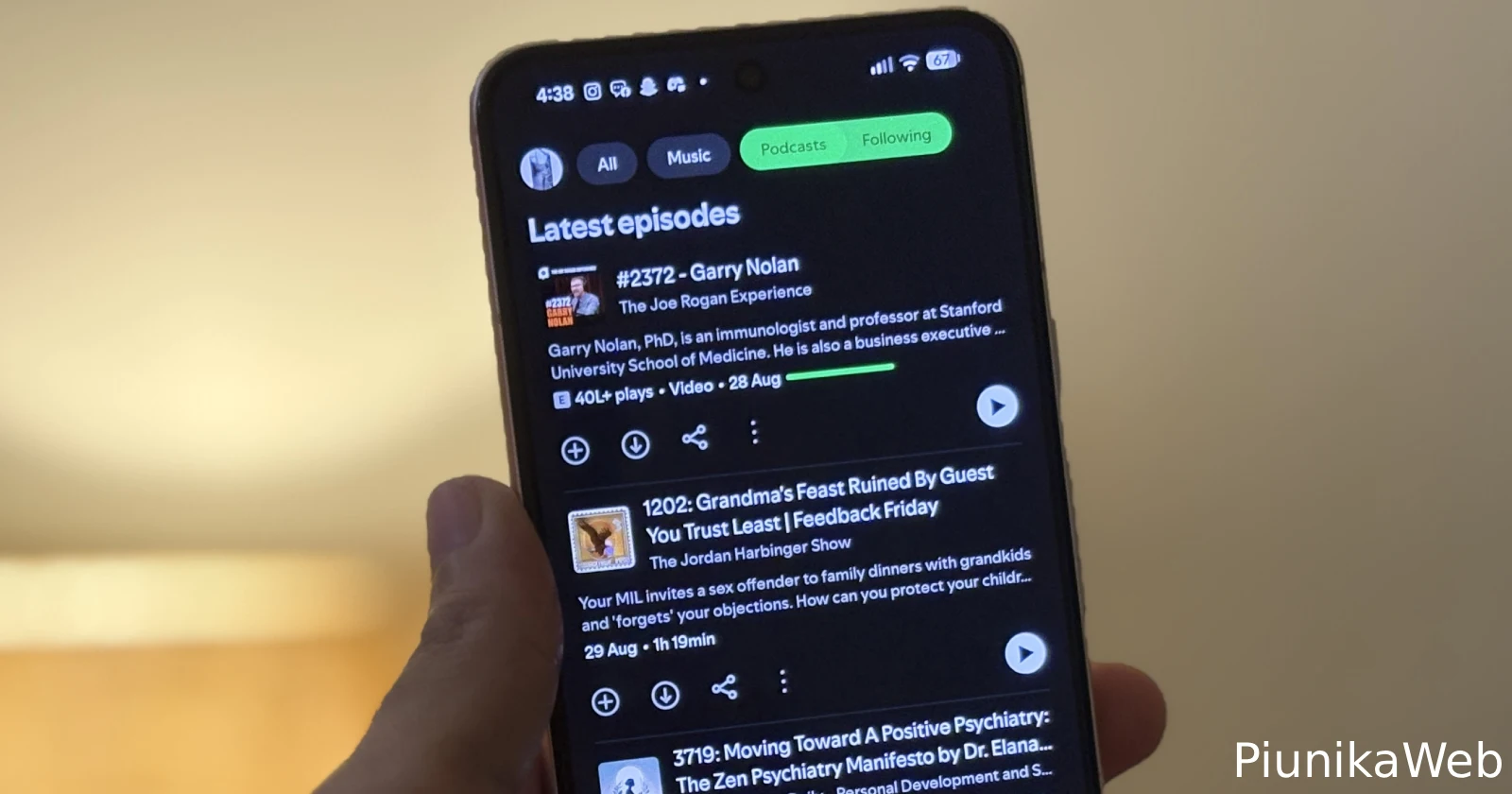
No joke, the latest Spotify update has podcast fans absolutely losing it over what can only be described as a “scrollpocalypse.”
If you follow podcasts in the Spotify app, you’ve probably noticed something off — the “Following” tab now serves up the oldest episodes first, like Spotify wants you to doomscroll just to catch the latest show. I fired up my own Pixel, checked the app, and yep, it’s real. Who thought this was a good idea? Bonkers.
As expected, the complaints are rolling in. People are comparing devices in frustration: Pixels, Samsungs, even Fairphones — if you’ve got Android and Spotify version 9.0.90.1229, you’re in the club whether you like it or not.
Check out these two screenshots I took for reference. Once is from the iOS app and the other is from the Android app.
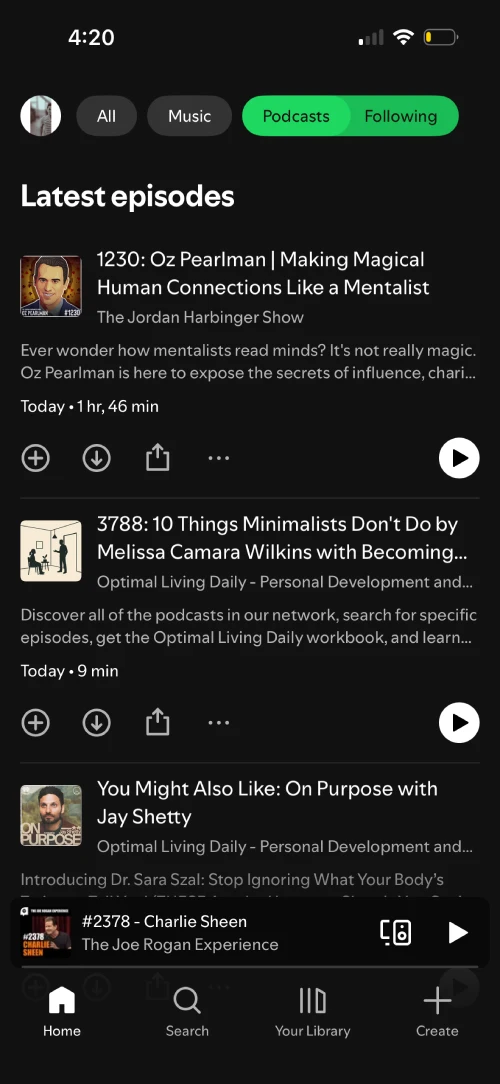
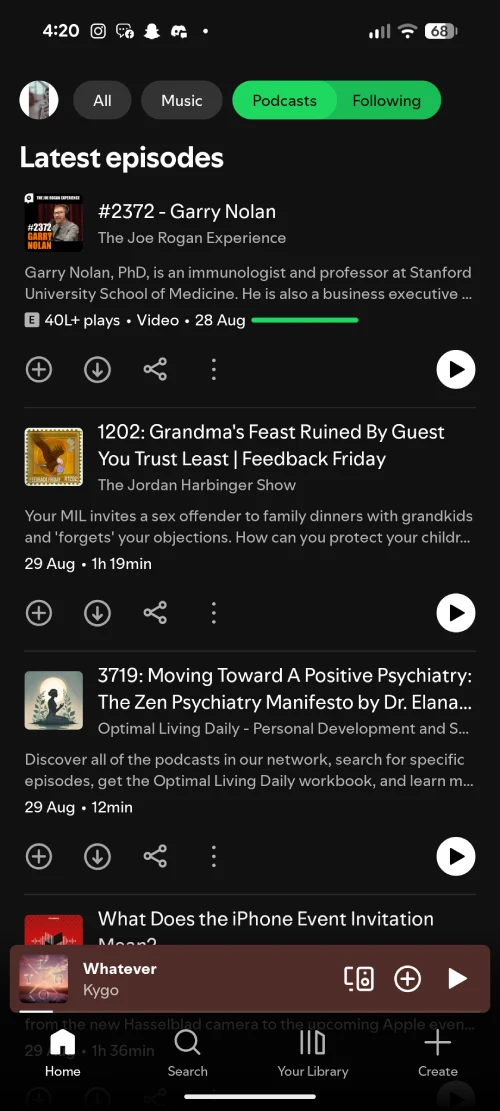
The main thread on Spotify’s community forums was kick-started by a Pixel 9 Pro XL user who said, “After installing the Spotify app update, if I click on Podcasts and Following (at the top), the order in the Following is oldest to newest. Before the update it was newest to oldest. So to get to the newest Podcasts, I have to scroll all the way down.”
That pretty much sums up the bug (or intended change?) entirely. I’m leaning towards this being a bug because the text on top of the page still says “Latest episodes,” even though the content below is really old.
Some users are switching to Amazon Music out of pure annoyance, and at least a few are grumbling about going back to their old podcast apps until someone flips the order back.
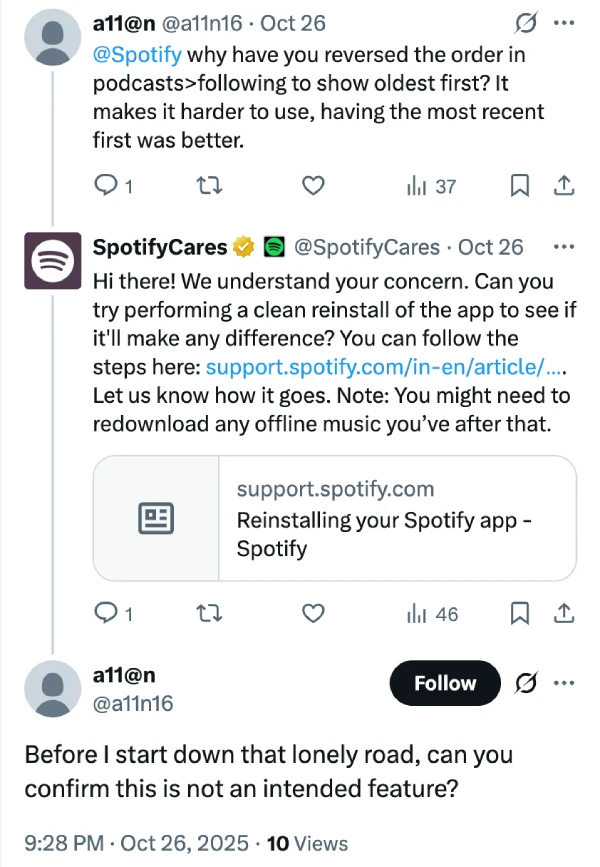
There’s no button, no setting, nada. Spotify support on X is doing the classic “try a clean reinstall” move, but the user response to them makes it clear that this generic advice is of no help.
So, for now, if you want the hot-off-the-press podcasts, you’ll need to break out your scrolling thumb and get ready to travel through podcast history first.
That said, keep an eye out for any new updates for the Spotify app on the Play Store. It’s possible that the company might just quietly patch the bug with an upcoming update.


Dwayne Cubbins
3118 Posts
I cover fast-moving stories across apps, online platforms, and everyday tech — phones, wearables, consoles, and whatever else people are fighting with this week. Bugs, rollouts, scams, policy enforcement, and the occasional internet-culture rabbit hole are all fair game. My goal is simple — make confusing tech news readable. When I'm not working, I'm working out or chilling with my dog. Got a tip? You can find me on X @dcubbins.
Next article View Article