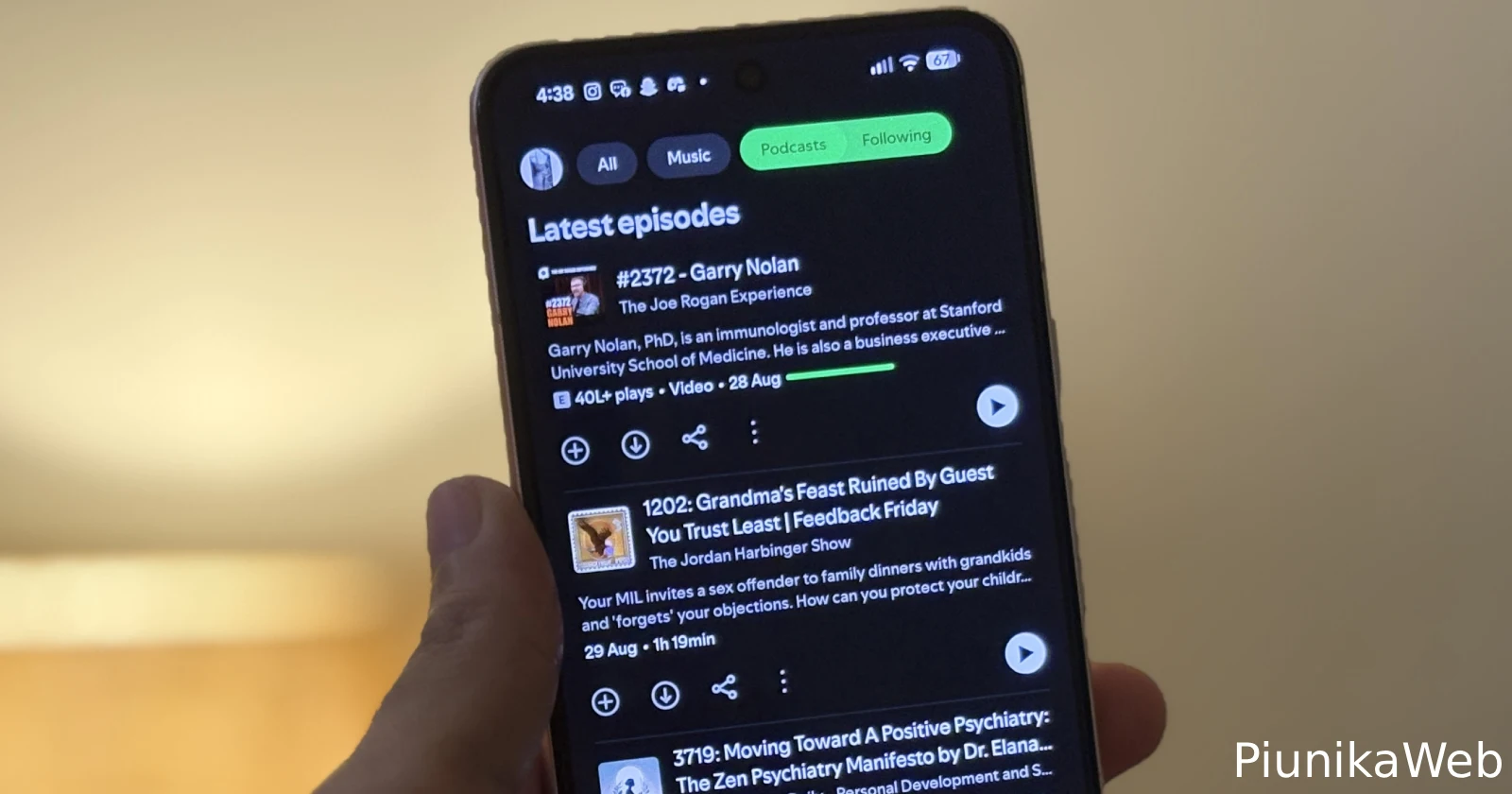
No joke, the latest Spotify update has podcast fans absolutely losing it over what can only be described as a “scrollpocalypse.”
If you follow podcasts in the Spotify app, you’ve probably noticed something off — the “Following” tab now serves up the oldest episodes first, like Spotify wants you to doomscroll just to catch the latest show. I fired up my own Pixel, checked the app, and yep, it’s real. Who thought this was a good idea? Bonkers.
As expected, the complaints are rolling in. People are comparing devices in frustration: Pixels, Samsungs, even Fairphones — if you’ve got Android and Spotify version 9.0.90.1229, you’re in the club whether you like it or not.
Check out these two screenshots I took for reference. Once is from the iOS app and the other is from the Android app.
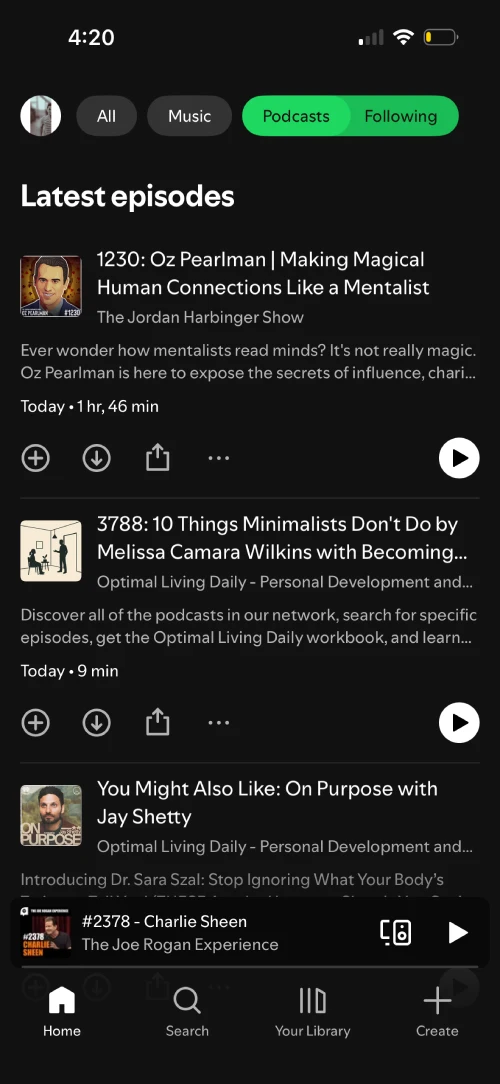
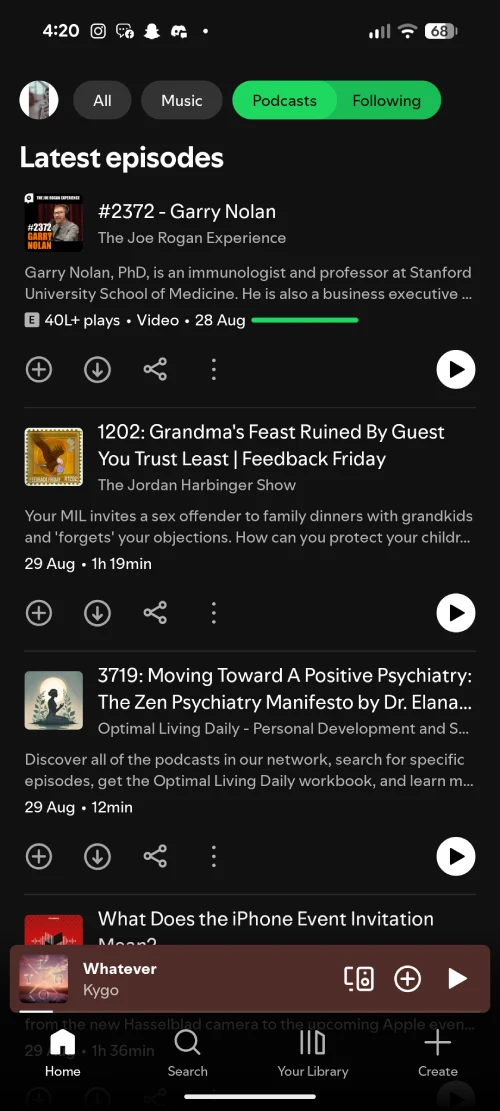
The main thread on Spotify’s community forums was kick-started by a Pixel 9 Pro XL user who said, “After installing the Spotify app update, if I click on Podcasts and Following (at the top), the order in the Following is oldest to newest. Before the update it was newest to oldest. So to get to the newest Podcasts, I have to scroll all the way down.”
That pretty much sums up the bug (or intended change?) entirely. I’m leaning towards this being a bug because the text on top of the page still says “Latest episodes,” even though the content below is really old.
Some users are switching to Amazon Music out of pure annoyance, and at least a few are grumbling about going back to their old podcast apps until someone flips the order back.
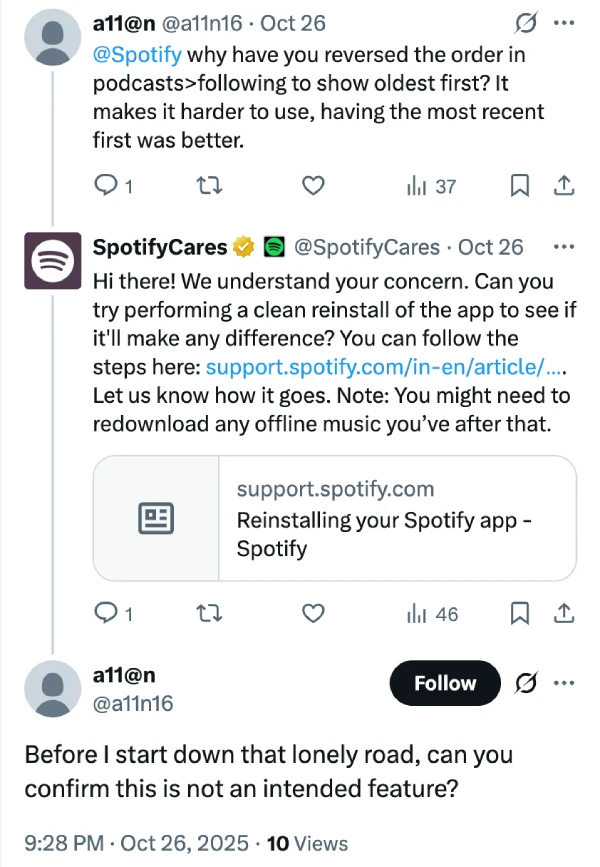
There’s no button, no setting, nada. Spotify support on X is doing the classic “try a clean reinstall” move, but the user response to them makes it clear that this generic advice is of no help.
So, for now, if you want the hot-off-the-press podcasts, you’ll need to break out your scrolling thumb and get ready to travel through podcast history first.
That said, keep an eye out for any new updates for the Spotify app on the Play Store. It’s possible that the company might just quietly patch the bug with an upcoming update.

Dwayne Cubbins
1810 Posts
My fascination with Android phones began the moment I got my hands on one. Since then, I've been on a journey to decode the ever-evolving tech landscape, fueled by a passion for both the "how" and the "why." Since 2018, I've been crafting content that empowers users and demystifies the tech world. From in-depth how-to guides that unlock your phone's potential to breaking news based on original research, I strive to make tech accessible and engaging.
Next article View Article