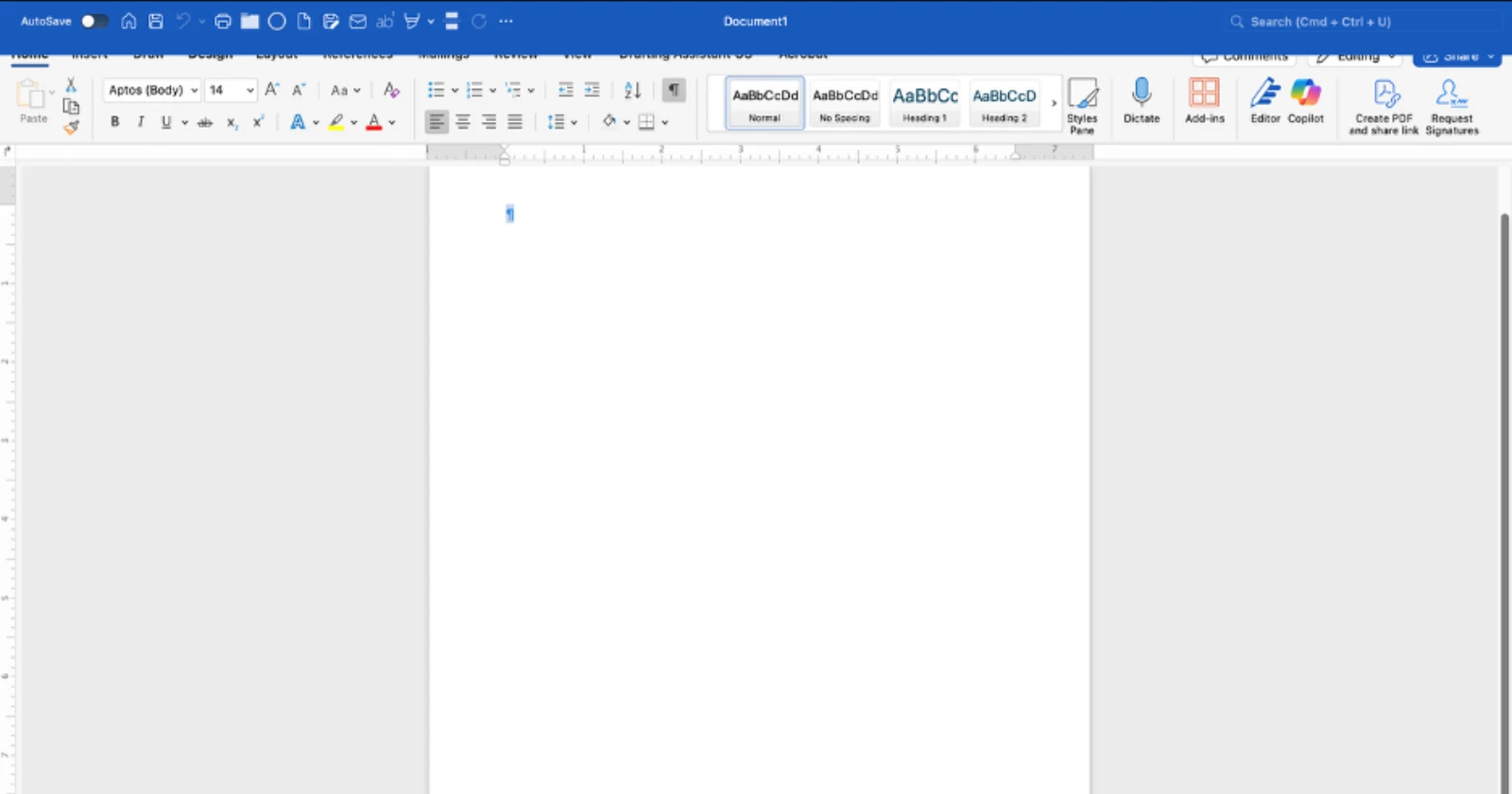
Mac users trying to get work done in Microsoft Office are running into a weird glitch. A recent update to Office 365 apps has introduced a visual bug that makes full-screen mode nearly impossible to use. The Quick Access Toolbar now sits directly on top of the ribbon interface, blocking tabs like Home, Insert, and Design from view.
Check out this screenshot for reference:

The problem appears to have started after Microsoft pushed out version 16.102.1 around October 24. Users across Microsoft’s support forums, Reddit, and Apple’s discussion forums have been reporting the same issue. One user described it bluntly: “it’s completely unusable.” The bug doesn’t just affect Word either. Excel, PowerPoint, and OneNote users are seeing the same overlap problem when working in full-screen mode.
The annoying part of the bug is that people can’t click on ribbon options without first exiting full-screen mode. Some have found themselves toggling back and forth constantly just to access basic formatting tools.
Microsoft moderators on their Q&A forums have acknowledged it’s a bug and asked users to file reports through the Help menu, though there’s no official timeline for a fix yet.
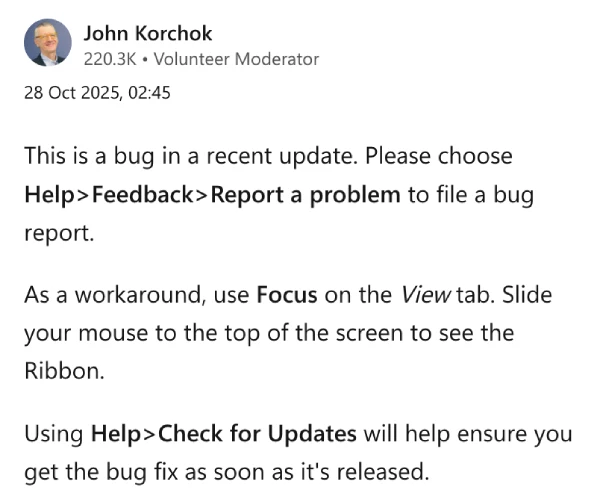
There are a few workarounds floating around. Microsoft’s John Korchok suggested using Focus mode from the View tab, where you can slide your mouse to the top of the screen to reveal the ribbon temporarily.
Others have reported that updating to macOS Tahoe fixes the issue entirely, though that’s not an option for everyone running older hardware or using tools like OpenCore Legacy Patcher.
Reports continue to pile up across multiple discussion threads and forum posts, with users on both Intel and Apple Silicon Macs affected. You can find additional reports here, here, here, here, here, here, here, here, here, here, here, here, and here.
Meanwhile, we’ll keep an eye out for any further details and will update this post if and when there’s something to share.

Dwayne Cubbins
1828 Posts
My fascination with Android phones began the moment I got my hands on one. Since then, I've been on a journey to decode the ever-evolving tech landscape, fueled by a passion for both the "how" and the "why." Since 2018, I've been crafting content that empowers users and demystifies the tech world. From in-depth how-to guides that unlock your phone's potential to breaking news based on original research, I strive to make tech accessible and engaging.
Next article View Article