
Update 23/10/25 – 11:39 am (IST): If you are still facing issues with Word and Excel, like many others, there’s a potential workaround if you’re dealing with the app getting frozen. One user on Reddit claims that they’re able to get the app (at least Excel) to work by toggling on Airplane mode and then disabling it.

Give this a shot and let us know if it did the trick for you in the comments below.
Update 21/10/25 – 03:22 pm (IST): Microsoft released version 2.102.2 for Word and Excel on the App Store yesterday, so try installing the update and let us know if that fixes the problem. At least one user reported that they started facing even more issues following the update. Here’s what they said:
Version 2.102.2 of the apps just released in the last few hours. I was hopeful but it’s now worse, with greyed out screens large swathes of blank area in excel and unclickable everywhere. Tapping files in recent doesn’t even work.
Original article published on October 18, 2025, follows:
It seems something has gone terribly wrong with Microsoft’s Word and Excel apps for iOS and iPadOS. Complaints started pouring in yesterday, with users reporting everything from complete freezes to apps that crash within seconds of opening a document.
One user on Reddit’s Excel community mentioned they had to screenshot their grocery list because the app wouldn’t open on shopping day. Another person trying to access their to-do list found the whole experience derailing their plans.
The issues seem to affect both Word and Excel, with reports indicating that apps either freeze immediately upon launch or load documents extremely slowly before becoming completely unresponsive.
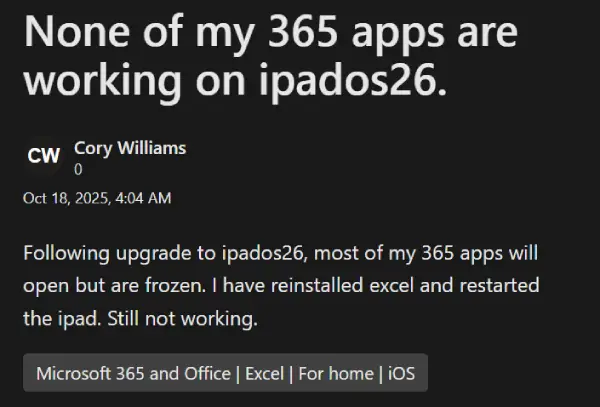
One Redditor confirmed that they experienced the same problem on both an iPhone and an iPad.
Some users tried the standard troubleshooting steps like deleting and reinstalling the apps, restarting their devices, but nothing worked. “I even deleted the app and reinstalled. Still not working,” one frustrated user wrote.
There’s speculation that the iPadOS 26 and iOS 26 updates might be the culprits. Multiple people mentioned the problems started shortly after updating to the latest version of iPadOS/iOS.
That said, both Word and Excel seem to have bagged an update five days ago, accordingly to their App Store listings, yet most reports appear to have popped up yesterday. So it’s unclear what exactly might be causing the problem.
What’s particularly odd is Microsoft’s official response — or lack thereof. When users reached out on X, the Microsoft 365 Status account said they weren’t aware of any issues matching the description and directed people to log support tickets.

Some independent advisors recommend keeping an eye on the App Store for updates over the next few days. It’s likely that Microsoft will release a quick fix for the problems within a day or so.
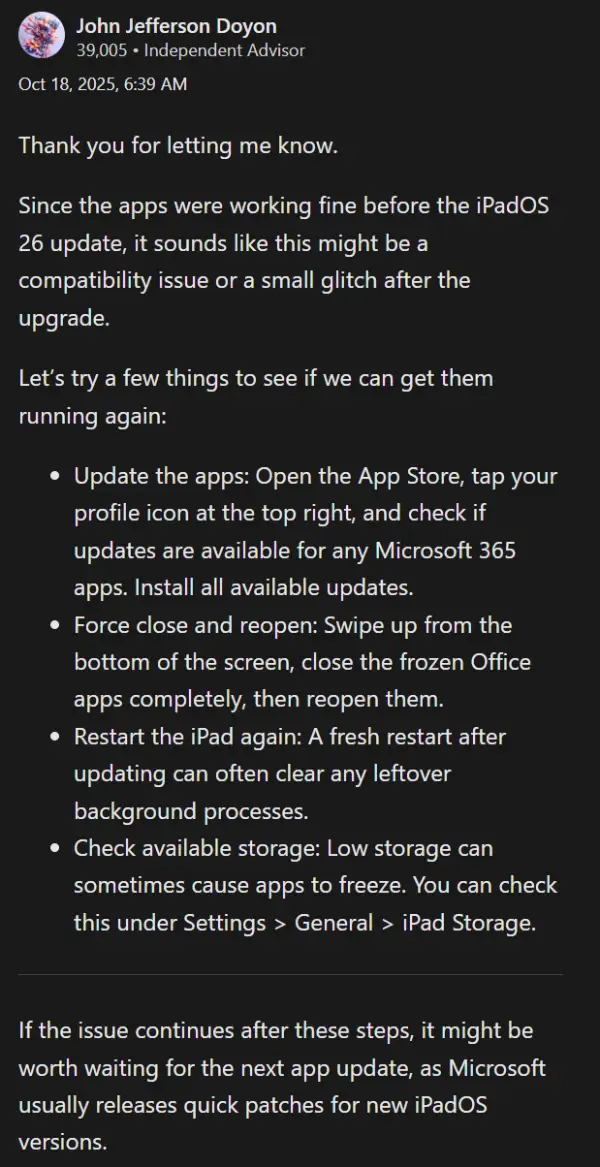
For now, though, people are stuck taking screenshots of their spreadsheets or switching to desktop versions until Microsoft pushes out a fix.


Dwayne Cubbins
3117 Posts
I cover fast-moving stories across apps, online platforms, and everyday tech — phones, wearables, consoles, and whatever else people are fighting with this week. Bugs, rollouts, scams, policy enforcement, and the occasional internet-culture rabbit hole are all fair game. My goal is simple — make confusing tech news readable. When I'm not working, I'm working out or chilling with my dog. Got a tip? You can find me on X @dcubbins.
Next article View Article