





Why is this so terrible?
byu/Expensive-Key-9122 inBattlefield
It seems like many Battlefield 6 players are stuck dealing with a frustrating spawn screen problem that makes picking spawn points feel like trying to thread a needle while riding a rollercoaster. The spawn selector cursor in Battlefield 6 keeps jumping to the top left corner of the map whenever a match loads, turning what should be a quick decision into an annoying wrestling match with the game’s interface.
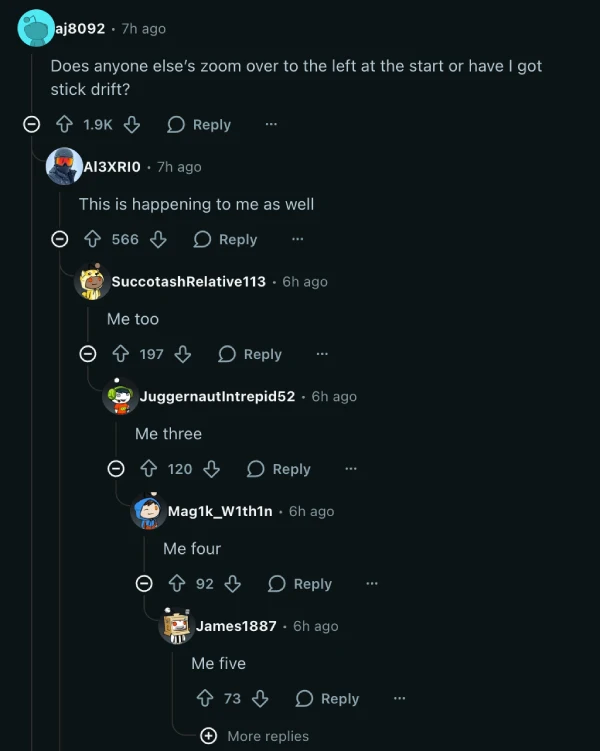
A few thousand users flooded a Reddit thread sharing their exasperation with the glitchy cursor behavior. The issue affects controller and mouse users across PlayStation 5, Xbox, and PC platforms, meaning nobody gets a pass on this one. What makes it worse is that many players initially thought their brand-new controllers had developed stick drift, with some even buying replacements before realizing the problem was with the game itself.
The cursor doesn’t just start in the wrong position either. Players report the selector becoming erratic and difficult to control when trying to navigate the spawn map, making precision placement nearly impossible during heated matches. This gets particularly annoying in Hardcore mode where the big map is the only navigation tool available, and fumbling with a broken cursor can mean spawning in the worst possible location.
Check this embedded Reddit video for reference:
Console players have discovered a temporary workaround by pressing the right thumbstick (R3 on PlayStation, RS on Xbox) to recenter the map and cursor. PC users found they can use the Tab key or WASD keys to navigate when the mouse cursor disappears completely, though this feels clunky compared to normal point-and-click spawning. The D-pad also works for snapping directly to teammates and spawn points, but these band-aid solutions don’t fix the underlying problem.
The spawn selector also sometimes vanishes entirely during gameplay, forcing players to rely solely on keyboard navigation or controller buttons instead of their preferred input method. Some users mentioned the cursor will lock onto a single spawn point and refuse to budge, requiring them to deploy there just to reset the system and try again.
The spawn screen complaints extend beyond just the cursor problem. Players also criticized the overall UI design for being unnecessarily complicated, requiring too many clicks to customize weapons and return to deployment. The interface feels like it prioritizes flashy aesthetics over functional design, creating extra friction during time-sensitive respawns.
Given how fundamental spawning is to the Battlefield experience, having a broken selector actively hampers gameplay and ruins the flow of matches. That said, feel free to share your thoughts on this in the comments below.

We stand out from the tech-media crowd because we break news stories; we mainly bring you stuff that you won’t find anywhere in the mainstream tech media. Our stories have been picked up by some of the world’s most popular websites and media outlets—more info is available here.

Dwayne Cubbins
3036 Posts
I cover fast-moving stories across apps, online platforms, and everyday tech — phones, wearables, consoles, and whatever else people are fighting with this week. Bugs, rollouts, scams, policy enforcement, and the occasional internet-culture rabbit hole are all fair game. My goal is simple — make confusing tech news readable. When I'm not working, I'm working out or chilling with my dog. Got a tip? You can find me on X @dcubbins.
Next article View Article

YouTube background play not working on Brave Browser app? Try these potential workarounds
Update 31/01/26 - 09:22 am (IST): Brave's support team has confirmed that the company is aware and investigating the issue. They've also provided the same workaround...
Jan 12, 2026 3 Min Read