





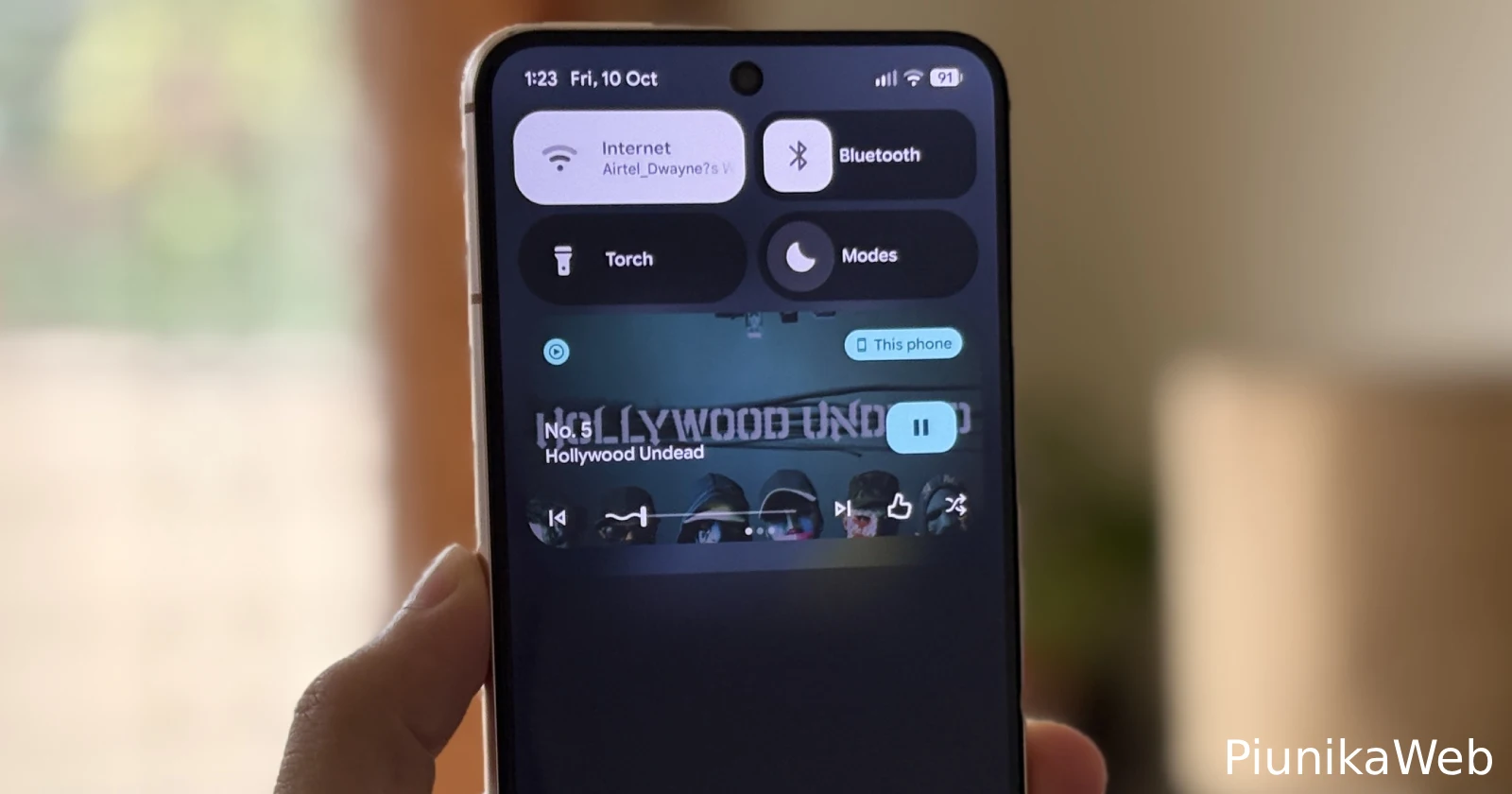
Why is this happening?
byu/McMack87 inpixel_phones
Pixel owners are running into a frustrating glitch with their media player controls that’s making it impossible to switch between different apps. When multiple media players are active, the notification shade is supposed to let you swipe between them, but users are finding that the controls just refuse to budge.
The bug shows both media players stacked in the quick settings panel, but trying to swipe over to the second one gets you nowhere. It’s like the interface thinks there’s only one player active, even though it’s clearly displaying both. Tapping the corner of the visible app still works as a workaround, but that’s hardly the smooth experience Google designed.
Here’s a video shared on Reddit for reference:
Reports are coming in from Pixel 6, 7, 8, 9, and even 10 series users. It doesn’t matter if you’re running stable builds or beta versions either. One user mentioned they’ve been dealing with this for months on their Pixel 9 Pro, while others say it started after recent updates. The October security patch brought the issue to more devices, though some beta testers were already struggling with it weeks earlier.
For what it’s worth, I tried reproducing this on both the latest beta and stable build on my devices, and couldn’t get it to happen. That inconsistency might explain why it took Google a while to pin down.
The issue actually goes back further than most people realize. A report on Google’s Issue Tracker was filed in June during the QPR1 beta testing phase. By late September, users confirmed the bug had escaped beta and made its way into stable release builds, affecting devices running BP3A.250905.014 and other recent versions.
Common workarounds include restarting the phone (which only helps temporarily), clearing cache for the affected media apps, or just opening the app directly instead of using the notification controls. Some people have switched their media apps to unrestricted battery usage, but that hasn’t consistently fixed anything.
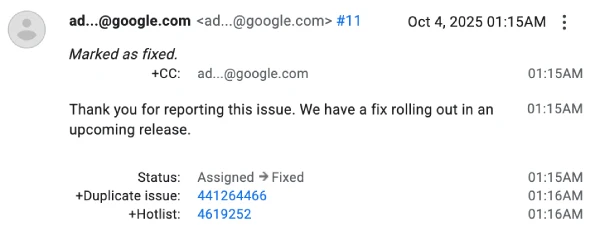
There’s good news though. A Google employee responded to the Issue Tracker report on October 4, marking it as fixed and confirming that “we have a fix rolling out in an upcoming release.” No specific timeline was given, but at least there’s official acknowledgment that a patch is on the way.
That said, this adds to a list of other bugs that popped up following the QPR1 build that went live in September, including a troubling battery drain problem. Let’s hope Google addresses these issues sooner rather than later.

We stand out from the tech-media crowd because we break news stories; we mainly bring you stuff that you won’t find anywhere in the mainstream tech media. Our stories have been picked up by some of the world’s most popular websites and media outlets—more info is available here.

Dwayne Cubbins
3151 Posts
I cover fast-moving stories across apps, online platforms, and everyday tech — phones, wearables, consoles, and whatever else people are fighting with this week. Bugs, rollouts, scams, policy enforcement, and the occasional internet-culture rabbit hole are all fair game. My goal is simple — make confusing tech news readable. When I'm not working, I'm working out or chilling with my dog. Got a tip? You can find me on X @dcubbins.
Next article View Article

YouTube background play not working on Brave Browser app? Try these potential workarounds
Update 31/01/26 - 09:22 am (IST): Brave's support team has confirmed that the company is aware and investigating the issue. They've also provided the same workaround...
Jan 12, 2026 3 Min Read