






Microsoft Word users who depend on the Read Aloud feature are running into a frustrating problem. The natural-sounding voices they’ve grown used to have suddenly switched to robotic, monotone alternatives that sound like they belong in a 2010 tech demo.
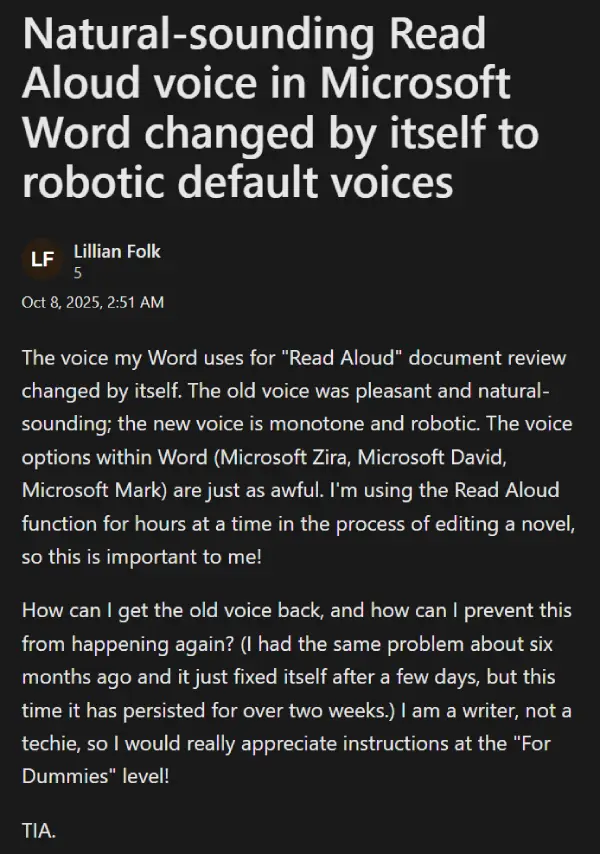
Writers, students, and anyone using the feature for hours at a time are understandably annoyed, especially since the built-in voice options like Microsoft Zira, David, and Mark aren’t much better.
One user, Lillian Folk, posted on Microsoft’s support forums about how the pleasant voice she relied on while editing her novel just disappeared overnight.
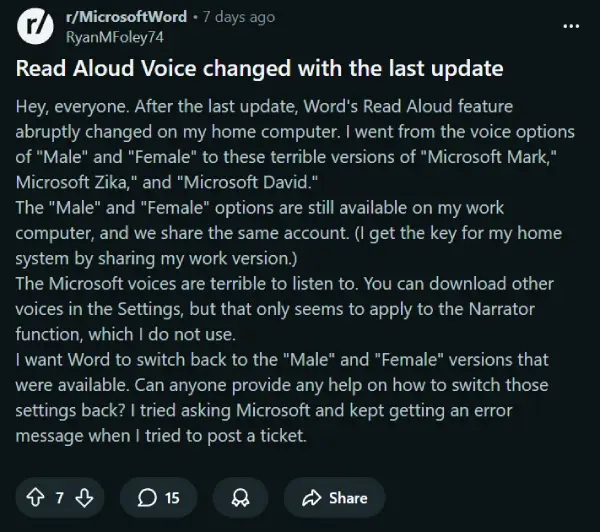
They aren’t alone. Reports about this issue have been flooding in from multiple platforms, with users on Reddit describing the same issue after recent updates.
What makes it worse is that this isn’t the first time. Similar complaints popped up back in March too.
But not all hope is lost. There’s actually a workaround that seems to help get the natural voices back. One advisor on Microsoft’s support forums shared a popular fix that involves tweaking the Windows Registry.
Here are the steps they shared:
- Close Microsoft Word
- Press Win + R, type regedit, and press Enter
- Navigate to:
HKEY_CURRENT_USER\Software\Microsoft\Office\16.0\Word\Options- Look for the value
ReadAloudSignInErrorCount- Right-click and rename it (e.g., add -1 to the end).
- Close the editor, restart Word and test if the Read Aloud works properly
Multiple users across different support threads and Reddit discussions have confirmed this fix works for them. The registry edit appears to reset whatever authentication error is preventing Word from accessing the better quality voices.
It’s worth trying if you’re stuck listening to voices that sound more Stephen Hawking than audiobook narrator. Feel free to drop a comment below to let us know if this did the trick for you.


Dwayne Cubbins
2975 Posts
I cover fast-moving stories across apps, online platforms, and everyday tech — phones, wearables, consoles, and whatever else people are fighting with this week. Bugs, rollouts, scams, policy enforcement, and the occasional internet-culture rabbit hole are all fair game. My goal is simple — make confusing tech news readable. When I'm not working, I'm working out or chilling with my dog. Got a tip? You can find me on X @dcubbins.
Next article View Article
