





Chrome users who depend on the browser’s experimental Auto Dark Mode feature are dealing with a weird bug after the recent v141 update. The problem inverts images incorrectly across websites, turning logos, icons, and even QR codes into garbled messes that are hard to look at.
The bug started showing up right after Chrome rolled out version 141.0.7390.55 earlier this month. Users who enabled the “Auto Dark Mode for Web Contents” flag with selective inversion on non-image elements noticed their browsing experience suddenly went wrong. Websites that looked fine in previous versions now display inverted Amazon logos, distorted YouTube thumbnails, and broken app icons on the New Tab Page.
One user who reported the issue on Google’s Chromium bug tracker noted that while other Chromium-based browsers still handle the feature properly, Chrome 141 mangles the same sites. They tried manually enabling the flag through launch arguments but nothing fixed the rendering problems. Screenshots comparing Chrome 140 to Chrome 141 show a clear difference in how images appear, with the newer version inverting elements that should have been left alone.
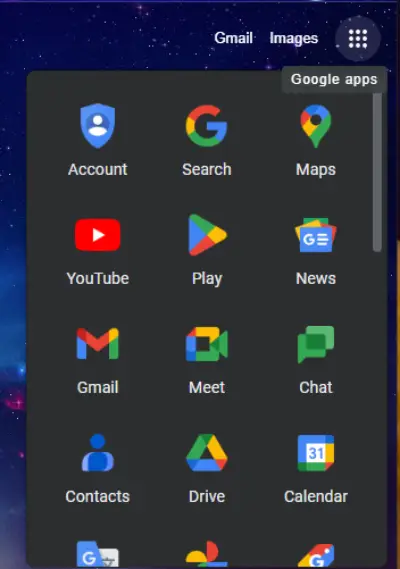
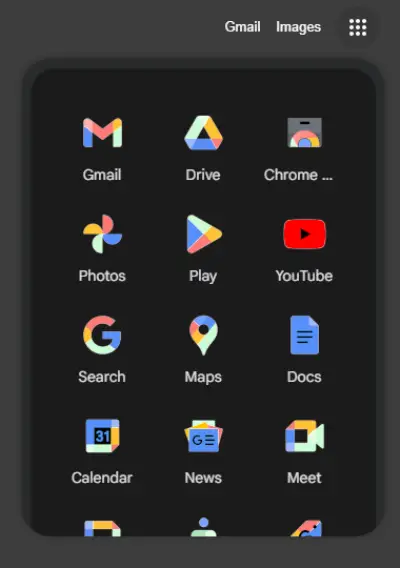
Google’s internal testing team confirmed the bug affects Windows, Linux, and macOS across multiple Chrome channels including Stable, Beta, Dev, and Canary. They tracked down the regression to a specific code change between builds 141.0.7364.0 and 141.0.7365.0, which was part of a larger effort to clean up Auto Dark Mode code.
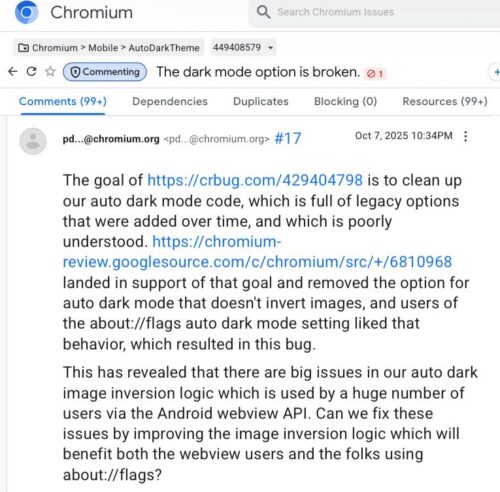
The issue has been piling up reports across Reddit and Google’s support forums. Multiple threads on r/chrome document the problem, with users complaining about inverted images on Amazon, broken Chrome app icons, and even YouTube becoming annoying to watch because thumbnails and video previews look wrong.

One problematic side effect involves QR codes on some websites getting inverted to the point where they become unusable.
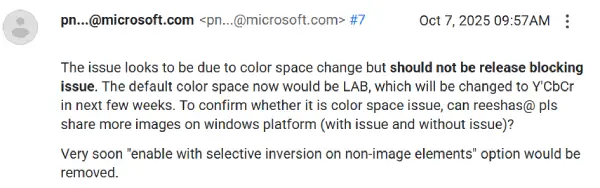
According to a Microsoft engineer on the bug tracker, the issue stems from a color space change in how Chrome processes images under Auto Dark Mode. The browser now defaults to LAB color space instead of the previous method, which throws off the image inversion logic. They mentioned plans to switch to Y’CbCr color space in the coming weeks and indicated that the “selective inversion on non-image elements” option will be removed entirely.
For now, users who want the feature to work properly have been reverting to Chrome 140, where everything still functions as expected.
The bug was marked as a release blocking issue with P0 priority, though engineers later suggested it shouldn’t block releases since the feature is experimental. Still, feedback keeps coming in through Google’s internal reporting system and public forums, showing the feature matters to more people than Google might have expected.


Dwayne Cubbins
3101 Posts
I cover fast-moving stories across apps, online platforms, and everyday tech — phones, wearables, consoles, and whatever else people are fighting with this week. Bugs, rollouts, scams, policy enforcement, and the occasional internet-culture rabbit hole are all fair game. My goal is simple — make confusing tech news readable. When I'm not working, I'm working out or chilling with my dog. Got a tip? You can find me on X @dcubbins.
Next article View Article
