





So when it's all said and done, you will pay $120 extra/year, billed monthly, if you want all the advanced features.
— Artem Russakovskii (@ArtemR) October 2, 2025
So I actually lost money in this conversion because I had the $100/year 50% off deal. pic.twitter.com/LKKyFkA8oc
If you’ve woken up recently to find your beloved Nest Aware security plan has been unceremoniously renamed, you’re not alone and no, you haven’t been charged double by accident. In a very Google move, the company officially phased out Nest Aware, folded it into two brand-new offerings under a shiny new moniker, and created a whole new layer of bundling that’s equal parts confusing and potentially great value for you, the savvy shopper.
The new player in the security space is called Google Home Premium, and it’s the definitive replacement for what Nest users have been paying for all along. Matter of fact, we highlighted the initial rollout ahead of the official announcement a couple of days ago.

Let’s be crystal clear about the name change. At its core, the familiar Nest Aware services are still there, just given a marketing facelift that centers them squarely inside the broader Google Home app. Everything you knew about continuous recording, intelligent detection features, and cloud storage has been re-packaged into the two new tiers of Google Home Premium.
The base entry point is the Standard Plan, clocking in at $10 a month or $100 a year for a slight uptick in price for some users. You get all the essential functionality like 30 days of video history and basic camera alerts. The other option, the more beefed-up tier which directly replaces the old Nest Aware Plus, is the Advanced Plan at $20 a month or $200 a year.
So, what is the new value being baked into this? It all comes down to Gemini for Home. This is the much-anticipated AI smarts Google is infusing into your devices, but it won’t all be available in the lower tier. The Standard Plan, for example, includes what Google calls Gemini Live for hotword-free conversations with Assistant, and a feature called Ask Home to help you build and manage automations. It’s important to note, though, that an official Google Nest team representative has clarified that the core upgrade of your voice assistant from Google Assistant to Gemini is included at no extra cost.
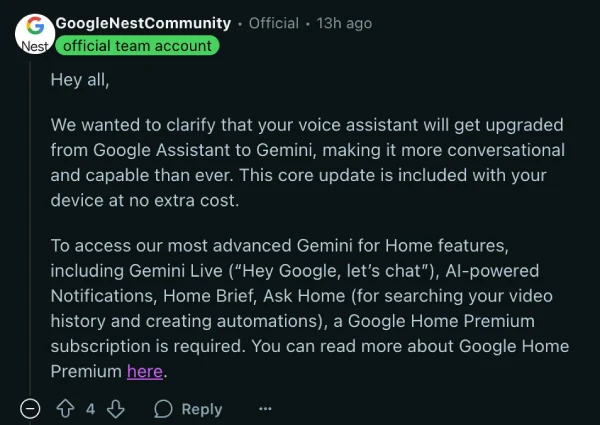
Ask Home is a conversational feature within the Google Home app that uses Gemini for Home to streamline home controls, get information about your home’s status and history, and assist with creating automations. For instance, users can control devices with commands like “Turn off all lights except the kitchen,” or ask questions about home activity, such as “Which lights are on?” (Tip: Only administrators aged 18 and older can access full features outside of quick search.)
The feature set is tiered based on the user’s subscription:
Features available without a Google Home Premium subscription (Standard plan equivalent)
- Quick search: Instantly search for devices and automations right from the search bar as you type.
- Simple device queries: Ask questions like, “Which lights are on?” or “Is the front door locked?”
- Real-time device control: Give simple commands such as, “Close all blinds,” and the action will follow through instantly.
Additional features available to Google Home Premium subscribers (Standard/Advanced)
- Automation creation: Create automations using natural language in Ask Home. This includes recurring automations (e.g., “Turn off all lights whenever we are away”) or one-time automations (e.g., “Later this evening at 7 PM, make the living room warm and play our favorite music”).
- Saved information: Ask Home can remember things about you or your household to personalize your experience. For example, if you save your favorite color as blue, you can ask “Set living room lights to my favorite color.”
Additional features available to Google Home Premium Advanced subscribers
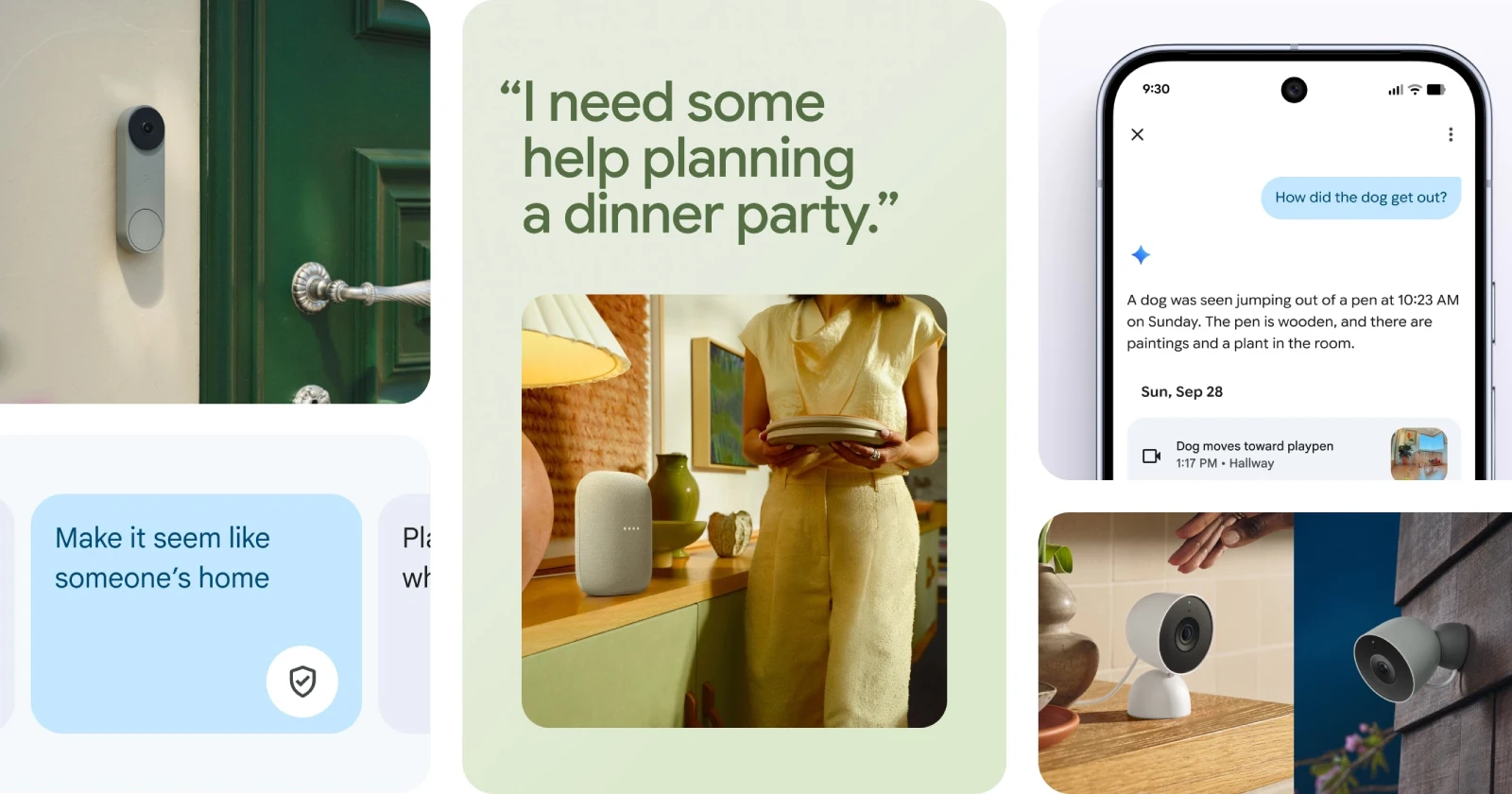
- AI descriptions and AI notifications: Your camera events will now have detailed captions that tell you more about what is happening in the clip instead of just a basic “person” or “package” alert. You’ll also receive these detailed descriptions in your camera notifications.
- Search video history: Find specific events recorded by your cameras by asking questions like “Did the dog go outside today?”
- Home Brief: Receive a daily summary each evening of the most important events captured by your cameras. To personalize your Home Brief, simply tell Ask Home what matters to you.
The Saved Information feature extends into personalization for Advanced users, particularly with the Home Brief (e.g., “Focus my Home Brief on kids’ activities”). Ask Home may ask if you want to save something, or you can explicitly request it by entering a phrase like “Remember that our dog’s name is Charlie.” To manage or delete this information, you can ask Ask Home “What do you remember?” or give a command like “Delete all saved information.”
Now for the part that requires a PSA. If you’re a long-time Google user who subscribes to their big Google One plans, check your account immediately because you may already have one of these tiers. Google has rolled the Home Premium subscription right into its premium Google One tiers. If you are a Google AI Pro subscriber, you automatically get the Home Premium Standard Plan included in your bundle. If you’re a maxed-out Google AI Ultra member, you get the premium Advanced Plan automatically.
However, many users on Google One AI Pro who were previously on the Nest Aware Plus plan (which offered 24/7 recording) are currently encountering a confusing gap in service. They’re finding that their auto-included Standard tier doesn’t include the 24/7 continuous recording that Nest Aware Plus did. To get that full functionality back, AI Pro subscribers will need to purchase an additional $10 a month add-on to upgrade their included Standard plan to Advanced.
As noted by Android Police founder, Artem Russakovskii, for those who had benefited from discounted annual Nest Aware Plus plans, this change effectively cancelled their old subscription, leaving them to pay an extra $120 a year for the same feature set. So it’s a frustrating loss in value for some early adopters, and it can get confusing real quick.
The rollout also follows Google’s usual staggered, regional deployment, which is also leaving many users frustrated. Users in regions like Australia and various parts of Europe have only received the new rounded-off user interface design in their apps, with the highly anticipated new AI features still unavailable or non-functional, even when the new ‘Ask Home’ search bar is clearly visible. One user even shared a screen recording for reference:
The rollout also follows Google’s usual staggered, regional deployment, which is also leaving many users frustrated. Google has clarified that features requiring a Google Home Premium subscription are currently available in:
- United States (English)
- Canada (English and French)
- United Kingdom (English)
- Ireland (English)
- Australia (English)
- New Zealand (English)
TL;DR: Nest Aware is dead, long live Google Home Premium. If you’re in the US and already have a Google One AI Pro plan, congratulations, you got a nice price break on most of your camera services. If you’re anywhere else, you have the new name and may be paying slightly more for your video, so definitely check your old subscriptions. If you want the shiny new AI camera features, be ready to pay for the Advanced plan, or make sure your existing Google One tier is the massive Ultra option.

We stand out from the tech-media crowd because we break news stories; we mainly bring you stuff that you won’t find anywhere in the mainstream tech media. Our stories have been picked up by some of the world’s most popular websites and media outlets—more info is available here.

Dwayne Cubbins
2949 Posts
I cover fast-moving stories across apps, online platforms, and everyday tech — phones, wearables, consoles, and whatever else people are fighting with this week. Bugs, rollouts, scams, policy enforcement, and the occasional internet-culture rabbit hole are all fair game. My goal is simple — make confusing tech news readable. When I'm not working, I'm working out or chilling with my dog. Got a tip? You can find me on X @dcubbins.
Next article View Article
Instagram app crashing within seconds of opening on Android for many [U: Widespread again]
Update 12/02/26 - 02:17 pm (IST): Looks like Instagram's Android crashing problem is back with a vengeance. Reports started flooding in earlier today from users who can...
Feb 12, 2026 2 Min Read