






Google has confirmed it’s addressing a frustrating bug that’s been plaguing Gemini’s image generator for weeks now. Users have been complaining that no matter what dimensions they request, the AI keeps spitting out square 1:1 images instead of the 16:9 or 9:16 formats they actually want.
The issue first caught our attention earlier this month when users started noticing their prompts for different aspect ratios were being completely ignored. You could ask for a widescreen 16:9 image until you’re blue in the face, but Gemini would just keep churning out squares. What made it worse was the uncertainty about whether this was an actual bug or some weird new limitation Google decided to implement without telling anyone.
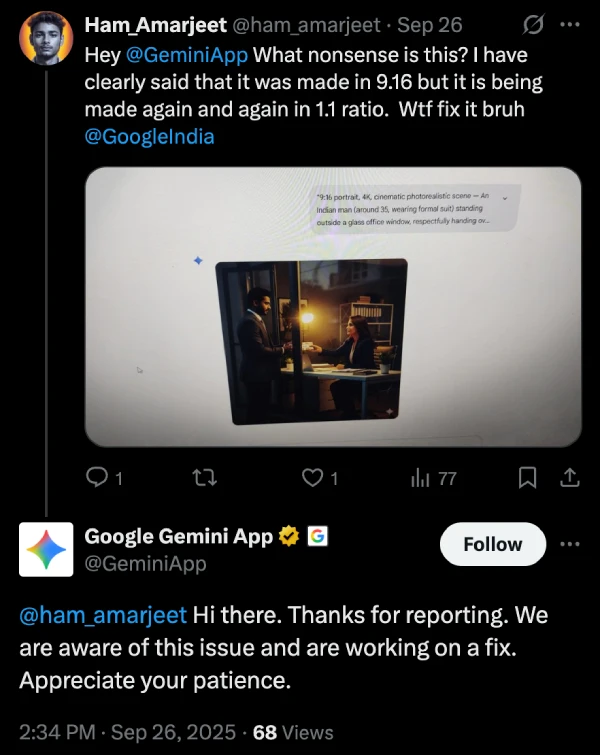
Luckily, it seems Google is already on the case. The @GeminiApp account has been responding to a number of complaints on X about the aspect ratio problem, stating that they’re working on a fix for it. Here’s a screenshot of one such exchange:
According to discussions on Google’s support forums, this problem seems to stem from a backend update rolled out in early September. The new image model, Nano Banana, that replaced the previous one, appears optimized for conversational editing rather than generating images from scratch with specific dimensions. The Gemini chat interface isn’t properly configured to pass aspect ratio commands to this newer model, causing it to default to square outputs every single time.
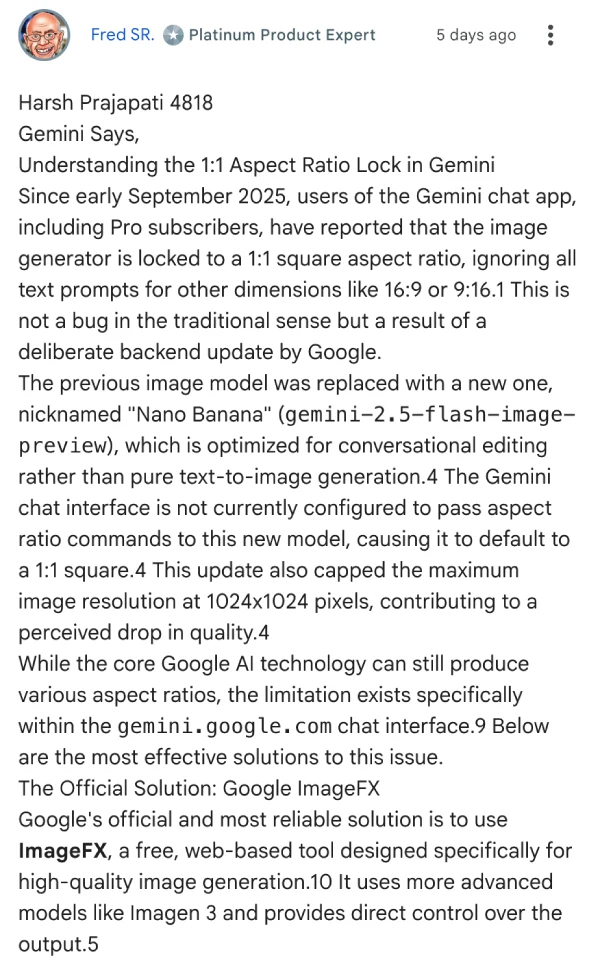
It’s worth noting that the underlying Google AI technology can still handle various aspect ratios just fine. The bottleneck is specifically within the gemini.google.com chat interface itself.
Users who need proper aspect ratios right now have been directed to use ImageFX instead, Google’s dedicated image generation tool that actually respects dimension requests. The only downside here is that ImageFX is still geo-restricted in some countries, but you could try using a VPN to bypass the restriction.
A product expert on the support forums also suggested uploading blank canvas images in their desired dimensions, though results with that method can be hit or miss.
Google hasn’t provided a timeline for when the fix will actually roll out, but at least they’ve confirmed that a fix is being put in place. We’ll post an update when the fix lands.

Dwayne Cubbins
1793 Posts
My fascination with Android phones began the moment I got my hands on one. Since then, I've been on a journey to decode the ever-evolving tech landscape, fueled by a passion for both the "how" and the "why." Since 2018, I've been crafting content that empowers users and demystifies the tech world. From in-depth how-to guides that unlock your phone's potential to breaking news based on original research, I strive to make tech accessible and engaging.
Next article View Article
