





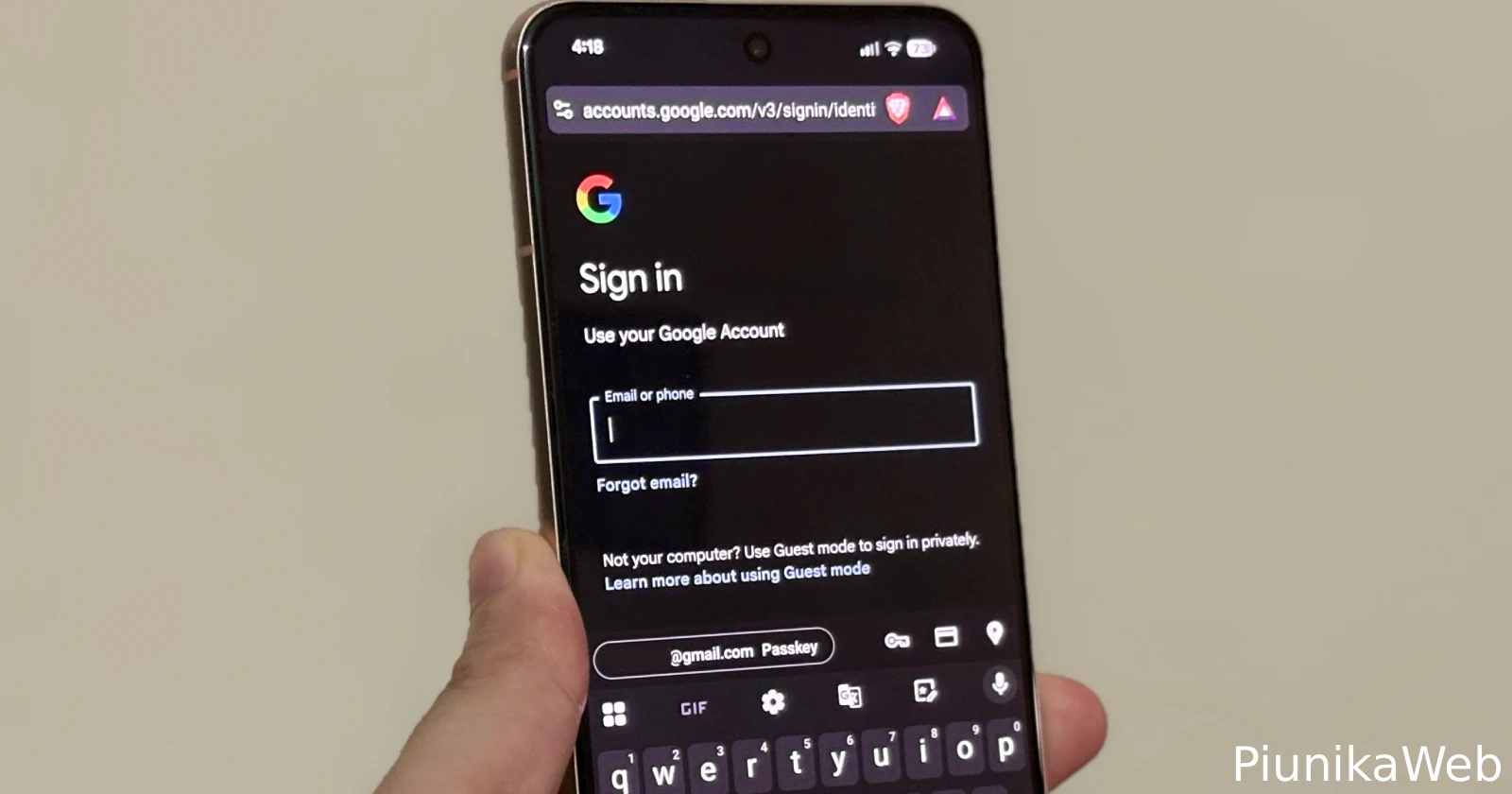
The autofill feature in Brave for Android is unreliable!
byu/Curious_Kitten77 inBitwarden
Open a login page in Chrome or Brave on Android, tap the username field, and nothing happens, that has been the routine for a lot of people lately. Instead of a quick prompt from the password manager, the sheet flickers, disappears, or never shows up.
Here’s a video someone shared on Reddit for reference:
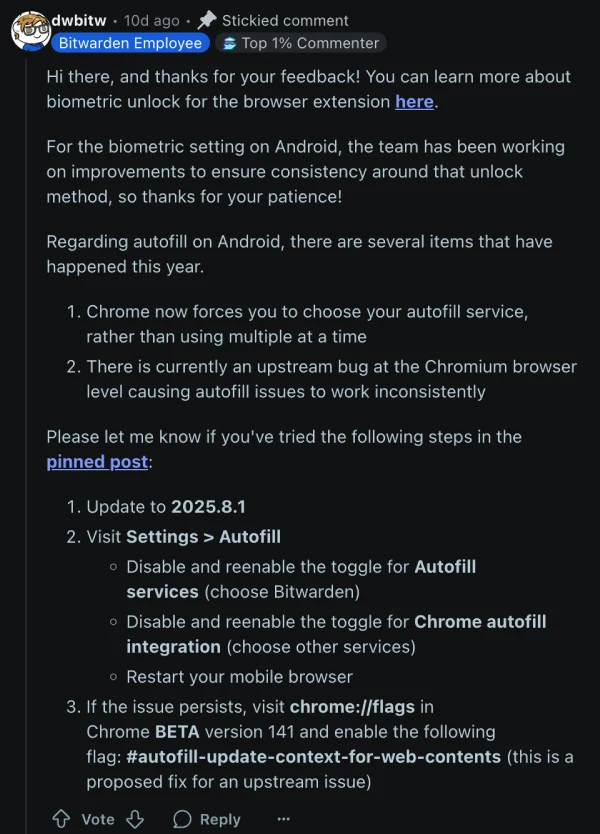
Bitwarden says this is not a one‑app bug and traces it back to Chromium, the engine that powers Chrome, Brave, and many other Android browsers. Recent changes also mean these browsers now expect a single autofill provider to be in charge, so setups that mixed the browser’s own save prompts with a third‑party manager have become unreliable. That explains why the same weirdness shows up across multiple password apps, including 1Password and Dashlane, not just Bitwarden.
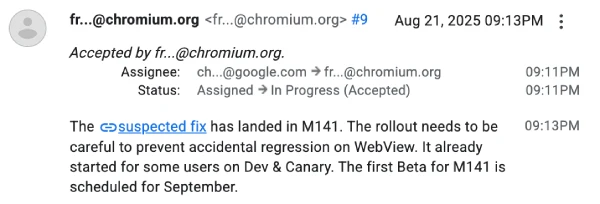
There is progress on a fix. Google has accepted the issue and wired up a change that’s landing with Chrome version 141. It is rolling out carefully, first through Dev and Canary builds, then Beta, since Android’s WebView depends on the same plumbing and nobody wants to break that.
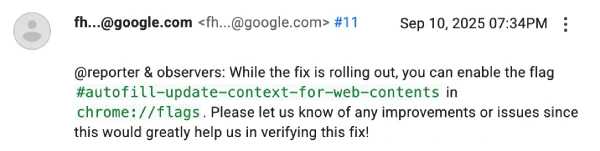
If patience is running thin, users can try a short‑term switch: enable the flag called “autofill‑update‑context‑for‑web‑contents” at chrome://flags and see if prompts behave again.
In the meantime, Bitwarden has a straightforward checklist that can also help. Update the app to the latest version, then head to Settings and re‑enable “Autofill services,” making sure Bitwarden is selected as the device’s autofill provider. Also toggle the Chrome or Brave integration off and back on, then restart the browser. These steps nudge Android to recognize the handoff cleanly, especially if the OS or the browser just updated.
The bottom line is simple, this is a browser‑side regression that happens to hit multiple password managers, and the proper fix is underway. Until Chrome 141 reaches stable for everyone, the combo of reselecting Bitwarden as the autofill service, refreshing the browser integrations, and testing the Chrome Beta flag should keep sign‑ins moving without resorting to manual copy‑paste.

We stand out from the tech-media crowd because we break news stories; we mainly bring you stuff that you won’t find anywhere in the mainstream tech media. Our stories have been picked up by some of the world’s most popular websites and media outlets—more info is available here.

Dwayne Cubbins
3026 Posts
I cover fast-moving stories across apps, online platforms, and everyday tech — phones, wearables, consoles, and whatever else people are fighting with this week. Bugs, rollouts, scams, policy enforcement, and the occasional internet-culture rabbit hole are all fair game. My goal is simple — make confusing tech news readable. When I'm not working, I'm working out or chilling with my dog. Got a tip? You can find me on X @dcubbins.
Next article View Article

YouTube background play not working on Brave Browser app? Try these potential workarounds
Update 31/01/26 - 09:22 am (IST): Brave's support team has confirmed that the company is aware and investigating the issue. They've also provided the same workaround...
Jan 12, 2026 3 Min Read