





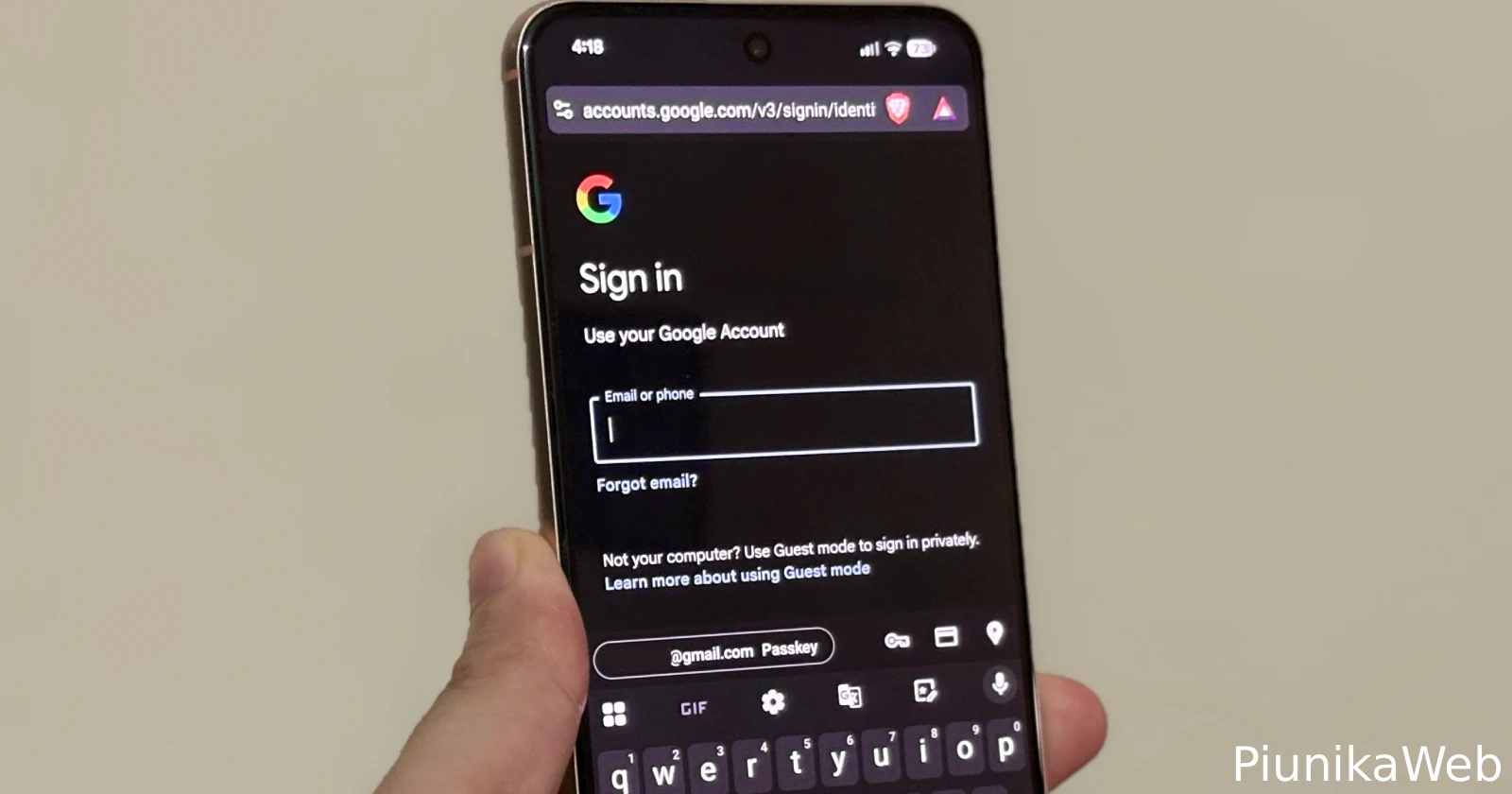
The autofill feature in Brave for Android is unreliable!
byu/Curious_Kitten77 inBitwarden
Open a login page in Chrome or Brave on Android, tap the username field, and nothing happens, that has been the routine for a lot of people lately. Instead of a quick prompt from the password manager, the sheet flickers, disappears, or never shows up.
Here’s a video someone shared on Reddit for reference:
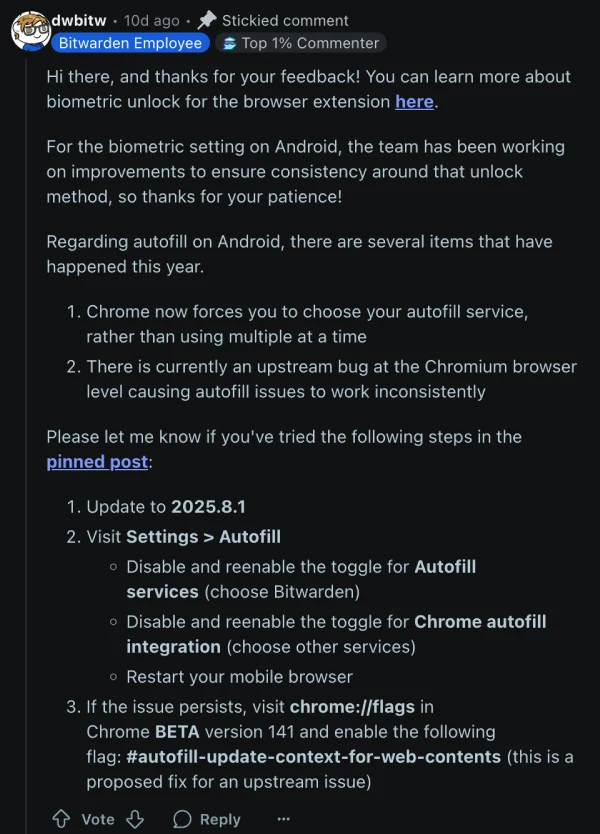
Bitwarden says this is not a one‑app bug and traces it back to Chromium, the engine that powers Chrome, Brave, and many other Android browsers. Recent changes also mean these browsers now expect a single autofill provider to be in charge, so setups that mixed the browser’s own save prompts with a third‑party manager have become unreliable. That explains why the same weirdness shows up across multiple password apps, including 1Password and Dashlane, not just Bitwarden.
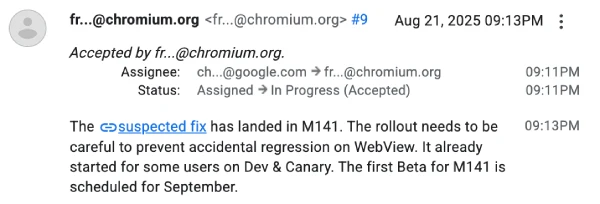
There is progress on a fix. Google has accepted the issue and wired up a change that’s landing with Chrome version 141. It is rolling out carefully, first through Dev and Canary builds, then Beta, since Android’s WebView depends on the same plumbing and nobody wants to break that.
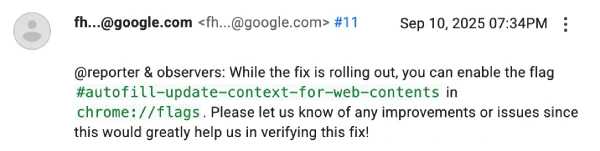
If patience is running thin, users can try a short‑term switch: enable the flag called “autofill‑update‑context‑for‑web‑contents” at chrome://flags and see if prompts behave again.
In the meantime, Bitwarden has a straightforward checklist that can also help. Update the app to the latest version, then head to Settings and re‑enable “Autofill services,” making sure Bitwarden is selected as the device’s autofill provider. Also toggle the Chrome or Brave integration off and back on, then restart the browser. These steps nudge Android to recognize the handoff cleanly, especially if the OS or the browser just updated.
The bottom line is simple, this is a browser‑side regression that happens to hit multiple password managers, and the proper fix is underway. Until Chrome 141 reaches stable for everyone, the combo of reselecting Bitwarden as the autofill service, refreshing the browser integrations, and testing the Chrome Beta flag should keep sign‑ins moving without resorting to manual copy‑paste.

Dwayne Cubbins
1798 Posts
My fascination with Android phones began the moment I got my hands on one. Since then, I've been on a journey to decode the ever-evolving tech landscape, fueled by a passion for both the "how" and the "why." Since 2018, I've been crafting content that empowers users and demystifies the tech world. From in-depth how-to guides that unlock your phone's potential to breaking news based on original research, I strive to make tech accessible and engaging.
Next article View Article

Many Pixel users are reporting increased battery drain after Android 16 QPR1 update
Google Pixel users are dealing with frustrating battery problems again, and this time the September patch seems to be the main culprit. The Android 16 QPR1 update has left many...
Sep 30, 2025 2 Min Read