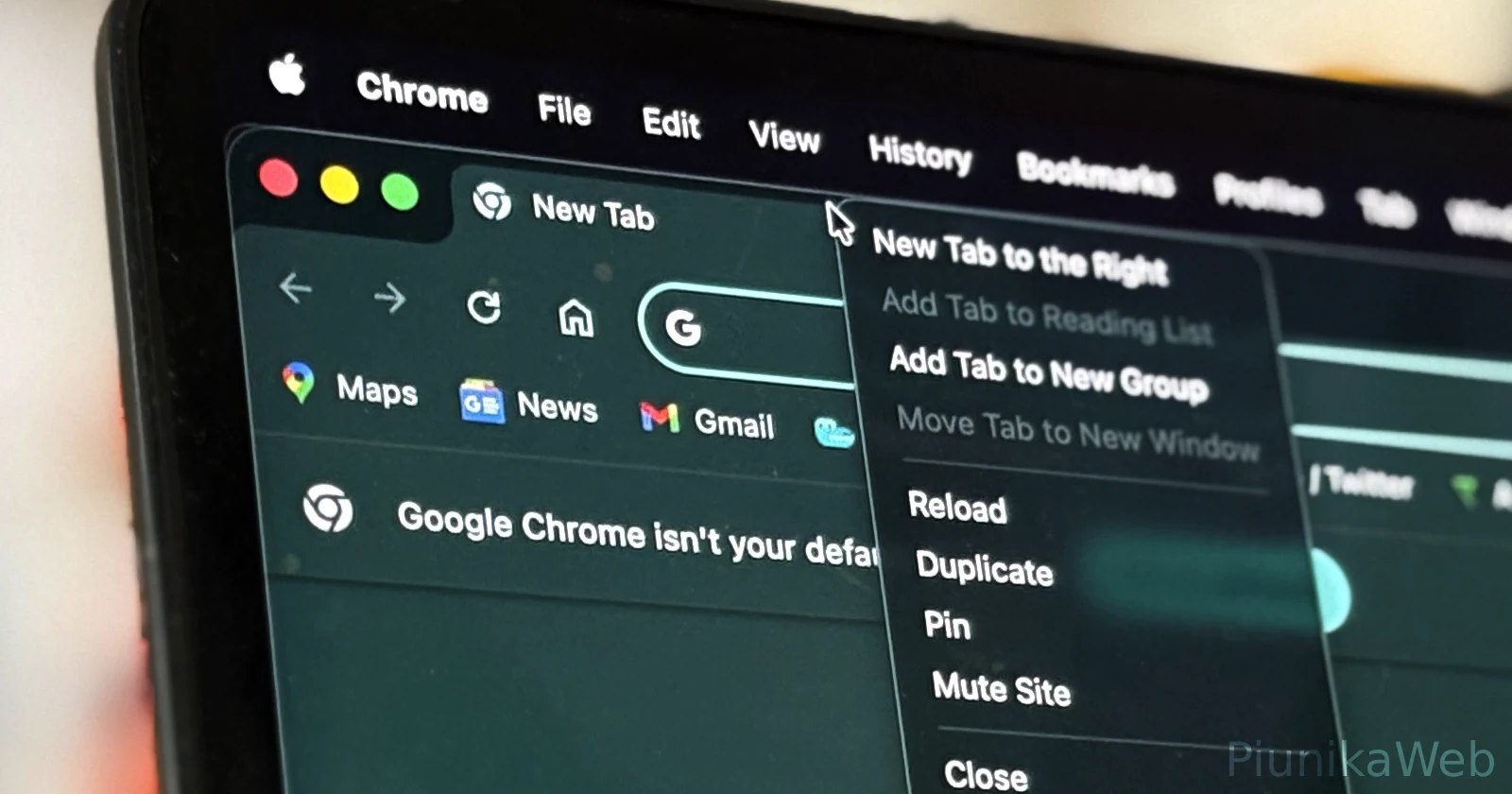
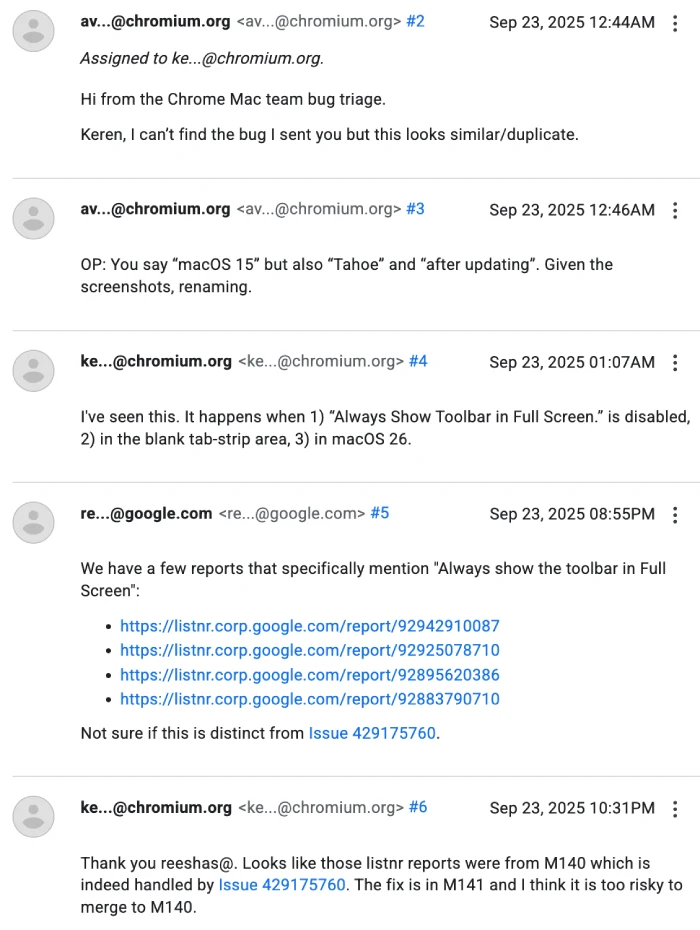
Update 25/09/25 – 11:57 am (IST): The Chrome Mac team has officially acknowledged this right-click bug and confirmed it’s linked to the “Always Show Toolbar in Full Screen” setting, specifically affecting users on macOS 26.
According to a recent update in the Chromium Issue Tracker, the team has already addressed the bug — it’s fixed in Chrome version M141, though they note it’s too risky to backport the fix to M140. So, impacted users should expect relief once M141 rolls out.
Original article published on September 24, 2025, follows:
MacBook users running macOS Tahoe are encountering a frustrating Chrome browser bug that prevents the tab bar right-click menu from functioning properly. The issue appears specifically when Chrome is running in fullscreen mode, leaving users unable to access common tab functions like pinning, muting, or duplicating tabs.
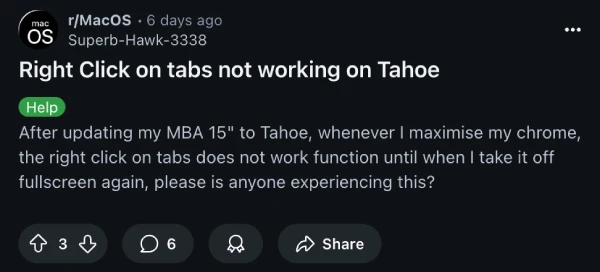
Reddit user Superb-Hawk-3338 first highlighted the problem six days ago on r/MacOS, noting that after updating their MacBook Air 15″ to Tahoe, right-clicking on Chrome tabs simply stopped working in maximized mode. The functionality returns when switching back to windowed mode, but disappears again once fullscreen is reactivated.
The Chrome Support Forums show similar complaints from multiple users. Yousaf Nadeem reported the issue on September 14, stating that after updating both macOS and Chrome, the right-click menu completely disappeared. Their thread now has 225 votes from people who claim to be facing the same issue.
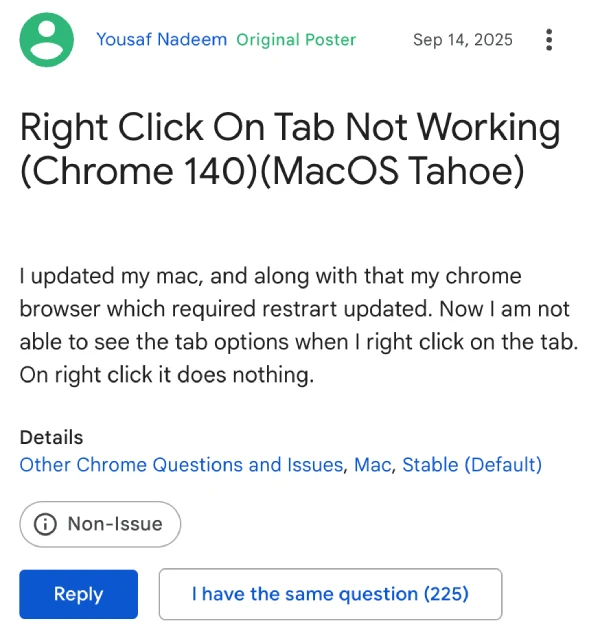
In that thread, another individual confirmed the problem occurs exclusively in fullscreen mode, while someone else chimed in, noting that windowed mode works without issues.
That said, there’s a possibility that this might not just be a Chrome thing. Reddit user giftedbrownies mentioned they “can’t right click on anything I used to be able to in other applications,” suggesting the issue might be more widespread than initially thought.
I, however, haven’t been able to replicate the issue on my M2 MacBook Air with Chrome v140.0.7339.185. Even after loading up Chrome in fullscreen, I was able to get the right-click menu to work as expected. I also couldn’t replicate the reported behavior in any other app.
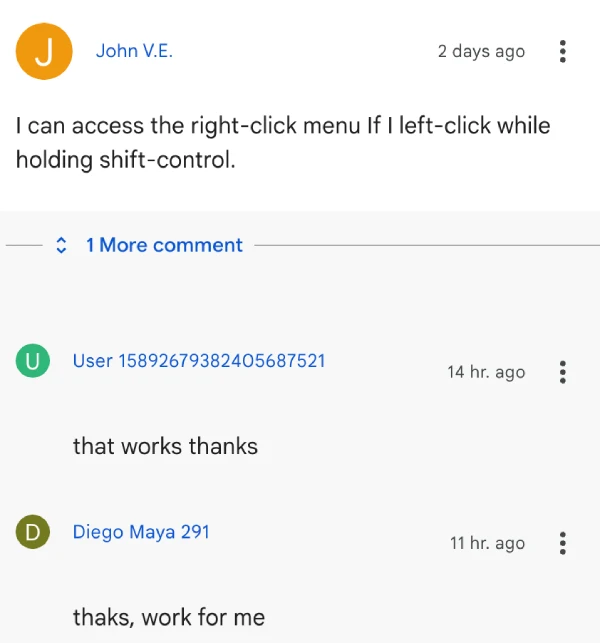
But if you’re stuck in the same situation, then you could try these community-suggested workarounds. John V.E. on the Chrome forums discovered that holding shift-control while left-clicking can access the right-click menu.
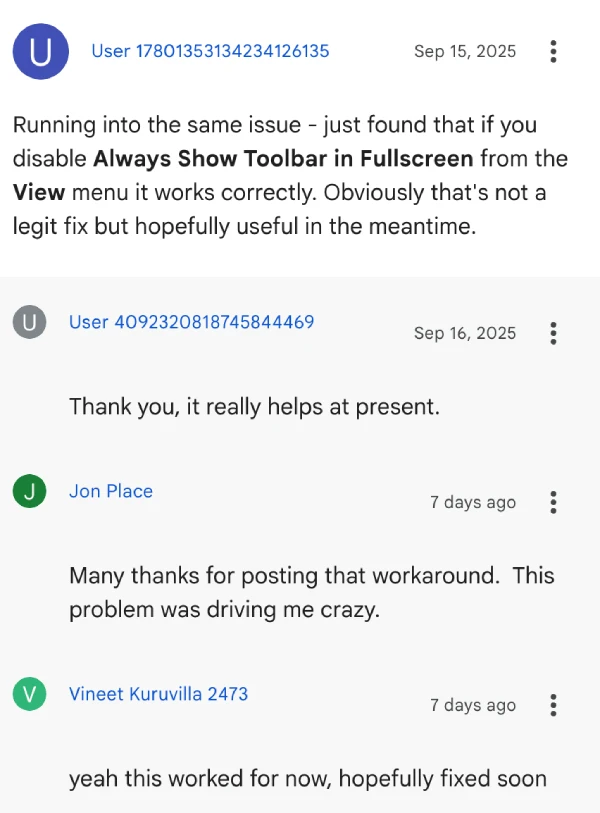
User 17801353134234126135 found that disabling “Always Show Toolbar in Fullscreen” from Chrome’s View menu temporarily fixes the problem, though this isn’t ideal for users who prefer the clean fullscreen interface.
Interestingly, Hannah Z. reported that Chrome Canary and Chrome Beta versions don’t experience this problem, indicating Google may already be working on a fix for the stable release. Until then, users will need to rely on the various workarounds or stick to windowed browsing.


Dwayne Cubbins
3078 Posts
I cover fast-moving stories across apps, online platforms, and everyday tech — phones, wearables, consoles, and whatever else people are fighting with this week. Bugs, rollouts, scams, policy enforcement, and the occasional internet-culture rabbit hole are all fair game. My goal is simple — make confusing tech news readable. When I'm not working, I'm working out or chilling with my dog. Got a tip? You can find me on X @dcubbins.
Next article View Article