Many iPhone users have been flooding forums and discussion boards after discovering that the handy Photos, Links, and Documents tabs have vanished from their iMessage conversations following the iOS 26 update. The issue appears to be hitting a wide range of devices, from the newest iPhone 17 series to older models.
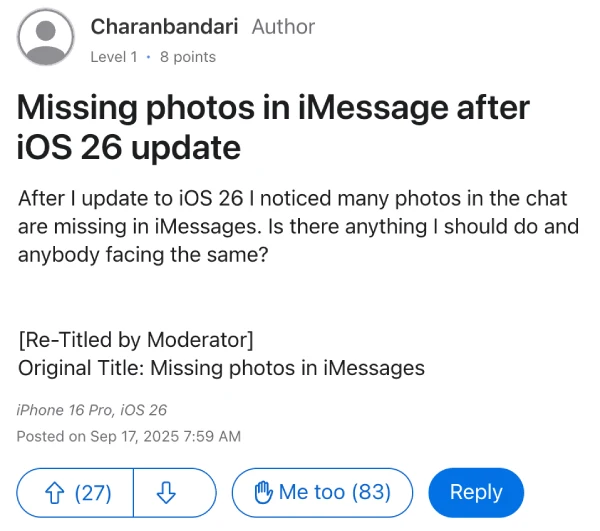
One user, Charanbandari, posted about missing photos in their iMessage chats after updating their iPhone 16 Pro. What started as a single complaint quickly snowballed into dozens of similar reports from users experiencing the same frustrating issue.
“After I update to iOS 26 I noticed many photos in the chat are missing in iMessages,” Charanbandari explained in their original post, which has since attracted 83 “Me too” responses from other affected users.
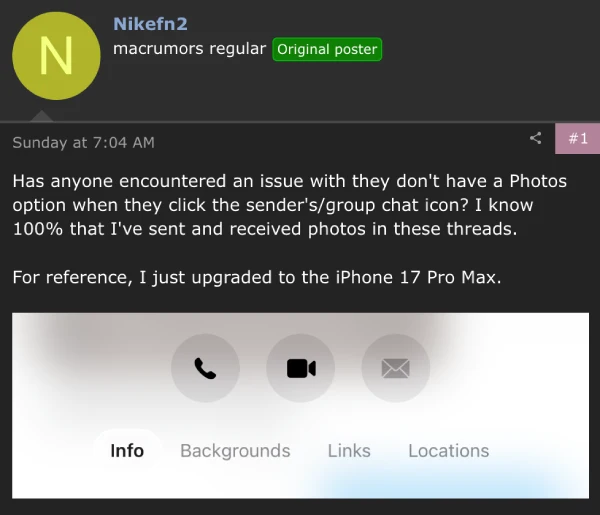
The scope of the problem extends beyond just photos. MacRumors forum user Nikefn2 reported that their iPhone 17 Pro Max was completely missing the Photos option when tapping on contact names in message threads, despite knowing “100%” they had exchanged photos in those conversations.
Meanwhile, in another Apple discussions thread, Smithy94_ shared a screenshot taken on their iPhone 17 Pro Max showing only the Info and Backgrounds tabs available.
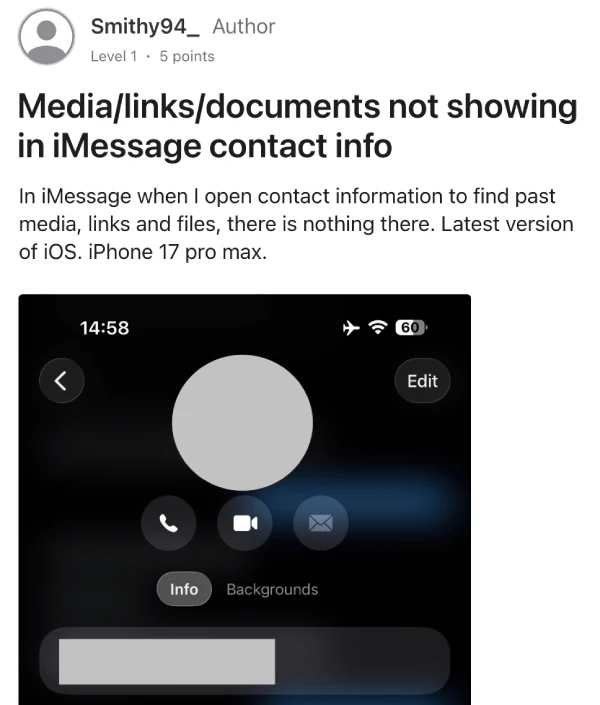
What makes this particularly puzzling is the inconsistent nature of the bug. Some users report having the tabs present on one device but missing on another, even when both are running iOS 26. Reddit user TupperyNumnak noted that “none of my threads have a section for photos anymore,” while others like AllieCat2406 found the feature working on their iPhone 16 Pro Max but missing entirely on their iPhone 17 Pro.
One Apple advisor reportedly told user Louie-B that Apple had removed the feature for iOS 26, though this claim has been disputed by other users who still have access to the tabs. Personally, I can still see all the tabs on my iPhone 16 with the iOS 26 update, which adds to the mystery of why some devices are affected while others aren’t.
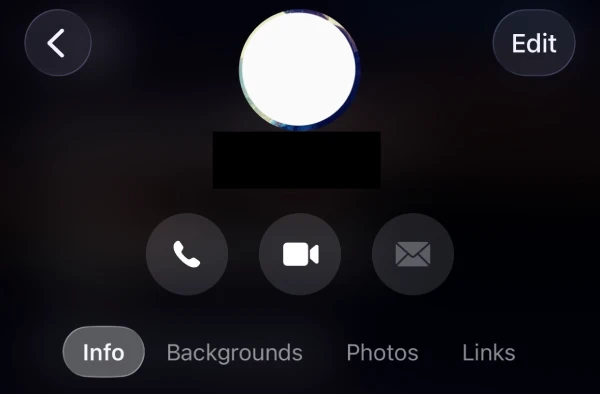
That said, whatever the cause for the tabs to go missing, it seems that they reappear automatically. Multiple users have confirmed this behavior, noting it came back for a day or so.
So if you’ve just installed the iOS 26 update on your iPhone, I’d suggest waiting a day or two and checking back again to see if the Photos, Links, and Documents tabs show up on your device.
This iMessage tab bug joins a growing list of issues people are facing after these new software updates from Apple. We’ve previously covered problems like the iPad keyboard acting up after iPadOS 26, iPhone users losing cellular connectivity, and missing Silent Mode options in Action Button settings. So it’s clear Apple has a lot to iron out in the following point updates.

Dwayne Cubbins
1810 Posts
My fascination with Android phones began the moment I got my hands on one. Since then, I've been on a journey to decode the ever-evolving tech landscape, fueled by a passion for both the "how" and the "why." Since 2018, I've been crafting content that empowers users and demystifies the tech world. From in-depth how-to guides that unlock your phone's potential to breaking news based on original research, I strive to make tech accessible and engaging.
Next article View Article