Pixel season wouldn’t be complete without a little chaos. Between whispers about the Pixel 10’s GPU, a microphone that doesn’t know its place, Gemini AI showing off, and a beloved Now Playing feature quietly vanishing, this gone weekend felt like Google was serving us a full buffet of “what now?” moments. Let’s dig in.
Is the Pixel 10 GPU underclocked or just misunderstood?
Pixel 10 owners are already peeking under the hood of the new Tensor G5 chip like mechanics checking if a used car has been tampered with. The hot rumor? That Google crippled the new PowerVR GPU by underclocking it to a measly 400MHz.
But relax! Android Authority actually ran some tests, and guess what? The GPU can hit 1.1GHz. It just prefers to chill most of the time at 396MHz, only cranking things up when a COD: Mobile battle gets intense. Think of it less as “lazy” and more as “energy conscious.”
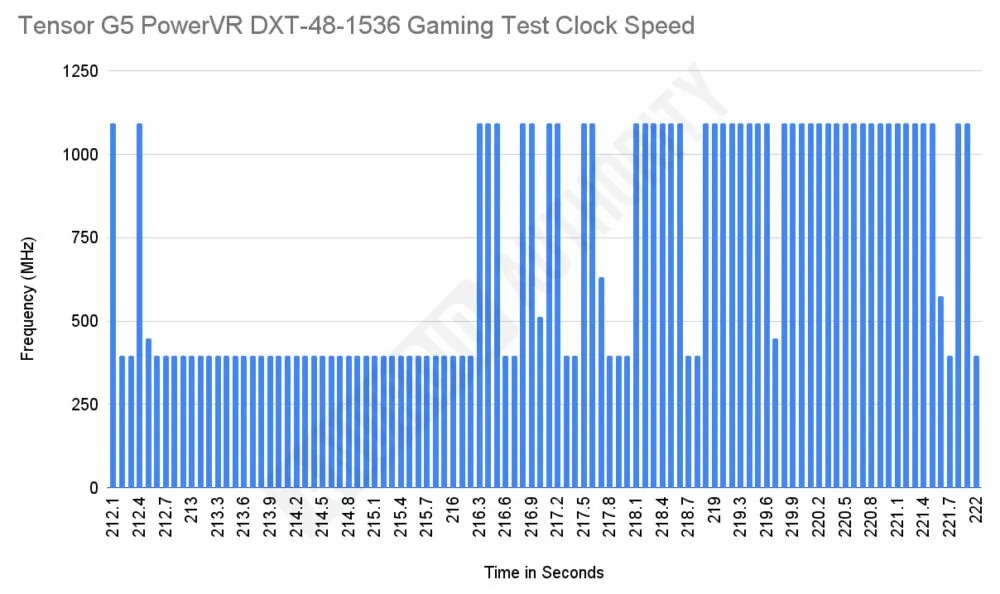
So no, your Pixel 10 isn’t being shortchanged. It’s just using the classic “race-to-idle” strategy: go fast in short bursts, then nap. Sure, it raises the question of whether the Pixel 10 GPU leaves performance on the table compared to Qualcomm’s Adreno muscle cars. But realistically, your phone not doubling as a hand-warmer is a win.
Mic check, but make it tragic
Now for the weirdest design choice of the year: Google swapped the microphone and speaker positions on the Pixel 10 Pro XL. On paper, that doesn’t sound like much. In practice? Right-handed users are unknowingly blocking the mic when shooting video in landscape mode. That’s right — your once-in-a-lifetime concert clip now sounds like it was recorded underwater.
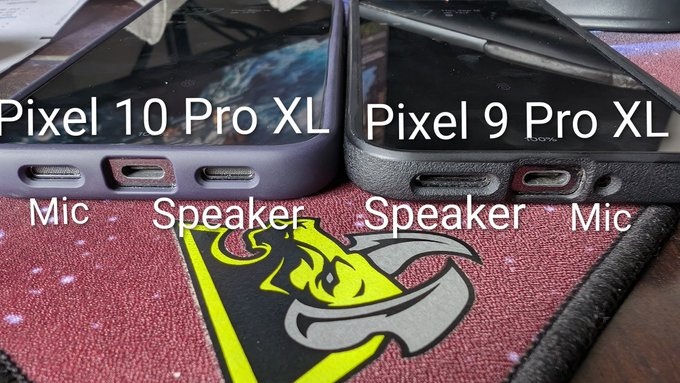
The “fix” is laughably simple: flip your phone upside down. Great… except that goes against a decade of muscle memory. Google basically turned videography into a yoga pose. On the plus side, you’re less likely to cover the speaker while gaming or bingeing on YouTube. But still, between a muffled baby’s-first-steps video and slightly clearer Clash Royale sound effects, I know which one I’d choose.
Now Playing just lost its ‘Favorites’ tab
Pixel’s Now Playing feature, you know, the one that creepily identifies that song playing in the café before you can even Shazam it, just lost its Favorites tab.
Version B.13 of Android System Intelligence seems to have misplaced it, though the feature itself is still there since you can still favorite songs from the lockscreen. Odds are this is a bug and not Google gaslighting us. But honestly, Now Playing has bigger issues — like still refusing to transfer history when you switch phones. At this point, it feels like Google is treating Now Playing as that one side project they forget exists until Reddit yells at them.
Gemini’s September glow-up brings AI with vibes
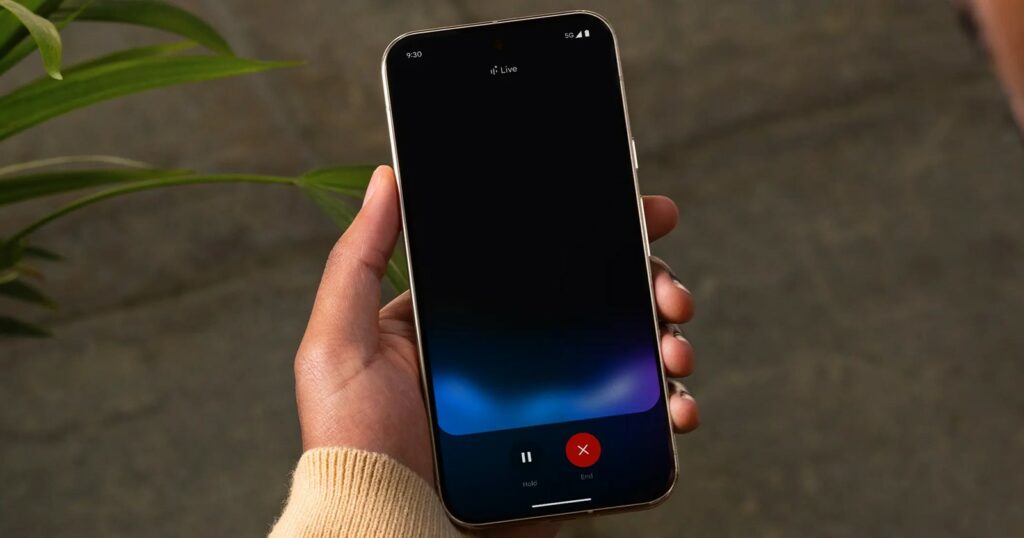
Meanwhile, Google’s AI brainchild Gemini is flexing its creative muscles in this month’s “Gemini Drop.” Pixel owners get some neat tricks, like Gemini Live using your camera to give visual guidance. Lost in IKEA? Just point your phone and let Gemini judge you for heading to the warehouse section before getting your cinnamon roll.
And then there’s “Nano Banana”. No, not a minion meme, but Gemini’s powerful image editor. It can turn your cat into an 8-bit video game sprite or help you whip up app prototypes with zero coding skills. If Adobe Photoshop and Minecraft had a baby, this would be it.
Oh, and Gemini is coming to Chrome too, meaning your tabs will soon be getting AI summaries and overviews. On one hand, that’s awesome. On the other hand, if AI starts summarizing my doomscrolling, I might just log off forever.


Hillary Keverenge
2723 Posts
Tech has been my playground for over a decade. While the Android journey began early, it truly took flight with the revolutionary Lollipop update. Since then, it's been a parade of Android devices (with a sprinkle of iOS), culminating in a mostly happy marriage with Google's smart home ecosystem. Expect insightful articles and explorations of the ever-evolving world of Android and Google products coupled with occasional rants on the Nest smart home ecosystem.
Next article View Article