






Update 10/09/25 – 12:12 pm (IST): While I can no longer replicate the bug (even with the emoji window as mentioned below), the issue still persists for many. If you’re still struggling with the scrolling bug, you can try enabling the beta version to see if that resolves the issue. This was suggested by a user on X and seems like a good potential workaround to try. To do this, head to Settings > Help > toggle on ‘Join the beta’.

Apart from that, you can also try resizing the browser window to see if that fixes the scrolling bug. This potential workaround did the trick a few years ago when a similar bug popped up.
Original article published on September 9, 2025, follows:
WhatsApp Web seems to be acting up for many users for the past few hours. Many have taken to Reddit and X to report that they aren’t able to scroll through messages in their chats or through the chat list.
Here’s how a couple of users described the issue on Reddit:
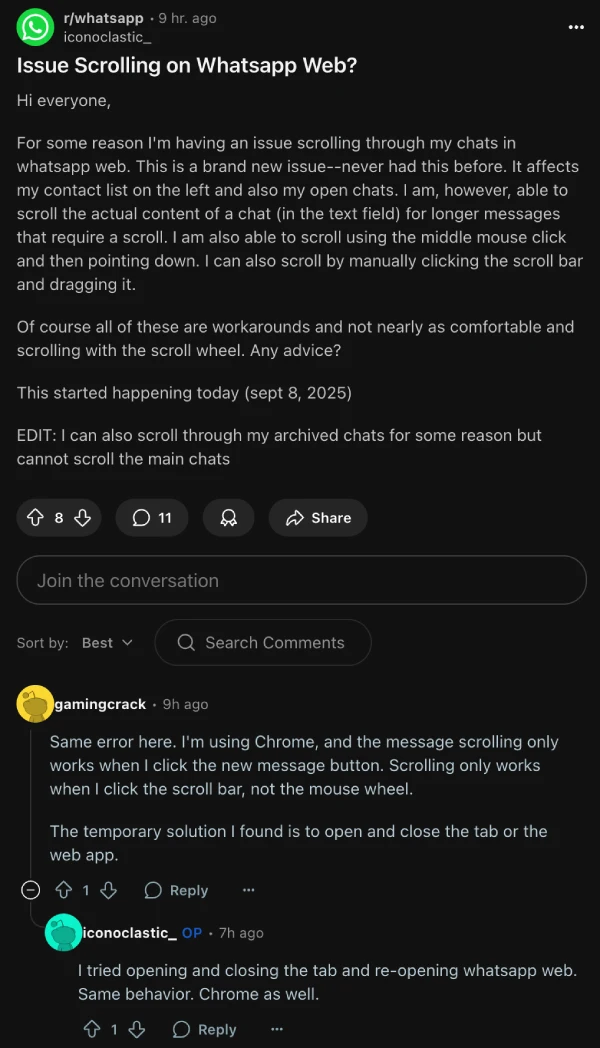
When I tried checking for the issue, I could not replicate it. However, amongst the reports, I spotted a comment from a user on the Reddit thread linked above who noted that “it starts as soon as I open the emoji window.”
True enough, after I opened the sticker/emoji window in a chat, I wasn’t able to scroll through the messages or the chat list. So this is clearly a widespread bug that’s easily reproducible.
I was able to fix the problem with a quick refresh. So if you’re stuck in the same situation, give that a shot and let me know if it worked. If it does, make sure to avoid opening the sticker/emoji window because it’ll freeze the scrolling again.
If a refresh doesn’t cut it for you, then you can give u/Bando1ero’s suggested workaround a shot:

Meta hasn’t yet publicly acknowledged the bug, but if they become aware, the problem will likely be patched within the next few hours itself.
That said, if you’ve discovered a better workaround for the time being, feel free to share it in the comments section below. Thanks in advance.


Dwayne Cubbins
3037 Posts
I cover fast-moving stories across apps, online platforms, and everyday tech — phones, wearables, consoles, and whatever else people are fighting with this week. Bugs, rollouts, scams, policy enforcement, and the occasional internet-culture rabbit hole are all fair game. My goal is simple — make confusing tech news readable. When I'm not working, I'm working out or chilling with my dog. Got a tip? You can find me on X @dcubbins.
Next article View Article
