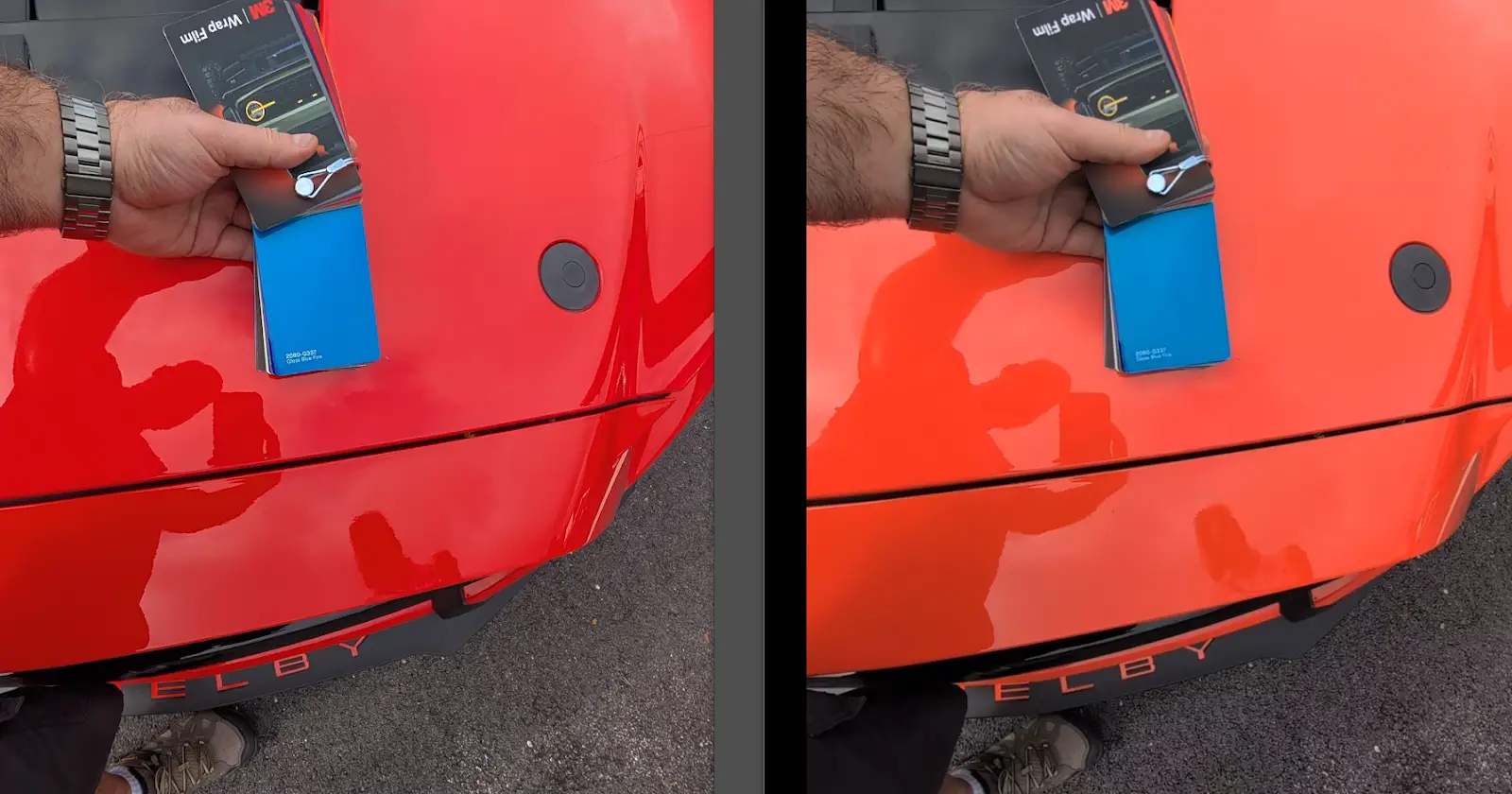
Some users of the latest Pixel 9 phones are starting to notice something a bit off with their pictures. The issue seems to happen after the shutter button is pressed, specifically during the image processing phase. Reports suggest the final photo can look quite different from what was shown in the camera app’s viewfinder just moments before.
This discrepancy between preview and final output is causing some frustration. According to reports spotted by Android Authority, several users have taken to online forums like Reddit to voice their concerns. The main complaint centers on colors appearing inaccurate or overly processed in the saved image compared to the live view.
One user on Reddit shared an example involving a photo of their orange car. They noted that while the viewfinder displayed the correct vibrant orange hue, the processed image ended up with a noticeably redder tone. This suggests Google’s automatic image processing might be applying changes that not everyone is happy with.
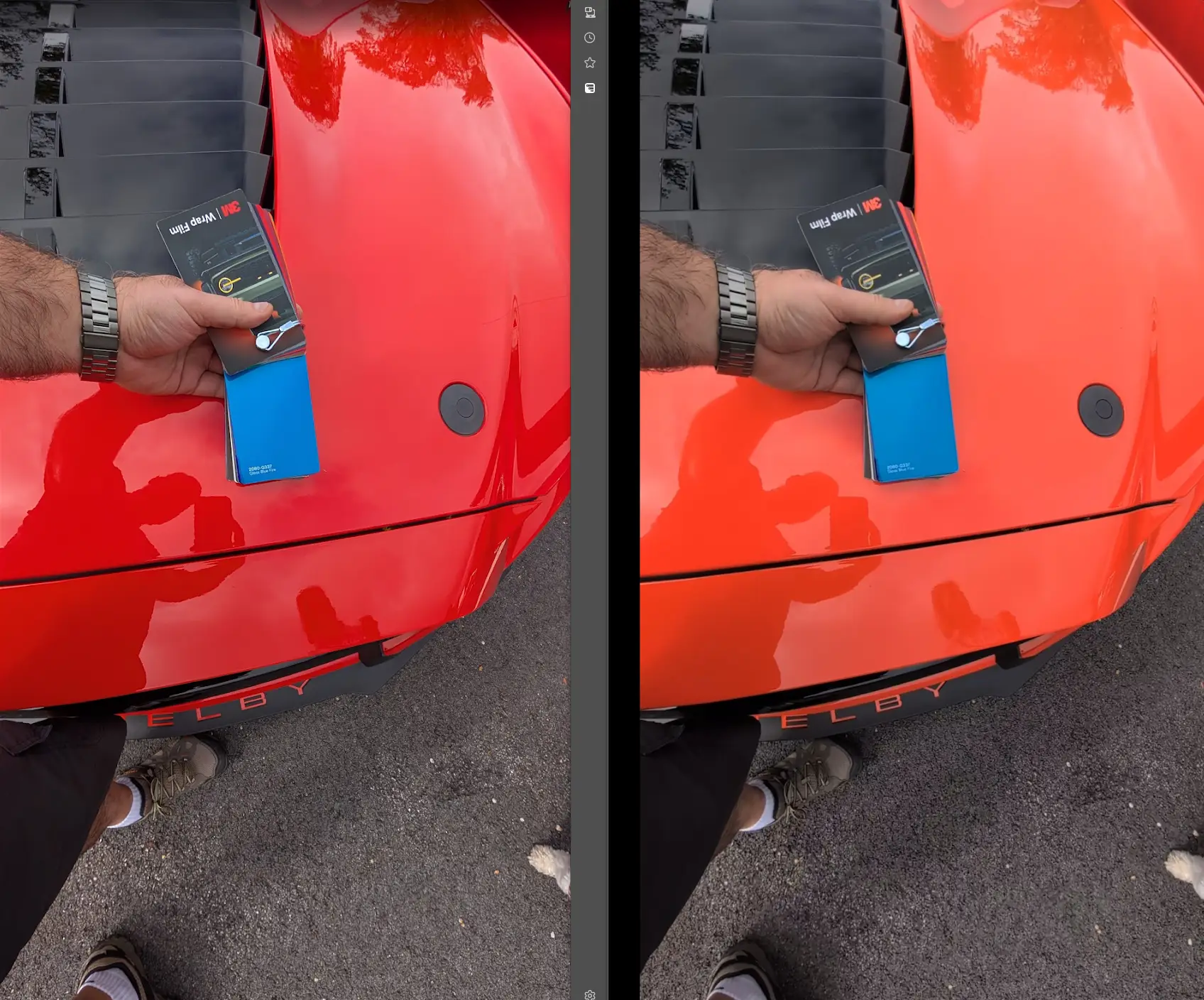
Another report mentioned a user experiencing a similar issue with a sunset photo, where the red tones were seemingly washed out and replaced with more yellow or orange. It appears the processing is sometimes boosting contrast and saturation in ways that don’t accurately reflect the real-world scene.
Users are finding it difficult to bypass this processing. Even turning off settings like “Ultra HDR” or adjusting “Rich color in photos” doesn’t seem to prevent the changes from being applied. Some have found a temporary workaround by using the “Top Shot” feature and saving a different frame, but this isn’t a permanent fix and requires extra steps for every picture.
One user even shared a video about a month ago highlighting the issue:
Google’s Pixel phones have generally been praised for their camera performance, often relying on sophisticated software to enhance photos. However, these recent reports indicate that for some Pixel 9 owners, this processing might be a bit too aggressive, leading to unexpected and undesirable results in their final images.
That said, I recall we covered some issues with post-processing on Pixel phones even last year. I’ll also throw in some anecdotal bits, since my brother who used a Pixel 7 Pro also mentioned multiple times that the images were almost always noticeably different (even the color at times) when comparing the viewfinder image to the final processed result.
In my personal experience, I haven’t really noticed major color shifts post-processing on a Pixel 7a and Pixel 8. It remains to be seen if Google will address these user complaints with a future software update, perhaps offering more control over the post-processing effects.


Dwayne Cubbins
3147 Posts
I cover fast-moving stories across apps, online platforms, and everyday tech — phones, wearables, consoles, and whatever else people are fighting with this week. Bugs, rollouts, scams, policy enforcement, and the occasional internet-culture rabbit hole are all fair game. My goal is simple — make confusing tech news readable. When I'm not working, I'm working out or chilling with my dog. Got a tip? You can find me on X @dcubbins.
Next article View Article