





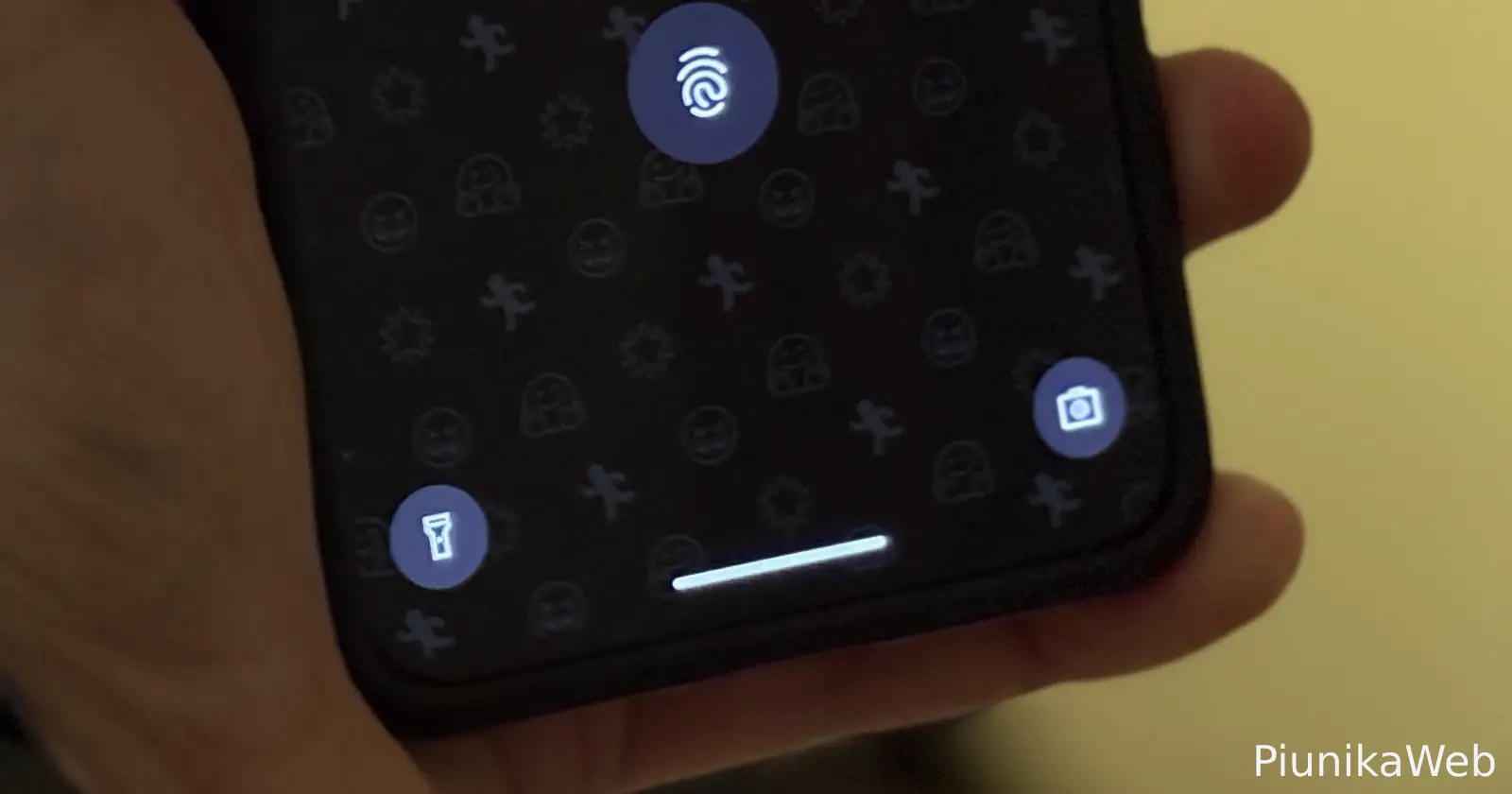
Android 16 Beta 3 apparently introduced a change to how lockscreen shortcuts function on some Pixel devices. The issue was first highlighted by a user on Google’s official tracker in March. With this change, users will find that accessing the bottom left or right shortcuts on the lock screen now requires only a single tap to activate. This is a departure from the previous behavior that required a tap and hold gesture to trigger the action assigned to the shortcut.
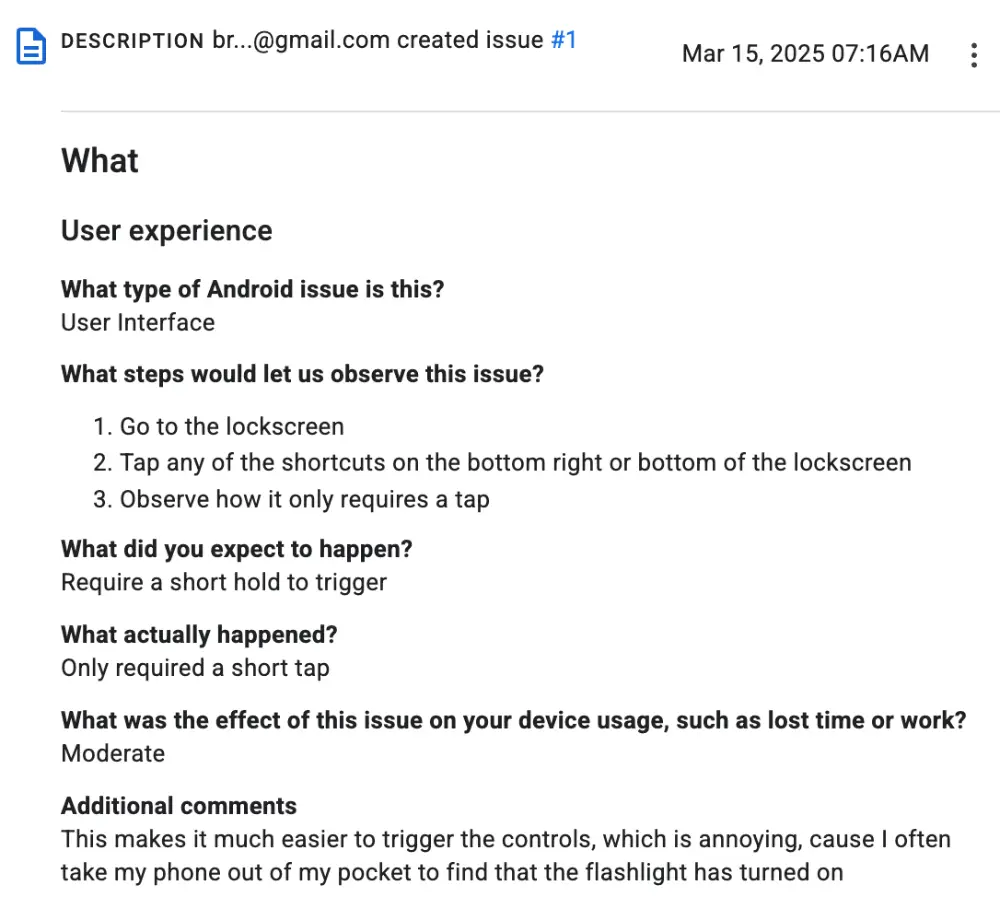
Before this beta release, tapping the shortcut icons would often result in a subtle animation or wiggle accompanied by haptic feedback, signaling that the shortcut was ready to be activated with a longer press. This interaction felt deliberate and helped prevent accidental launches of features like the camera or flashlight. Now, with just a quick tap, the linked app or action opens instantly. Now, it seems that the behavior has stuck around even with the Android 16 Beta 4 build.
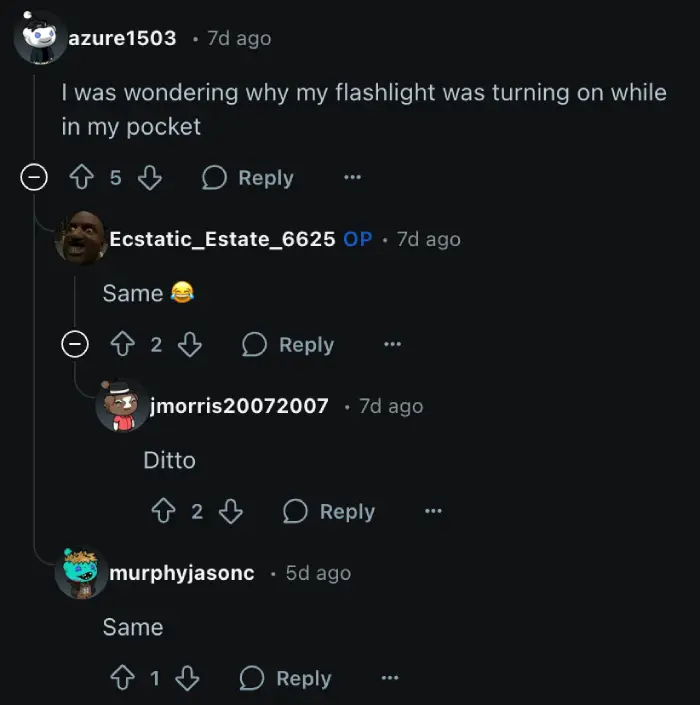
This immediate activation is leading to some frustration among those testing the beta. Some are reporting unintended triggers simply by handling their phone or taking it out of their pocket. One user on Reddit, u/azure1503, mentioned, “I was wondering why my flashlight was turning on while in my pocket”. Another user, u/World_Motor_Stopper, described the situation as “From butt dialing to pocket lighting”. They added that this behavior was occurring on both their Pixel 9 Pro XL and a backup Pixel 8 Pro, both running Android 16 Beta 4. This unintended activation can be quite annoying and disruptive.
I can confirm the same behavior on a Pixel 8 on the A16 Beta 4 build too. Funnily enough, I might have accidentally tapped the flashlight shortcut just moments after testing and put the phone down, only to come back 10 minutes later to see the flashlight turned on. So I hope this functionality is indeed a bug and not an intended change. Here’s a video I recorded for reference:
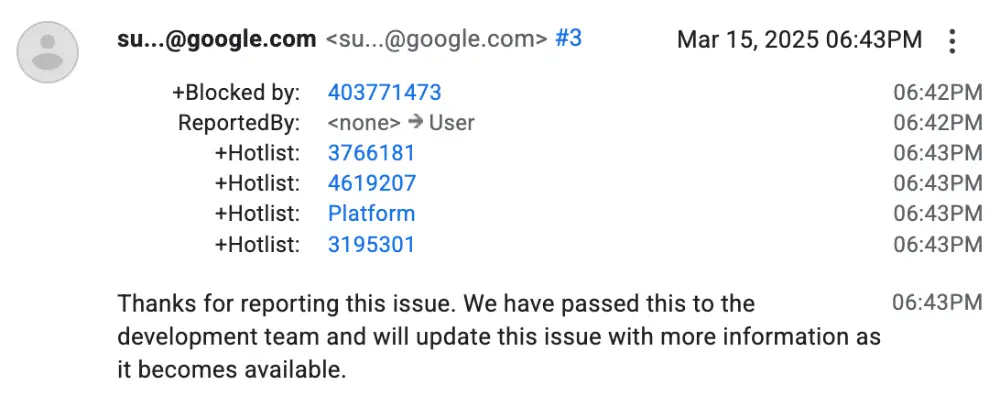
While Google has acknowledged the report on the official Issue Tracker and has indicated that the issue has been passed to the development team, there is currently no specific timeline provided for a fix or further information on whether this is an intended design change or simply a bug in the beta software. The fact that some users on the same beta version report the old long-press behavior still working adds to the uncertainty surrounding this change.
I’ll keep an eye out for any further developments and will post an update if there’re something to share. In the meantime, feel free to let me know if you too have noticed this change on your Pixel running the latest beta.


Dwayne Cubbins
3113 Posts
I cover fast-moving stories across apps, online platforms, and everyday tech — phones, wearables, consoles, and whatever else people are fighting with this week. Bugs, rollouts, scams, policy enforcement, and the occasional internet-culture rabbit hole are all fair game. My goal is simple — make confusing tech news readable. When I'm not working, I'm working out or chilling with my dog. Got a tip? You can find me on X @dcubbins.
Next article View Article
