





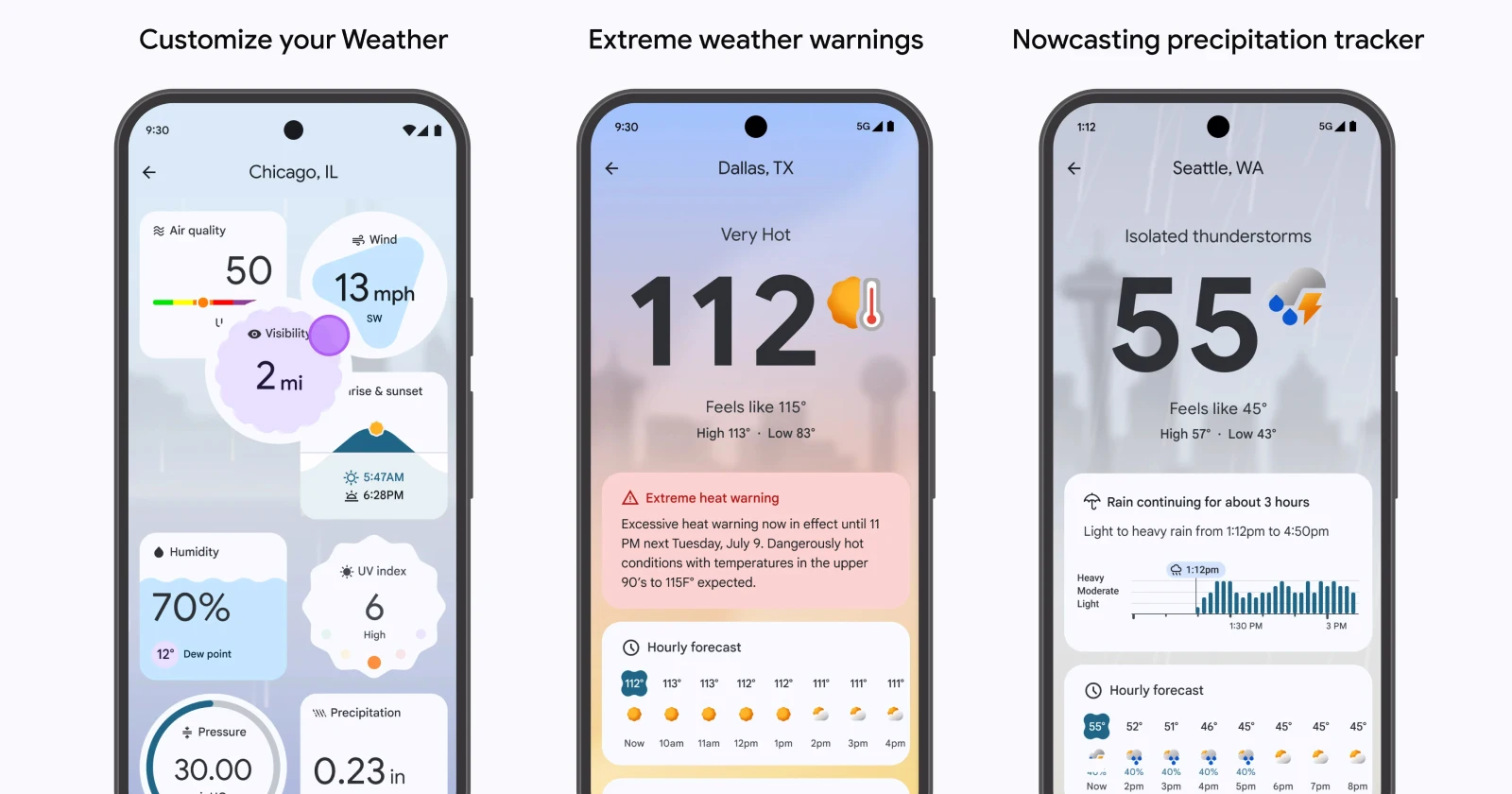
Pixel users have been running into a frustrating issue with the new Weather app after the Android 15 update. While the app boasts a clean design and AI-powered weather summaries, its handling of temperature units has left users scratching their heads. The most annoying part? It’s not just about Celsius vs. Fahrenheit — it’s the way you’re forced to switch units that’s driving people nuts.
The bug in a nutshell
The Pixel Weather app lets you change the temperature unit by tweaking your system’s regional preferences. For example, switching to Celsius means navigating to Settings > System > Languages > Regional Preferences and selecting it there. Simple enough, right? Not quite. While this switches the temperature to Celsius, the rest of the measurements — like wind speed and visibility — stay in imperial units.
Some users also report that the app reverts back to Fahrenheit or that widgets fail to sync with the selected preferences. This has turned what should be a straightforward setting into a frustrating guessing game.
Temporary fixes and workarounds
Until Google rolls out a proper fix, here are a few tricks Pixel users have found helpful. Note that none of these are perfect, but they might save you from tearing your hair out:
- Force stop and reset the app
A common suggestion is to reset the app entirely. Go to Settings > Apps > Pixel Weather, then force stop the app and clear its storage. After doing this, re-add the weather widget to your home screen and set up your preferences again. This often helps sync the correct units across the app and widgets. - Reconfigure regional settings
If the app is still stuck in Fahrenheit, try this:- Go to Settings > System > Languages > Regional Preferences.
- Set the temperature unit to Celsius.
- Remove any additional languages or regions from your system settings to avoid conflicts. This approach has worked for some users, but be prepared for a bit of trial and error.
- Reassign location settings
Some users found success by resetting their location within the app. Tap the weather icon, go back to the location settings, and reassign your current location. While this might fix the temperature display, other metrics may still stick to imperial units.
A permanent fix might be on the way
Thankfully, there’s hope on the horizon. An APK teardown by Android Authority revealed that Google is working on a dedicated Weather Units page for the app. This upcoming feature should allow users to easily customize units for temperature, wind speed, pressure, and visibility — no more digging through system settings. Unfortunately, there’s no timeline yet for when this update will roll out.
For a company known for its user-friendly designs, Google’s decision to tie unit settings to regional preferences feels like a step backward.
In the meantime, the community’s mix of DIY fixes shows just how annoying this bug has been. In a world where Google itself has now developed a quantum chip that can complete a benchmark that would take traditional supercomputers 10 septillion years, I just hope it finds the smarts to stop botching up basic functions like the weather.
Hopefully, Google will address this sooner rather than later. Until then, keep those fingers crossed—and maybe bookmark this page for when the app inevitably decides it prefers Fahrenheit again.

Dwayne Cubbins
1853 Posts
My fascination with Android phones began the moment I got my hands on one. Since then, I've been on a journey to decode the ever-evolving tech landscape, fueled by a passion for both the "how" and the "why." Since 2018, I've been crafting content that empowers users and demystifies the tech world. From in-depth how-to guides that unlock your phone's potential to breaking news based on original research, I strive to make tech accessible and engaging.
Next article View Article
