





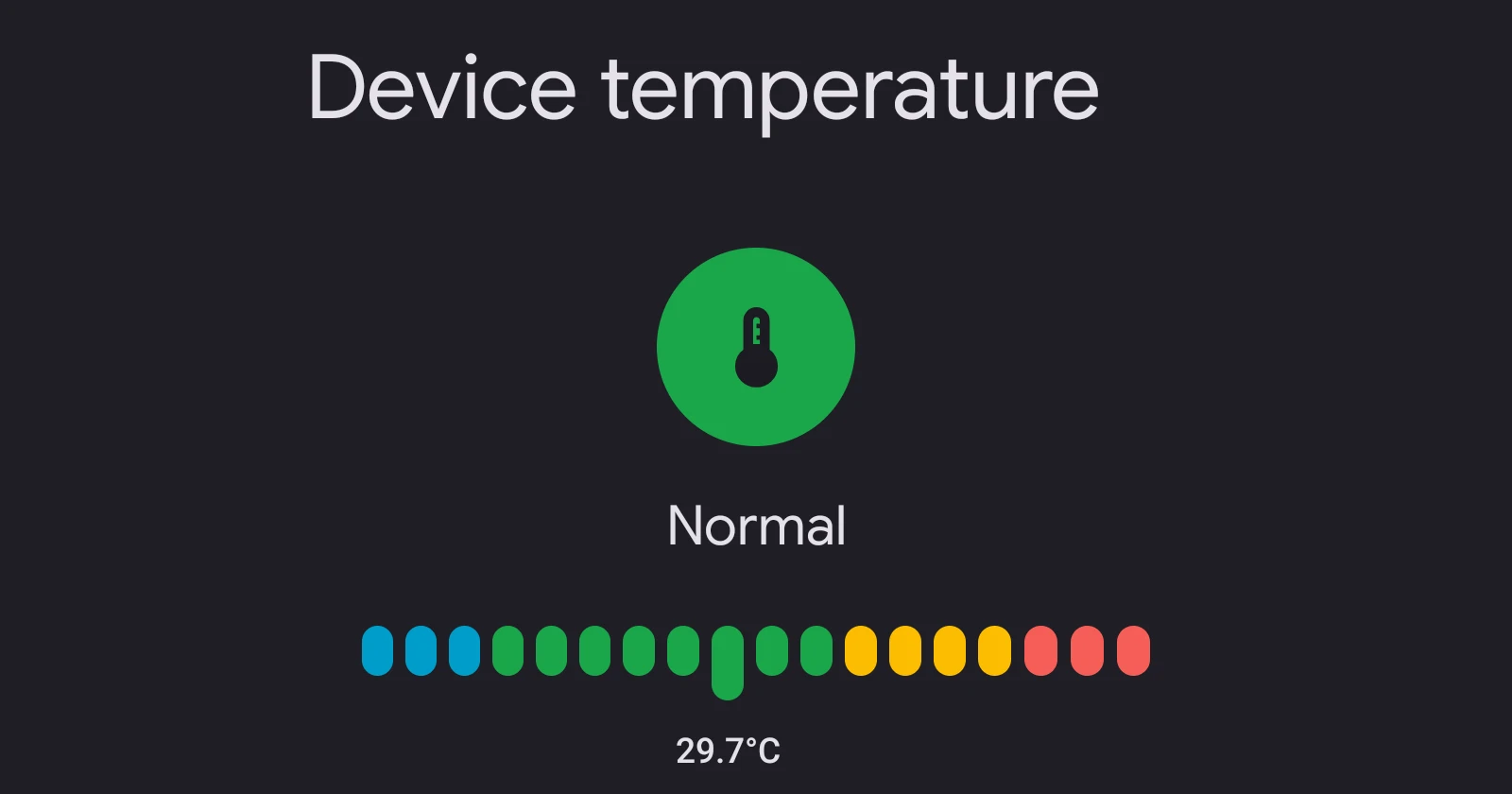
Google has quietly introduced a handy feature for Pixel phones: live device temperature readings. Thanks to an update to the Pixel Troubleshooting app, you can now check how hot — or cool — your phone is, without needing a third-party app.
The new feature, first spotted by 9to5Google, is available for Pixel 6 and newer devices (except the Pixel Tablet). To access it, go to Settings > Battery > Battery diagnostics > Phone is very warm. If the update hasn’t rolled out to your device yet, you might need to sideload version 1.0.693922709 of the Pixel Troubleshooting app.
I sideloaded it on a Pixel 8 and the new temperature reading showed up immediately. It now shows real-time temperature readouts with color-coded labels: Cold, Normal, Warm, and Elevated. The feature even provides tips to manage your phone’s temperature, such as reducing screen brightness, closing power-hungry apps, or improving airflow.
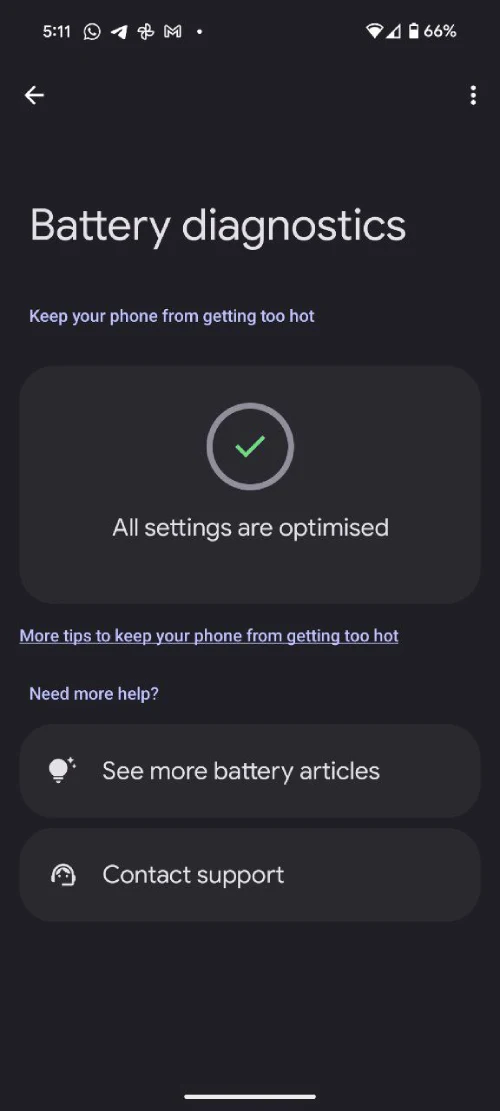
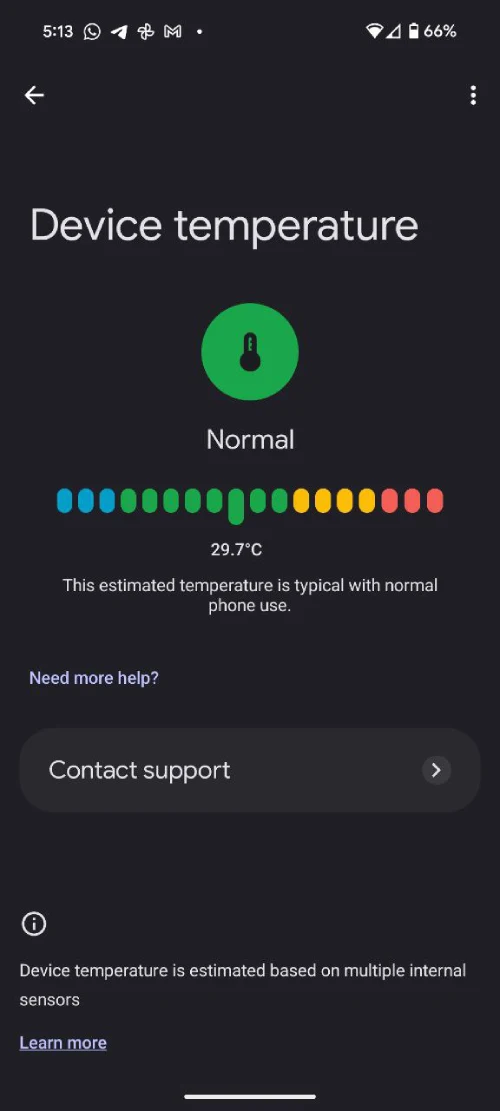
Google notes that the temperature readings come from multiple internal sensors. While most of the time, your Pixel will run just fine, this tool can be a lifesaver during heavy use, like gaming or streaming. It’s also helpful for users concerned about overheating, a common complaint with some Pixel models.
Interestingly, this comes after reports that the Pixel 9 series, while offering better performance stability, still tends to run hotter than its predecessors. With this update, you can monitor your device’s heat levels and make adjustments to prevent it from getting too warm.
The feature isn’t widely available yet, but it’s rolling out via the Play Store, so keep an eye out. If you can’t wait, sideloading the update might be your best bet. You can download the APK file from here.

Dwayne Cubbins
1853 Posts
My fascination with Android phones began the moment I got my hands on one. Since then, I've been on a journey to decode the ever-evolving tech landscape, fueled by a passion for both the "how" and the "why." Since 2018, I've been crafting content that empowers users and demystifies the tech world. From in-depth how-to guides that unlock your phone's potential to breaking news based on original research, I strive to make tech accessible and engaging.
Next article View Article
