After several months of beta testing, Android 15 is finally rolling out on supported Google Pixel phones. The update brings a mix of new features, design tweaks, and bug fixes. Released alongside the October 2024 Pixel Feature Drop, it aims to enhance both usability and performance across a range of supported models.
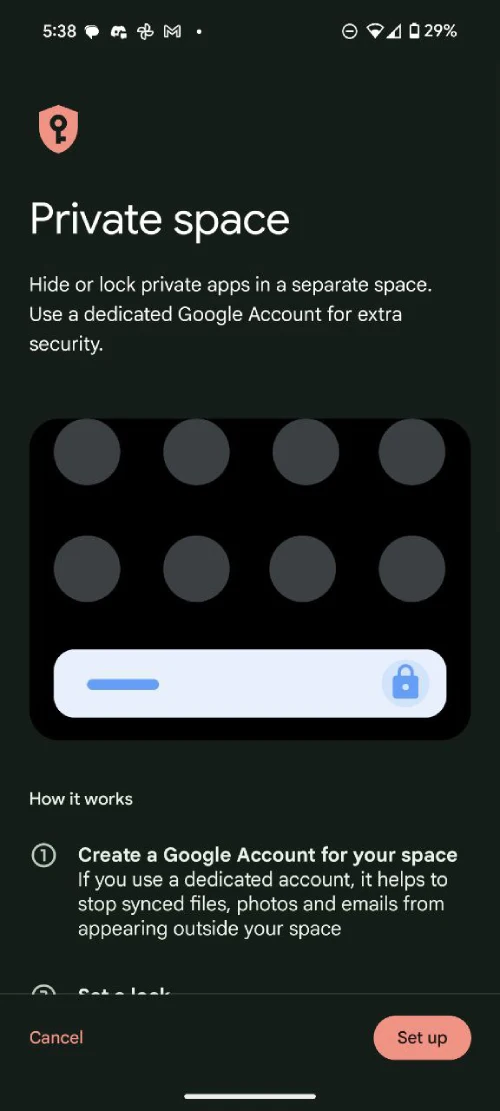
Android 15 introduces several new features designed to enhance privacy, usability, and responsiveness. One of the standout additions is Private Space, a secure compartment for sensitive apps and data. This space can be accessed through a separate Google account or biometric lock, offering a practical way to keep personal and work-related content apart. Preloaded apps like Photos, Camera, and the Play Store make it easy to manage and maintain this separation.
The Predictive Back Gesture is another useful enhancement. Now enabled by default, it provides a live preview of your home screen while closing an app, helping to reduce accidental exits. Although, this is enabled on an app-by-app basis. So developers will need to add support for the feature for it to work. Meanwhile, Adaptive Vibration adjusts haptic feedback dynamically by using sensors and microphones to detect environmental noise, ensuring a more personalized vibration experience.
Android 15 also brings improvements to the user interface with the Home Controls Screen Saver. When charging, devices like the Pixel Tablet can now display smart home controls on the screen for quick access. The volume and brightness sliders have been redesigned with haptic feedback and larger controls, making them easier to use. Additionally, apps targeting Android 15 now display content edge-to-edge by default, giving the interface a sleeker and cleaner look.
Features aren’t the only things new with the update. Google claims to have fixed some bugs that have troubled users on previous builds. You can head here to know more about what’s fixed and improved with Android 15.
Android 15 is available for the following Pixel models:
- Pixel 6 / 6 Pro / 6a
- Pixel 7 / 7 Pro / 7a
- Pixel 8 / 8 Pro / 8a
- Pixel 9 / 9 Pro / 9 Pro XL / 9 Pro Fold
- Pixel Fold and Pixel Tablet
If the update isn’t visible yet, Google is releasing it in phases, so availability may depend on your carrier or region. Beta testers will receive a smaller patch to transition to the stable release, and opting out of the Beta Program won’t wipe your device. To update, head to Settings > System > System update and tap Check for update. If you were running the Android 15 Beta, your device will seamlessly switch to the stable version once available.
Let us know what’s your favorite thing about Android 15 in the comments below!


Dwayne Cubbins
3113 Posts
I cover fast-moving stories across apps, online platforms, and everyday tech — phones, wearables, consoles, and whatever else people are fighting with this week. Bugs, rollouts, scams, policy enforcement, and the occasional internet-culture rabbit hole are all fair game. My goal is simple — make confusing tech news readable. When I'm not working, I'm working out or chilling with my dog. Got a tip? You can find me on X @dcubbins.
Next article View Article