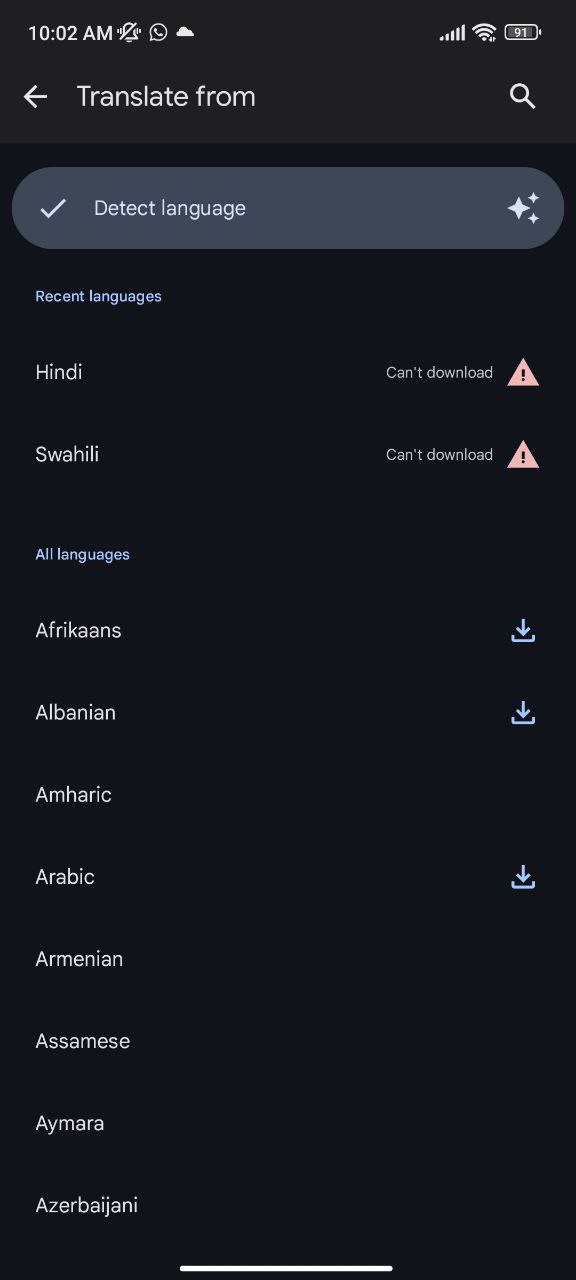
Google Lens is the magical little app that lets you point your camera at stuff and learn about it, but it is having a bit of a language crisis on Android phones. Google Pixel and other Android users report that Lens stubbornly refuses to download new languages, throwing a tantrum with a curt “Can’t download!” error message.
This is an inconvenience to globetrotters out there. Offline language packs were meant to be our lifeline when trying to translate a menu in a charming little Parisian bistro, but this Google Lens glitch kills the dream of ordering something other than a plain croissant. The weirdest part? iPhones are immune to this digital drama, at least according to my tests. Google Lens on iOS obediently downloads any language you request, which means this annoying bug is likely limited to Android users.
From my tests, I can confirm I can’t download languages when using the dedicated Google Lens app as well as when accessing Lens through apps like Google Photos and Google app. This happens both on Google Pixel and non-Pixel Android devices, which also suggests it’s an issue with Lens and not its in-app integration.
Google hasn’t piped up about this glitch yet. Perhaps there aren’t enough disgruntled reports to get the company’s attention.
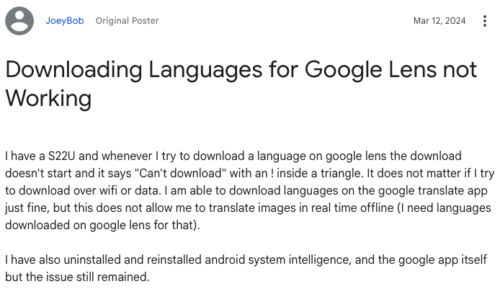
But clearly the language download function is broken and needs fixing. So hopefully this article brings the issue to light so that Google devs can step in and restore Lens’ knack for foreign tongues.
As an alternative, when translating stuff inside Google Lens, you can open the Translate app and use it for the same purpose since downloading language packs isn’t broken.


Hillary Keverenge
2723 Posts
Tech has been my playground for over a decade. While the Android journey began early, it truly took flight with the revolutionary Lollipop update. Since then, it's been a parade of Android devices (with a sprinkle of iOS), culminating in a mostly happy marriage with Google's smart home ecosystem. Expect insightful articles and explorations of the ever-evolving world of Android and Google products coupled with occasional rants on the Nest smart home ecosystem.
Next article View Article