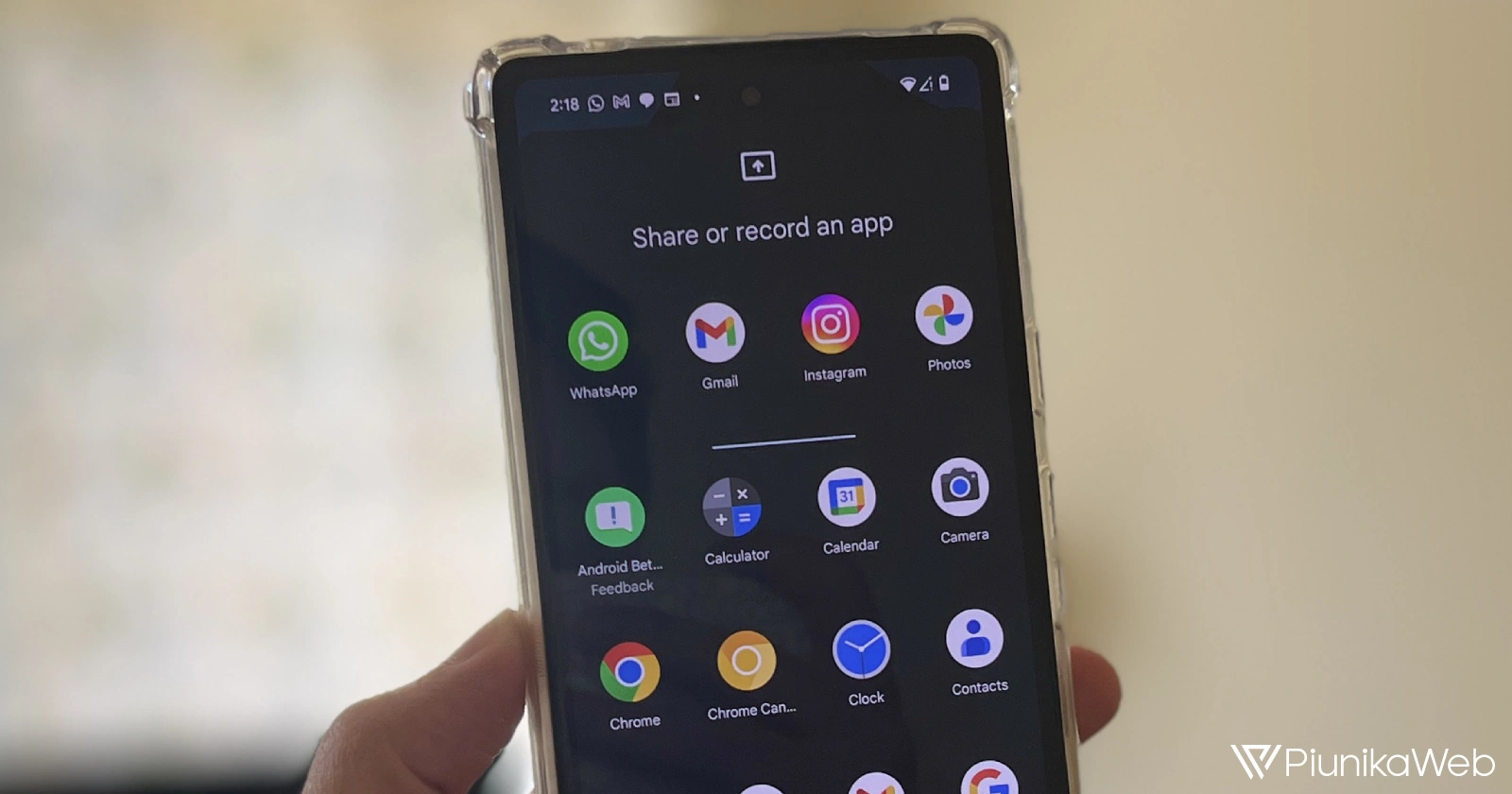
Google’s March Feature Drop brings a much-requested upgrade to screen sharing on compatible Pixel devices. The new ‘single app screen sharing’ feature provides granular control over what you share during video calls, presentations, and screen recordings. This is something we had expected to arrive this year.
Sometimes, you might not want everyone on a video call to see your entire screen. Perhaps you have sensitive notifications, other apps open, or simply want to keep things focused. Single app screen sharing on your Pixel solves this problem. No more worrying about accidental glimpses into personal information when casting your screen.
This will help you deliver clear, focused presentations by sharing only the relevant app window. It’ll also help you avoid sharing unrelated content that could derail your video meetings. This new feature is also available for standard screen recording as well.
How ‘single app screen sharing’ works
Using single app screen sharing on your Pixel is simple:
- While on a video call, casting, or recording your screen, initiate the screen sharing process as you normally would.
- Instead of your entire screen, select the specific app you wish to share.
- Only the contents of that app will be visible to others in the presentation, video call, or recording.
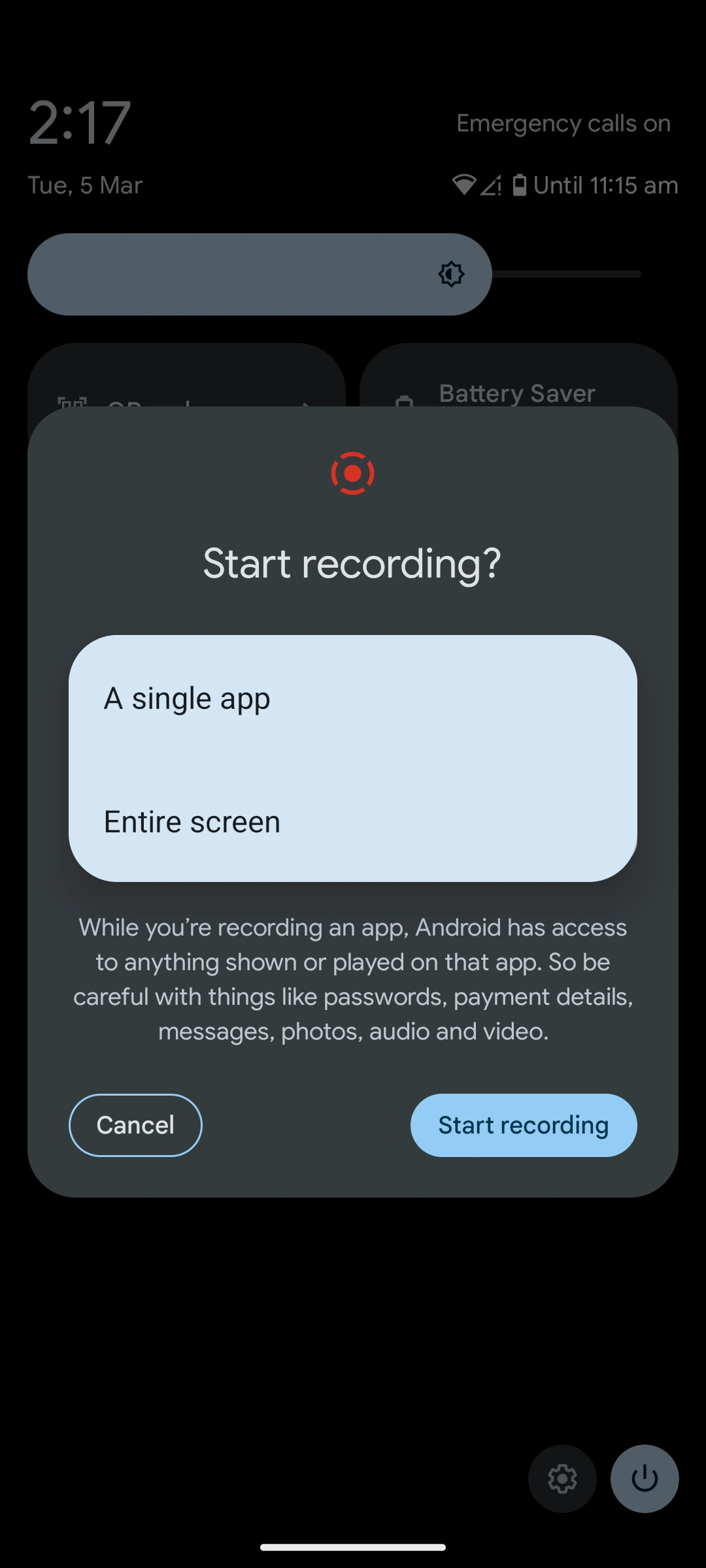
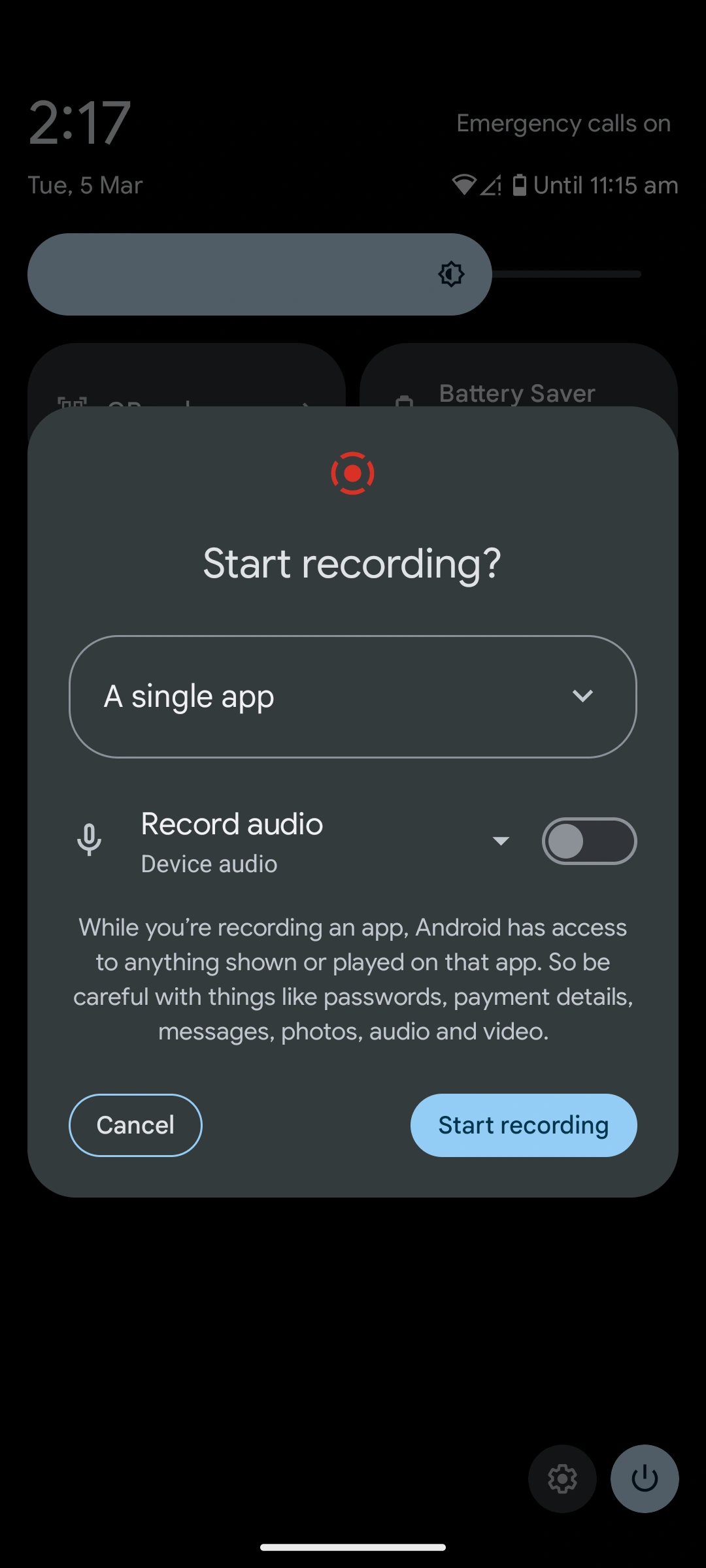
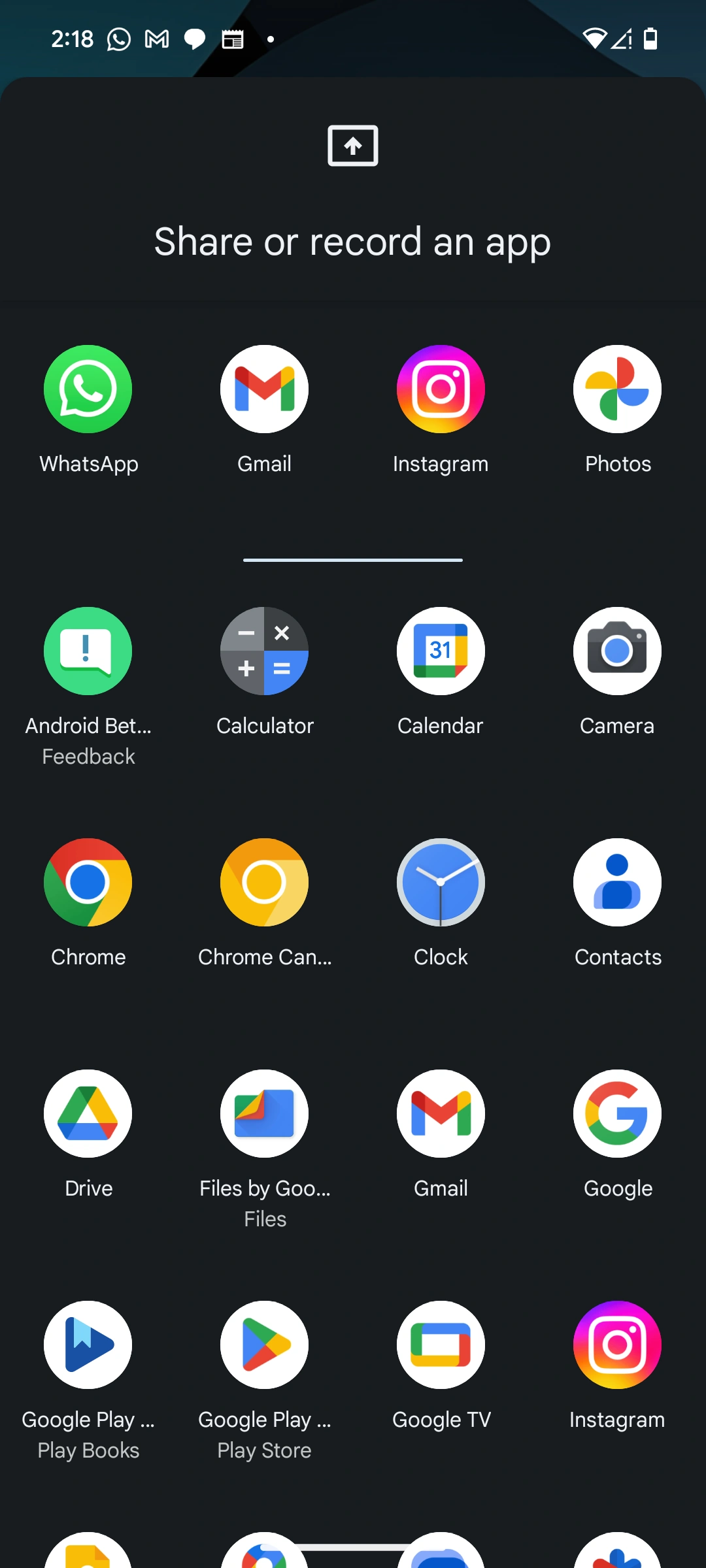
The single app screen sharing feature is part of the March Feature Drop for the Pixel Tablet, Pixel Fold, Pixel 5a (5G) and newer models.
If you frequently share your screen on a Pixel device, this update is a major convenience win. It puts you in the driver’s seat, allowing you to present content with precision and maintain a sense of privacy during screen sharing sessions.


Dwayne Cubbins
3099 Posts
I cover fast-moving stories across apps, online platforms, and everyday tech — phones, wearables, consoles, and whatever else people are fighting with this week. Bugs, rollouts, scams, policy enforcement, and the occasional internet-culture rabbit hole are all fair game. My goal is simple — make confusing tech news readable. When I'm not working, I'm working out or chilling with my dog. Got a tip? You can find me on X @dcubbins.
Next article View Article