






If you’ve ever wished you had a mouse right on your wrist, Doublepoint Technologies has answered your call. Their innovative WowMouse app, which recently added support for the Pixel Watch 2, lets you transform your smartwatch into a gesture-controlled mouse.
What is WowMouse?
WowMouse is a free app that leverages the sensors in your Pixel Watch 2 to track your hand and arm movements. With simple gestures, you can control the cursor on any device that supports Bluetooth mice – including PCs, Macs, Android phones, tablets, and more.
How does it work?
Here’s how this magic happens:
- Install WowMouse: Download the app from the Google Play Store.
- Connect to your device: Pair your Pixel Watch 2 with the device you want to control via Bluetooth.
- Move and pinch: Move your arm to control the cursor on your screen. Pinch your fingers to click, swipe, or drag.
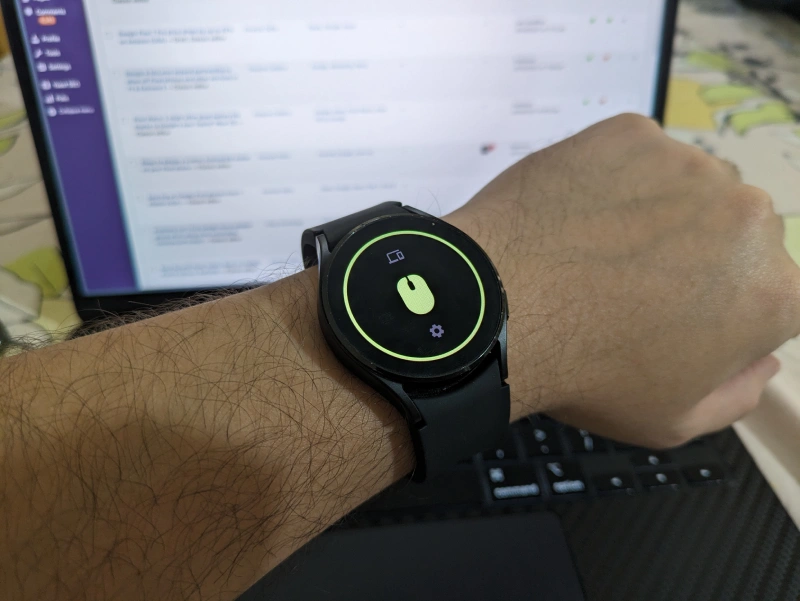
With this useful new app, you can use your smartwatch as a computer mouse to perform a bunch of actions. For starters, you can move freely while controlling your slide deck during a presentation. You can kick back and scroll the web without reaching for your phone or computer. You could even enjoy a more immersive and intuitive gaming experience. Of course, the possibilities are limitless.
While the Pixel Watch 2 is the latest addition, WowMouse also works with Samsung Galaxy Watch models (4, 5, and 6). According to the press release, Doublepoint is actively working to expand device support, so more smartwatches could gain this functionality in the future.
Ready to give your Pixel Watch 2 a mouse upgrade? As mentioned above, WowMouse is a free app that’s easy to set up and offers a surprisingly smooth experience, having tried it on my Galaxy Watch 4. With over 30,000 downloads already, it’s clear that people are excited about this unique way to interact with their devices.


Dwayne Cubbins
2756 Posts
I cover fast-moving stories across apps, online platforms, and everyday tech — phones, wearables, consoles, and whatever else people are fighting with this week. Bugs, rollouts, scams, policy enforcement, and the occasional internet-culture rabbit hole are all fair game. My goal is simple — make confusing tech news readable. When I'm not working, I'm working out or chilling with my dog. Got a tip? You can find me on X @dcubbins.
Next article View Article
