





Google Chrome for desktop has handy feature which lets you directly copy or save video frames, and it could soon be arriving on your Google Pixel phone. A recent code discovery by @Leopeva64 suggests that Google is actively developing this capability within the Android version of the Chrome browser, but there’s still no word on when it will become available for all Android users.
Accessing this feature in Chrome for desktop is simple — users need only to right-click on a video and select either the ‘Copy video frame’ or ‘Save video frame as’ options. If the feature rolls out on Android as expected, a simple long-press on a video within Chrome could bring up options to “Copy video frame” or “Save video frame as.” This would streamline the process of capturing specific moments within videos for various uses.
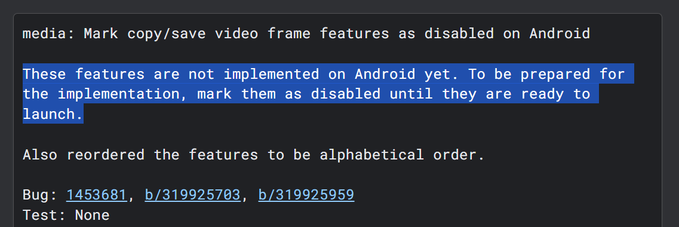
While the commit indicates that the feature is pending final approval, it’s likely to enter beta testing soon, with a potential public release a few months down the line. But this is just a hunch with no official word yet from Google. However, the potential addition of frame extraction capabilities to Google Chrome for Android holds significant promise and is likely to be embraced by a wide range of users.
With Google Chrome taking the lead, the hope is that other web browsers will follow suit and implement a similar feature for users to copy and save video frames on their Android devices.
Google Chrome is also lining up support for ‘single-tab groups’ on Pixel phones, but the release date is still unknown.


Hillary Keverenge
2652 Posts
Tech has been my playground for over a decade. While the Android journey began early, it truly took flight with the revolutionary Lollipop update. Since then, it's been a parade of Android devices (with a sprinkle of iOS), culminating in a mostly happy marriage with Google's smart home ecosystem. Expect insightful articles and explorations of the ever-evolving world of Android and Google products coupled with occasional rants on the Nest smart home ecosystem.
Next article View Article
