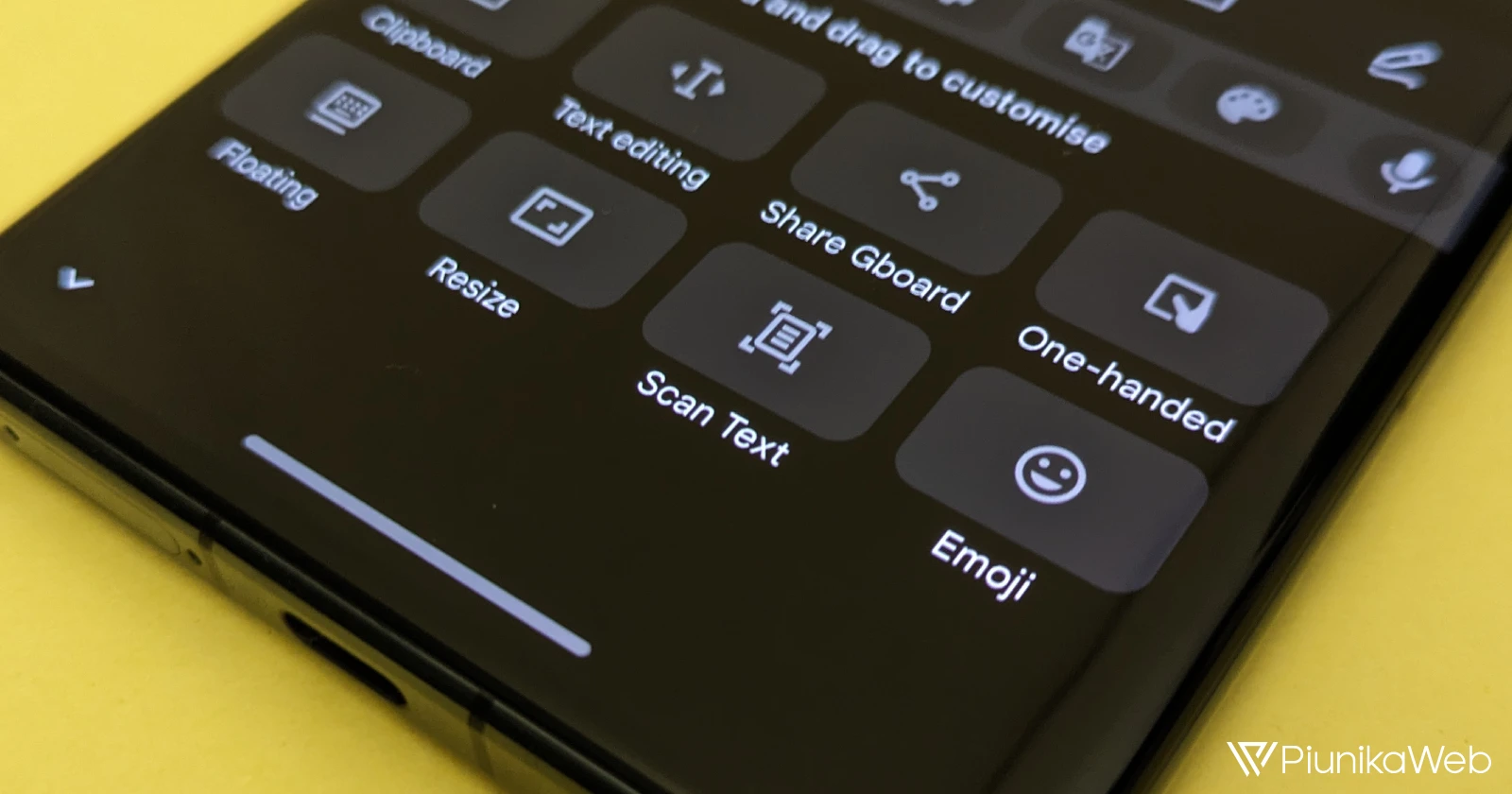
Google’s Gboard, the default keyboard app for Pixel and some other Android devices, is getting a convenient new feature: the ability to scan and insert text directly from your camera. This new ‘Scan Text’ tool uses optical character recognition (OCR) technology to transform text from the real world into editable text within your apps.
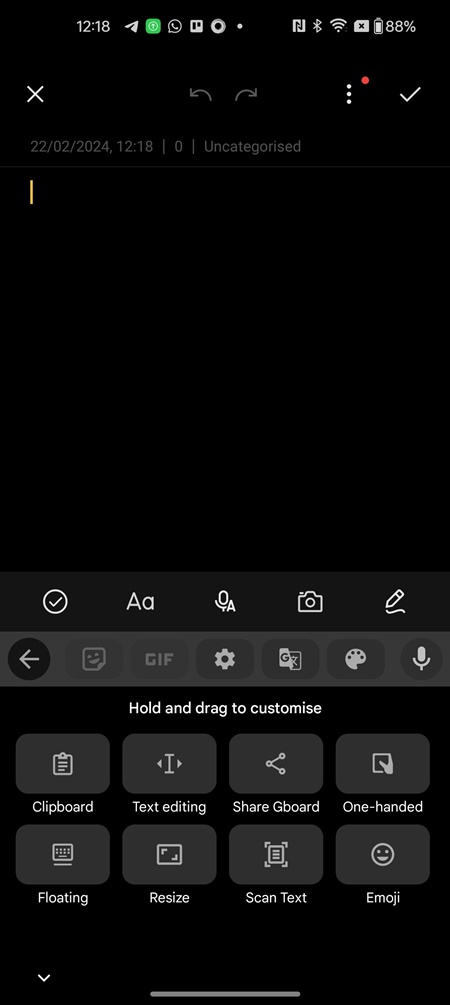
To use this new feature, look for the ‘Scan Text’ icon in the grid of available Gboard tools. For quick access, you can drag and drop the icon directly onto your keyboard’s toolbar.
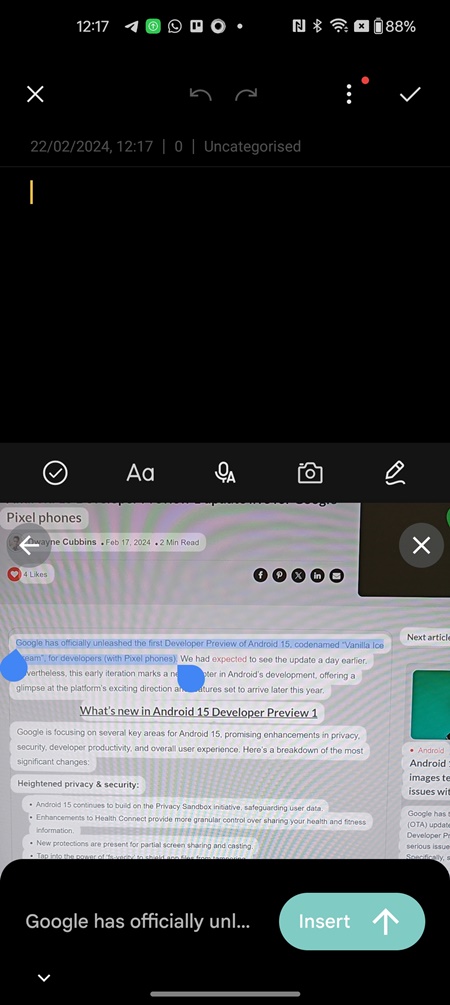
The first time you use the feature, you’ll be asked to grant Gboard permission to access your camera. After granting the necessary permission, a viewfinder will appear, allowing you to frame the text you want to scan. Tap the ‘Take a photo of words to scan’ button, and Gboard will highlight the text it identifies.
Now you can select the specific text you need by tapping and dragging. Once satisfied, tap the ‘Insert’ button to place the scanned text directly into your document or text field.
This new Gboard feature could be a real time-saver compared to using Google Lens for text scanning. In my testing on the Pixel 7a and a OnePlus 11, the OCR accuracy was impressive. I’m not sure how often Gboard’s ‘Scan Text’ feature would be useful to me, but I appreciate Google for adding the option.
The feature was initially spotted in November and is currently rolling out to the latest Gboard beta (version 13.9). It may not be universally available yet, but keep an eye out for updates. This makes it yet another addition to Gboard’s ever expanding set of features. Most recently, we reported on how proofreading mode in Gboard now works with selected text.


Dwayne Cubbins
3088 Posts
I cover fast-moving stories across apps, online platforms, and everyday tech — phones, wearables, consoles, and whatever else people are fighting with this week. Bugs, rollouts, scams, policy enforcement, and the occasional internet-culture rabbit hole are all fair game. My goal is simple — make confusing tech news readable. When I'm not working, I'm working out or chilling with my dog. Got a tip? You can find me on X @dcubbins.
Next article View Article