Google Translate users are in for a treat as the tech giant quietly introduced several hidden features in the latest updates to versions 8.0 and 8.1. These features were first discovered by AssembleDebug after the release of Google Translate version 7.12 in August, but they are now making their way to more users, enhancing the translation experience.
Google quietly introduced several new features including speech-to-text for all forms of speech, face-to-face conversation mode, auto-playback, and automatic language detection. While some users enjoyed these features immediately, others are still waiting for their arrival. Now, with updates to versions 8.0 and 8.1, Google seems to be rolling out these features to a wider audience. However, the rollout appears uneven, with some of them missing even on the latest versions.
Here’s a quick breakdown based on our own testing:
- Available features: I can confirm that face-to-face mode, auto playback, and automatic language detection are working for me and my colleagues as well. While I can see the new Speak icon animation, it doesn’t show up on the home screen. Instead, it only gets triggered when inside the conversation screen, which is still a welcome change. Click/tap on the images below to see some of these changes.
- Missing features: The “Handwriting” icon that had reportedly replaced the “Conversation” icon back in August 2023 is still missing on our devices despite running the latest versions, so maybe Google had a change of heart or is still running more tests before rolling out the change to everyone.
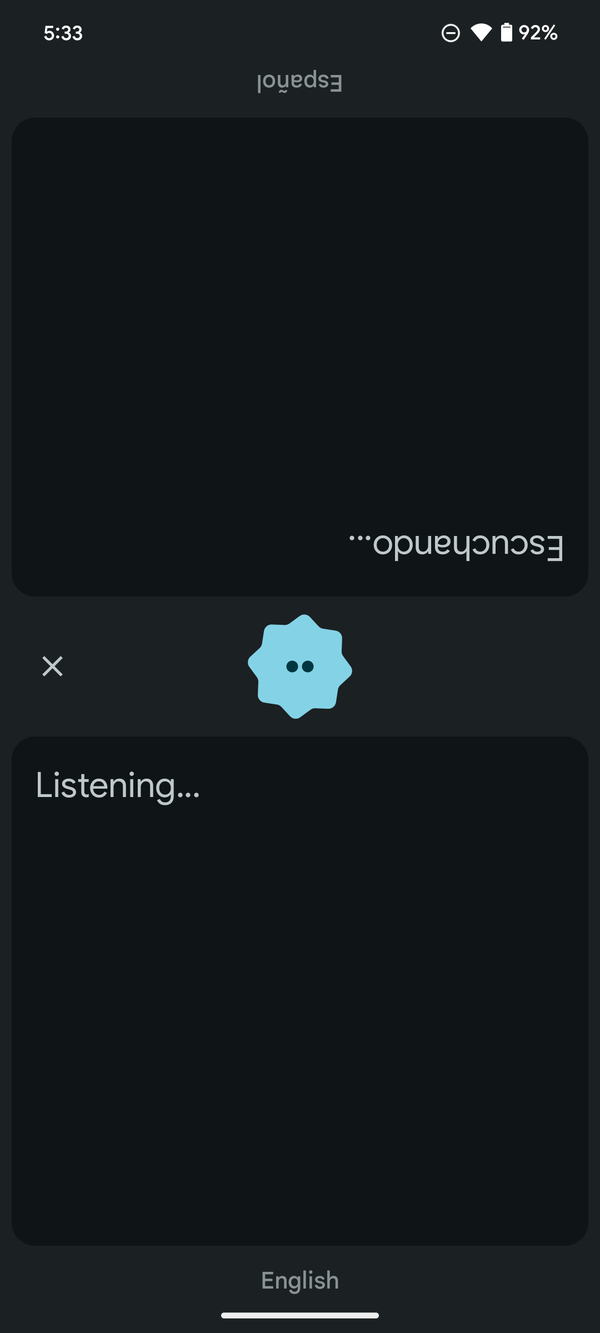
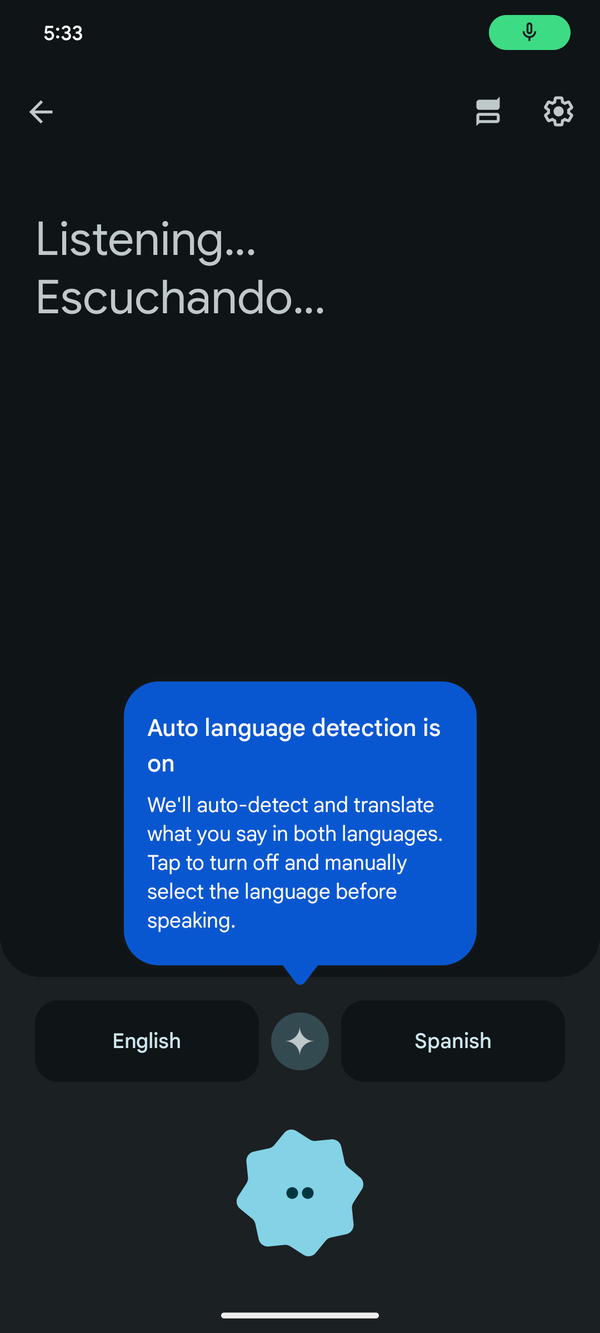
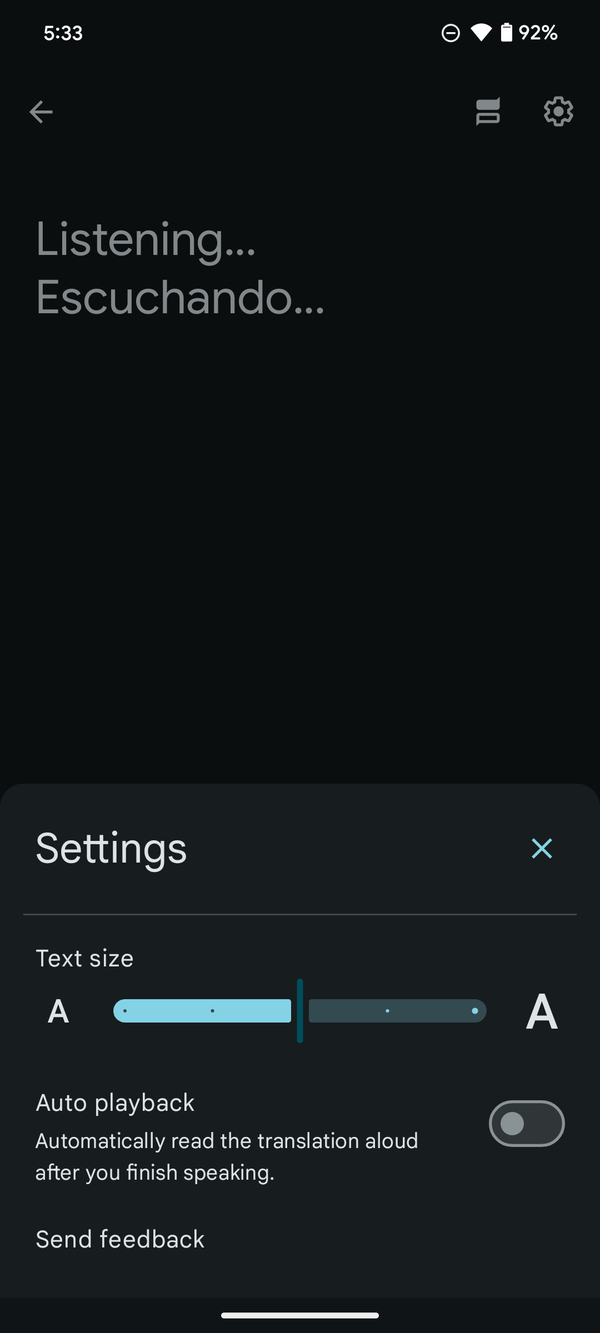
While these features may have been eagerly anticipated for so long, some users may not see them immediately even after updating to versions 8.0 and 8.1. Luckily, there’s a way to force them out of slumberland. To activate these features, you may have to force-stop the updated Google Translate app, clear data and cache, and then restart it.
As Google continues to refine its translation app, users can expect a more intuitive and feature-rich experience, demonstrating the company’s commitment to enhancing language accessibility and communication across borders. The update to v8.0 is already available in the Google Play Store, but the newer v8.1 is still missing for some users, you can grab it through the APK Mirror.
Whether you’re an avid traveler, language learner, or communicator, these new gems are set to make Google Translate an even more indispensable tool in breaking down language barriers. Keep an eye out for these updates on your device for an enhanced translation experience with Google Translate.


Hillary Keverenge
2723 Posts
Tech has been my playground for over a decade. While the Android journey began early, it truly took flight with the revolutionary Lollipop update. Since then, it's been a parade of Android devices (with a sprinkle of iOS), culminating in a mostly happy marriage with Google's smart home ecosystem. Expect insightful articles and explorations of the ever-evolving world of Android and Google products coupled with occasional rants on the Nest smart home ecosystem.
Next article View Article