






Updating your apps helps ensure device security and also lets you get your hands on the latest features or improvements. While Android offers convenient ways to manage updates, app developers also play a role in reminding users. Now, Google is introducing a standardized, in-your-face approach to app update prompts that could change the game.
Previously, app update prompts on Android varied widely. Some developers used subtle toast messages, while others opted for persistent notifications. This inconsistency could easily lead users to ignore outdated apps, leaving them vulnerable and missing out on new features. Adding to that, even if you toggle on Auto app updates, for whatever reason, the Play Store fails to update the apps on time. I’ve noticed this on multiple Android phones and I’m confident most other users notice the same.
To address this issue, Google has introduced a new tool for app developers. Enter Play recovery tools, the feature that puts “in-your-face” update reminders front and center. These prompts feature a prominent “Update” button, making it easier and more convenient for Android users to remember to update an app.
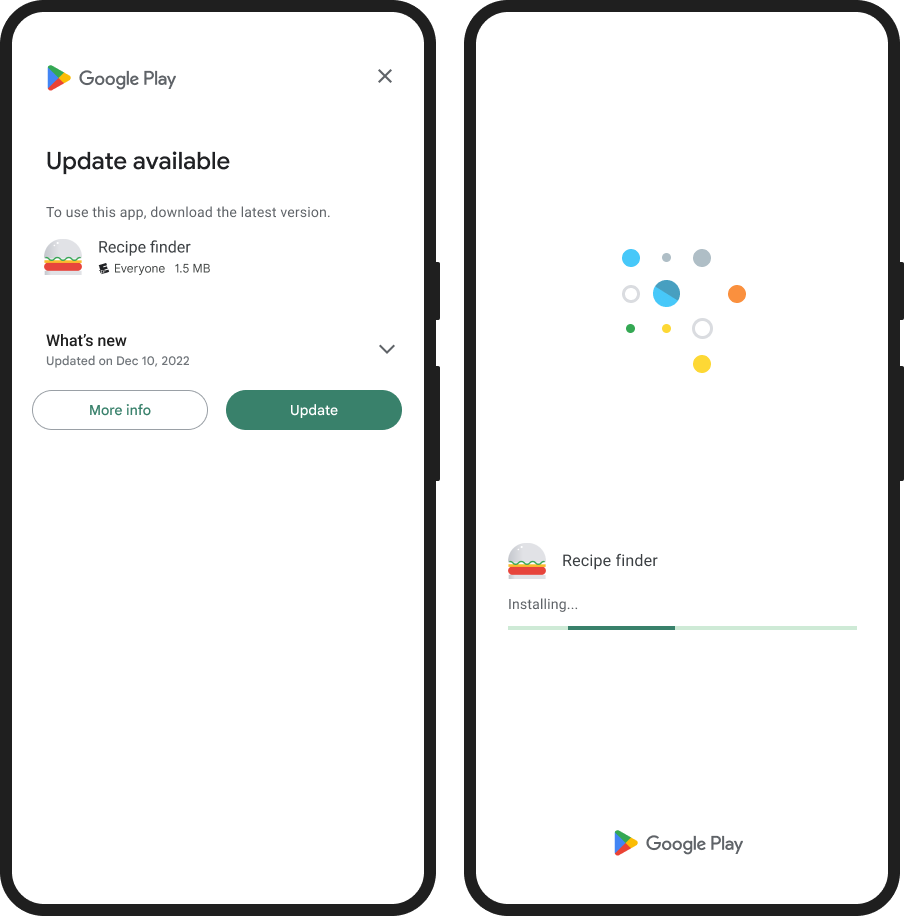
Imagine opening your favorite app, only to be greeted by a full-screen prompt urging you to update. That’s the power of Play recovery tools. Developers can now target specific app versions and prompt users to update upon every app restart. No more hiding in notification shade corners; these prompts demand attention.
This is just the beginning. Google plans to further enhance the tool by allowing developers to target multiple app versions simultaneously, streamlining the process even further. While the new approach will help remind people to keep their apps updated, it can also be a slight annoyance, especially if you’re in a hurry to check something in an app only to be interrupted by a full-screen reminder to update.

Dwayne Cubbins
1853 Posts
My fascination with Android phones began the moment I got my hands on one. Since then, I've been on a journey to decode the ever-evolving tech landscape, fueled by a passion for both the "how" and the "why." Since 2018, I've been crafting content that empowers users and demystifies the tech world. From in-depth how-to guides that unlock your phone's potential to breaking news based on original research, I strive to make tech accessible and engaging.
Next article View Article
