Google Pixel smartphones, renowned for their stunning image quality and cutting-edge AI features, can sometimes create unwelcome noise at the most inopportune moments. The iconic shutter sound, while reassuring in some situations, can disrupt candid captures or simply clash with your desire for silent photography.
But fear not! Mute the camera shutter sound with just a few taps on your Google Pixel phone. This guide demystifies the process, offering solutions for both standard scenarios and those facing regional restrictions.
How to disable or mute camera shutter sound on Google Pixel phones
Disabling the camera sound on a Google Pixel device is a straightforward process, ensuring a seamless experience for users seeking silent photography. Before diving into the steps, it is imperative to ensure that the device is running on the latest software version, and the camera app is updated.
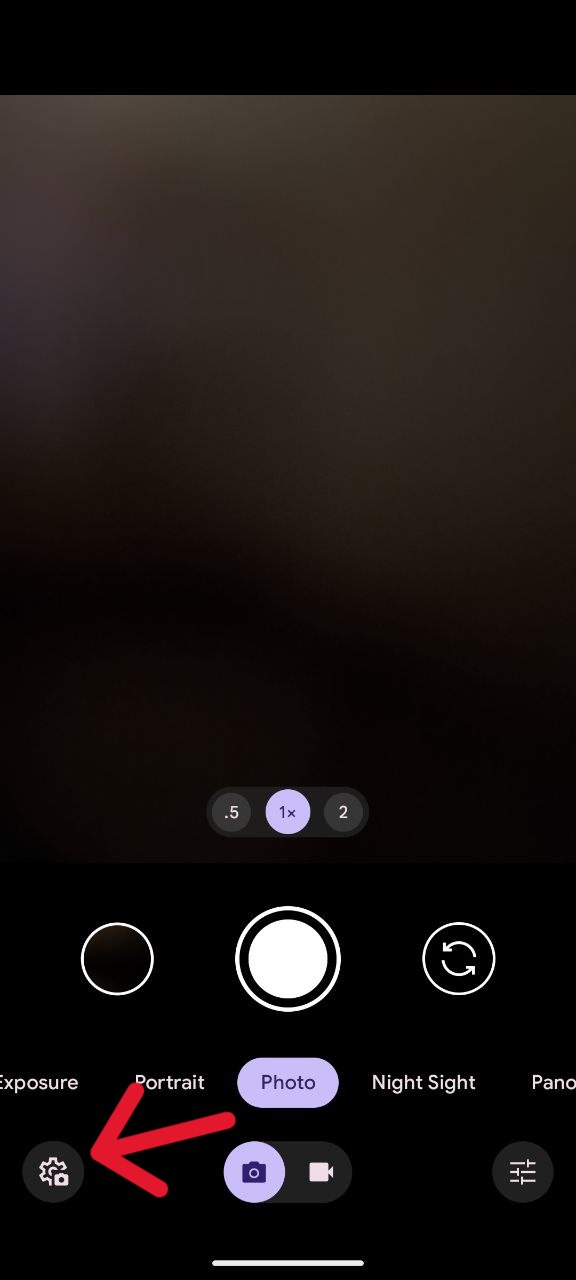
- Begin by opening the Camera app on your Google Pixel device.
- Tap on the Camera Settings icon located in the bottom-left corner of the screen.
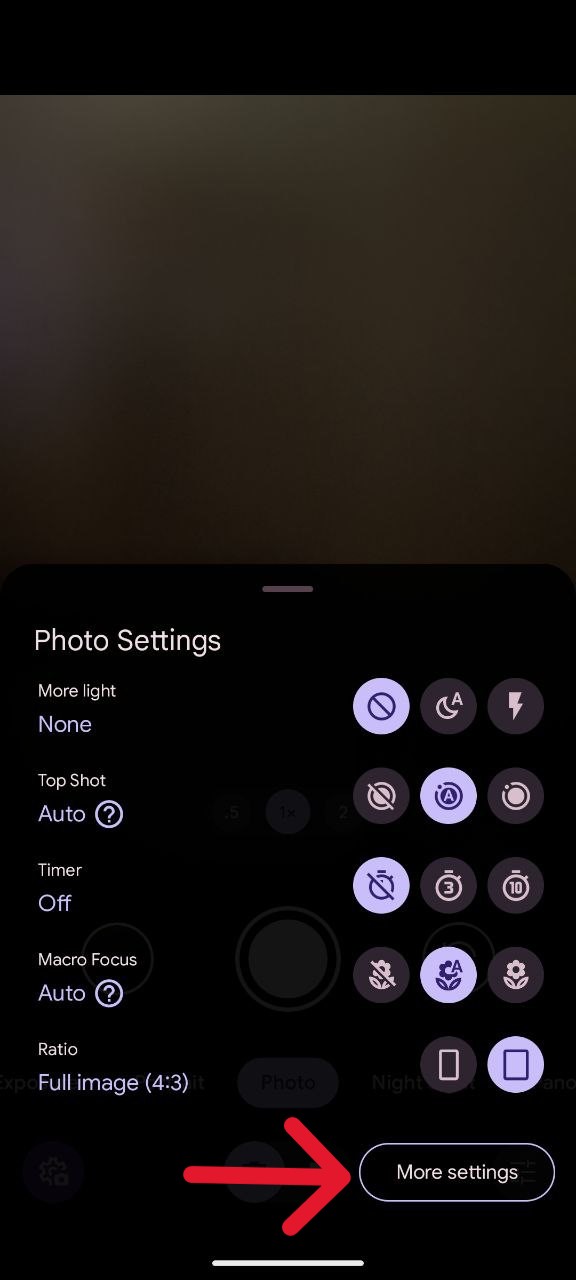
- Within the Camera Settings, tap on ‘More settings’.
- Under General settings, locate and toggle off the switch for Camera sounds.
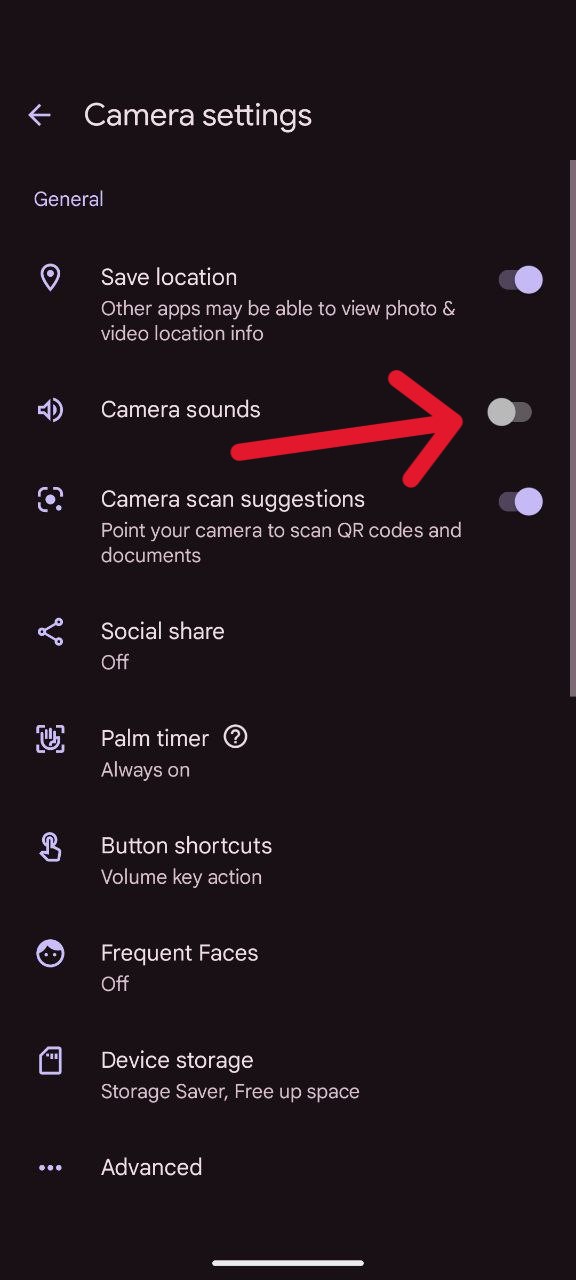
By following these simple steps, you successfully mute the shutter sound on your Pixel device. Exit the settings, take a test photo, and revel in the joy of silent photography with your Google Pixel.
Workaround for missing ‘Camera sound’ option
Asia has legal regulations that mandate camera sounds. So, while the ‘Camera sounds’ toggle might be absent for some Pixel users, I still have a trick up our sleeve.
Note: Photographing individuals without their consent can be considered illegal and can lead to fines or even legal action.
- Go to Setting on your phone.
- Select ‘Network and internet’ option.
- Now tap on the ‘SIMs’ option.
- Click on the carrier name.
- Slide the ‘Use SIM’ toggle to the left and disable the SIM card.
- Restart your phone.
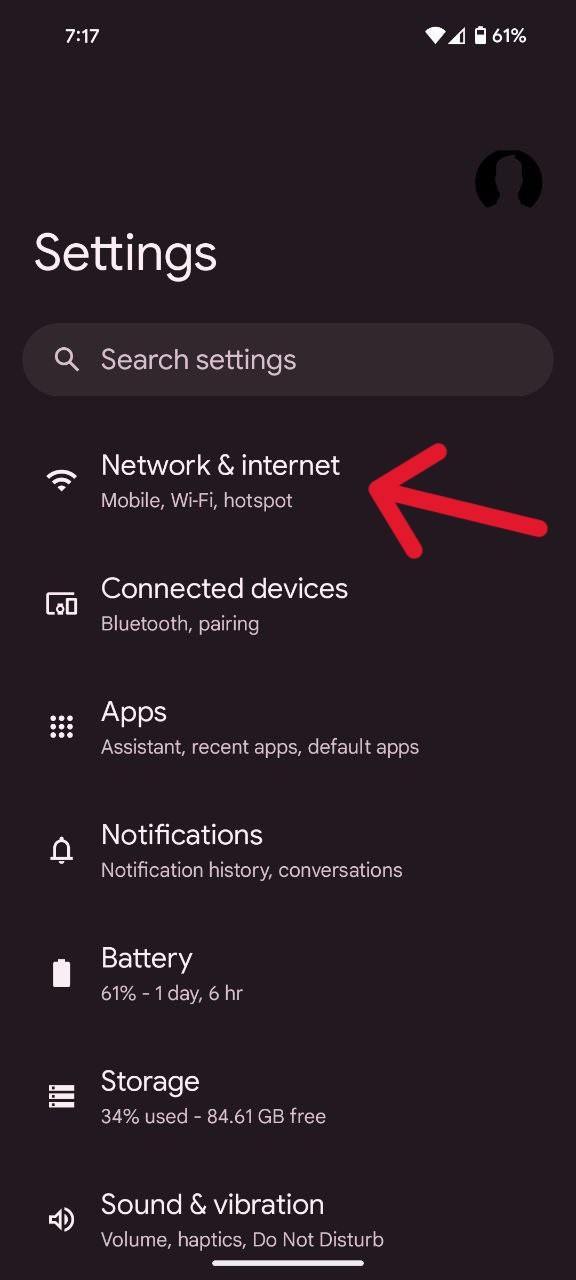
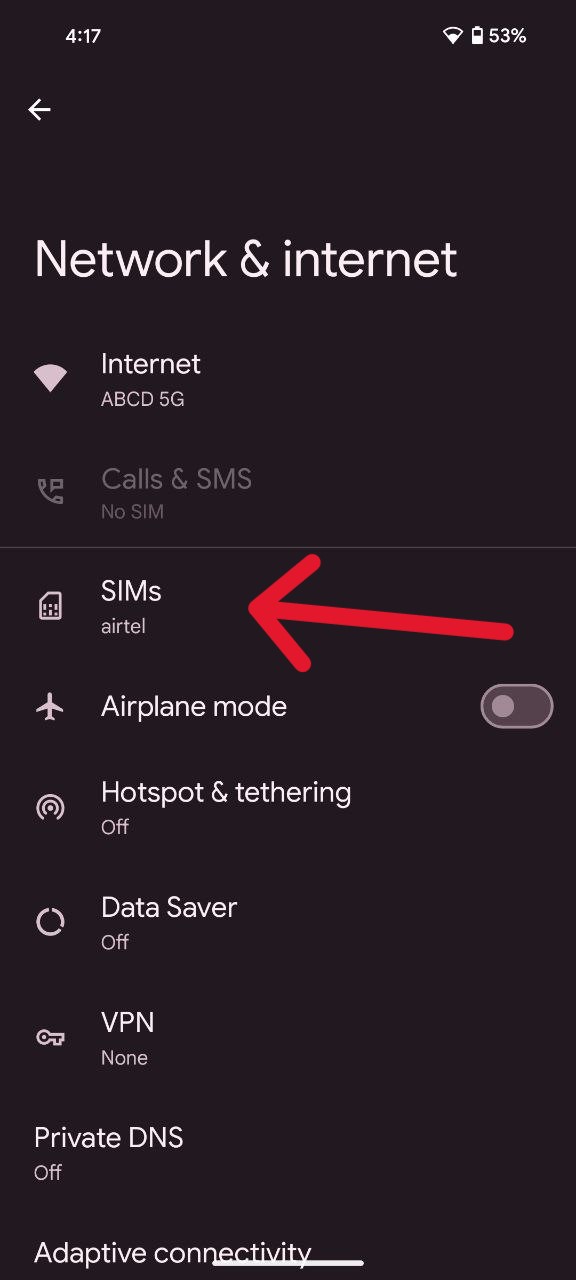

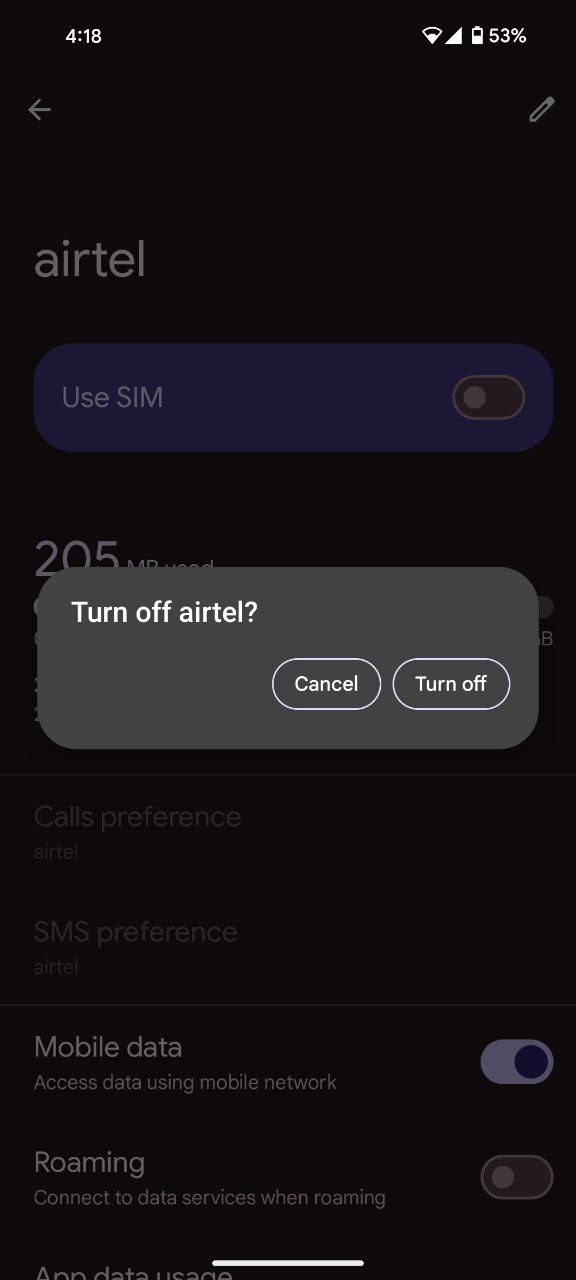
All you need to do now is follow the aforementioned steps and disable the camera sound on a Google Pixel phone. It’s essential to note that this workaround is temporary and dependent on not accessing the SIM card again. Once the SIM card is re-enabled, the camera app will recognize the region, and the option to disable the camera sound may vanish.
Moreover, this method applies exclusively to users with a physical SIM card, those using an eSIM will not benefit from this trick.
By following these steps, you’ll be well on your way to capturing picture-perfect moments without the clickety-clack of the shutter. So, go forth and let the silent shutter be your secret weapon for discreet photography.

Karanjot Sidhu
1024 Posts
A computer science engineer who loves tech and won't stop talking about it. Here at Piunikaweb, I mostly cover Google Pixel deals and how-tos, though you may find me covering Pixel news as well sometimes. Apart from being a nerd, i love gaming and watching movies in my free time.
Next article View Article