





View post on imgur.comGoogle’s Gboard keyboard is bringing a new trick up its sleeves for those who type in landscape mode. With taller and narrower smartphone displays, the typing experience in landscape mode has suffered. The keyboard takes up the full screen and the keys also appear unnecessarily stretched out.
But with the latest Gboard beta version 13.6, Google is taking a step to address this concern. First spotted by Android Police, when you tilt the phone to the landscape orientation, the keyboard now automatically defaults to a floating window. You can drag around the floating window and even resize the keyboard. Check out the recording below for reference:
In my own testing, the feature is working by default with the latest Gboard beta update on the OnePlus 11 and the Xiaomi Mi 11X. So it’s likely that all Gboard users on the beta channel should notice this change once they install the latest version.
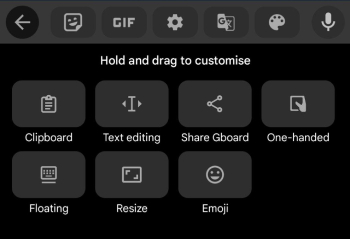
If you want the full size keyboard, you can simply drag the floating window to the bottom and it’ll snap back to the original full screen layout you might be used to. To re-enable the floating layout, you can tap on the menu icon on the keyboard and tap ‘Floating’.
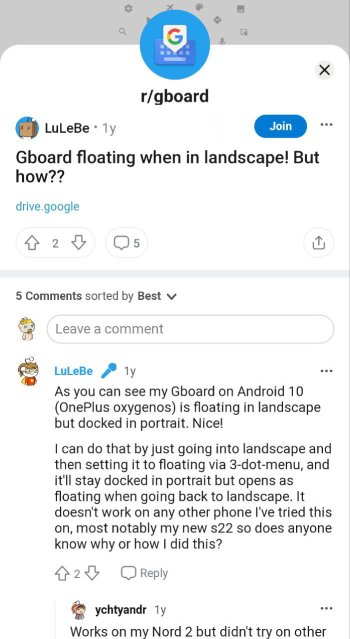
It’s worth pointing out that this isn’t the first time Gboard tested defaulting the keyboard to a floating window when in landscape mode. A year ago, a Redditor highlighted the change when Google first started A/B testing the tweak.
Granted that we’re seeing a wider release this time around, at least in the beta channel, we expect Google to begin seeding the change to the stable builds soon.

Dwayne Cubbins
1858 Posts
My fascination with Android phones began the moment I got my hands on one. Since then, I've been on a journey to decode the ever-evolving tech landscape, fueled by a passion for both the "how" and the "why." Since 2018, I've been crafting content that empowers users and demystifies the tech world. From in-depth how-to guides that unlock your phone's potential to breaking news based on original research, I strive to make tech accessible and engaging.
Next article View Article

[U: It's finally here] Fitbit app still missing dark mode support, but you can enable it on Android using this workaround
Update 21/08/25 - 5:55 pm (IST): After making users wait a long time, Google has finally introduced native dark mode support on the Fitbit app. This new eye...
Aug 21, 2025 4 Min Read