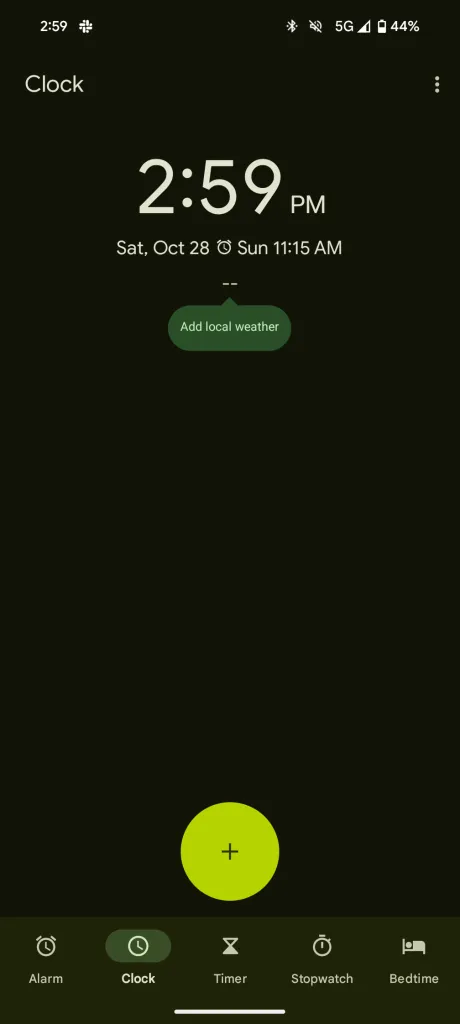
Google is now integrating weather updates seamlessly into its popular Clock app. The feature, although initially spotty, is now gradually rolling out to several Android 14 QPR1 Beta devices and the Pixel 8 series.
This integration has been in the works for some time. It was first spotted with the Android 14 QPR1 Beta 2 release. However, it was swiftly withdrawn from public access, only to resurface sporadically on select Pixel devices.
Google Clock 7.6 with weather information
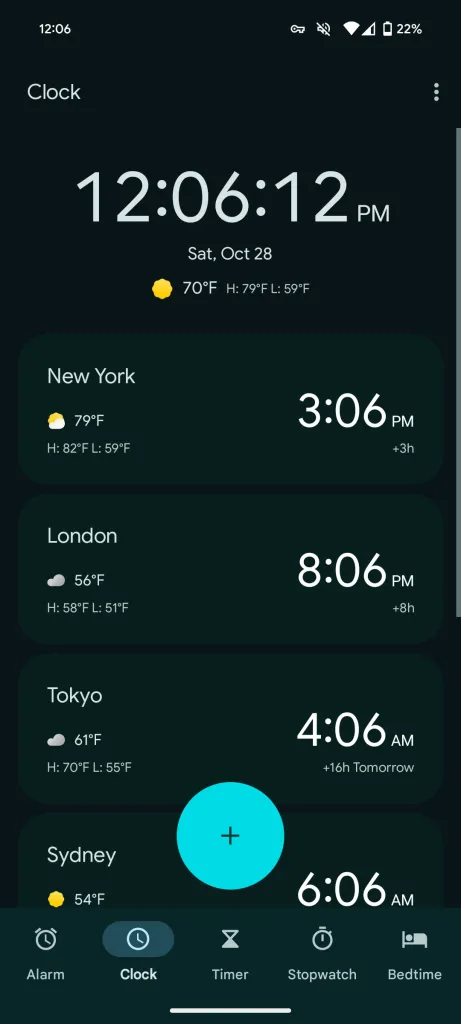
The essence of the update lies in the assimilation of Android’s weather service com.google.android.apps.weather into the Google Clock 7.6 app. Users can now access real-time weather data directly from the Clock tab, providing an instant snapshot of the current temperature and the day’s forecasted high and low. Notably, this information is not confined to a single location. Users can add multiple cities to track the time and weather in one glance.

Moreover, you can enable a comprehensive full-screen weather forecast with your alarm. The text-based format simplifies the presentation, emphasizing crucial details such as temperatures and weather conditions. Dismissing the forecast is as simple as tapping ‘Ok Thanks,’.
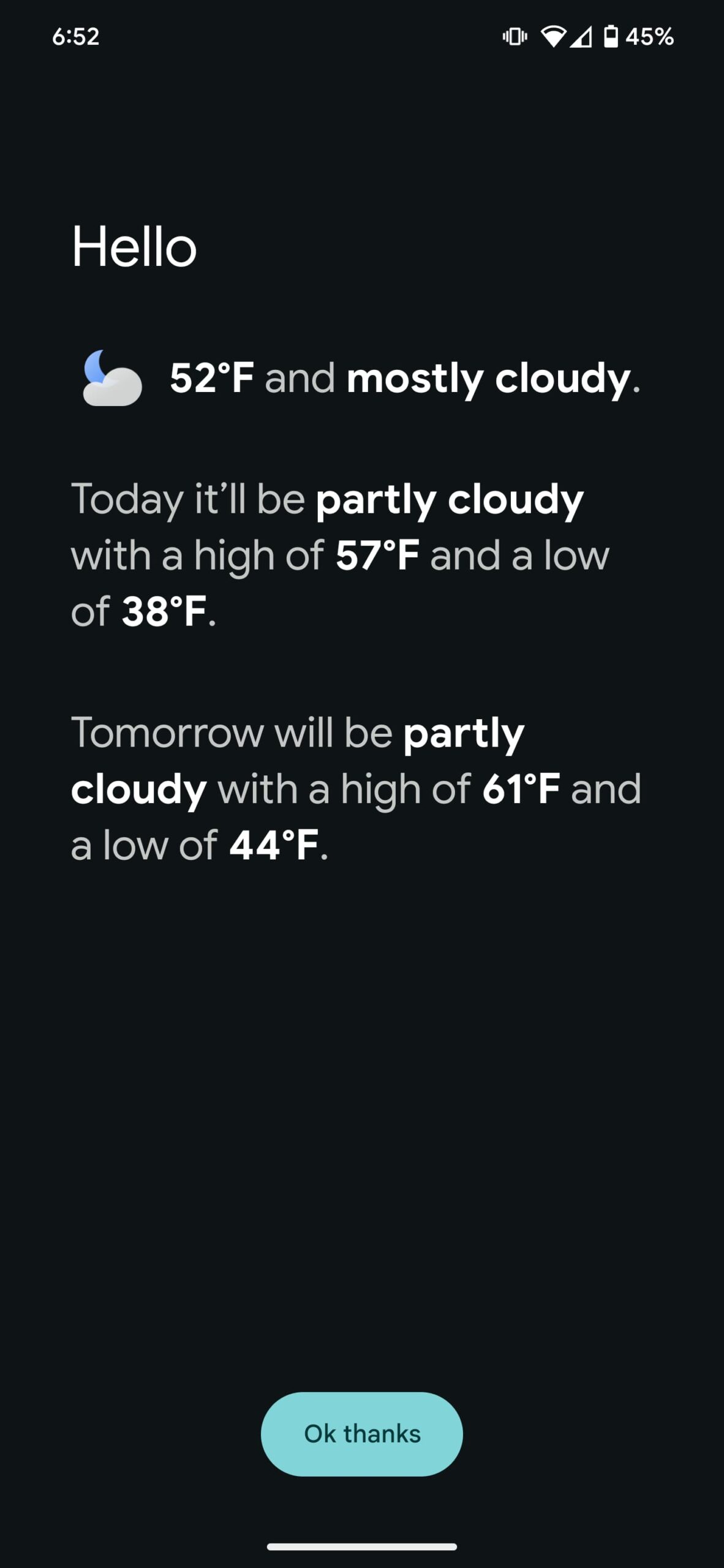
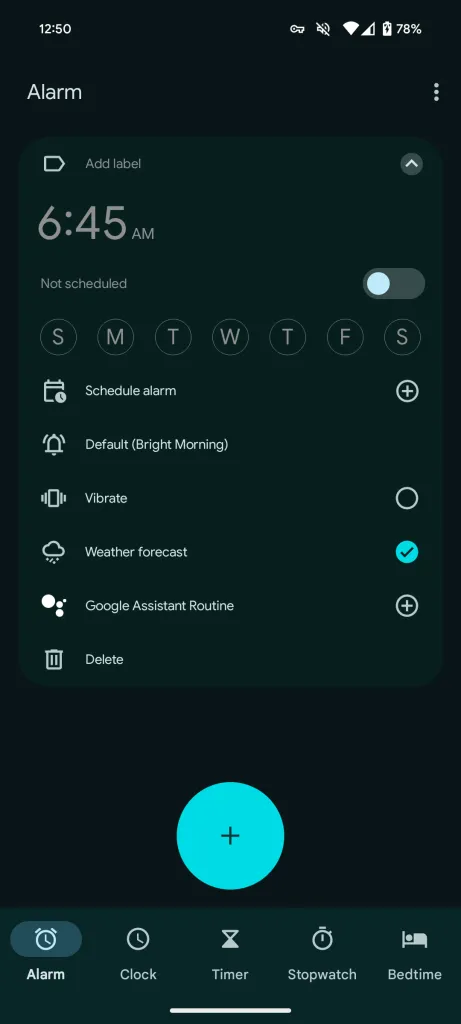
The wider release of the new options was first noticed by 9to5Google. Their report also confirmed the availability of the feature on a Pixel 8 on Android 14 and QPR1, as well as on the Pixel Fold, amongst other a few other Pixels.
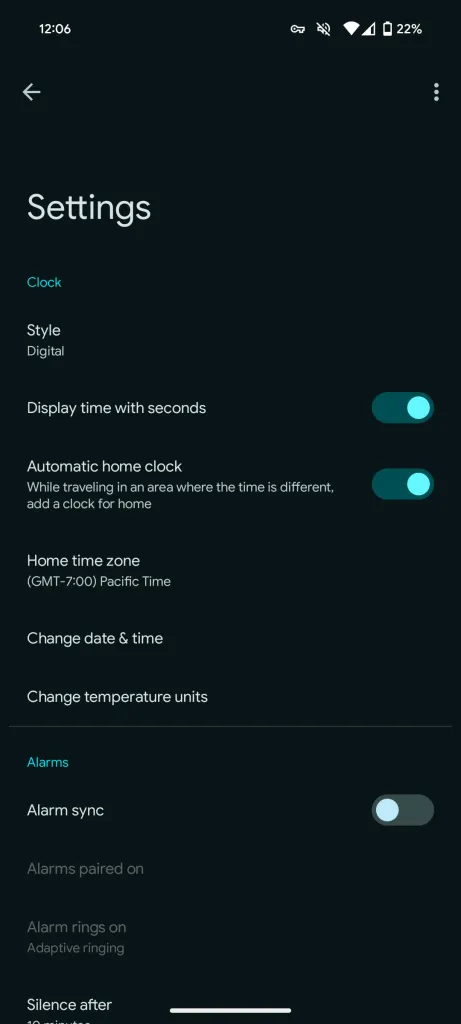
To cater to global users, the Clock app offers a ‘Change temperature units‘ shortcut, enabling easy toggling between Celsius and Fahrenheit through the ‘Regional preferences‘ page. However, it is important to note that presently, the weather integration cannot be disabled, although an upcoming setting option, ‘Local weather on clock,’ is anticipated to address this issue.
While the new update is undoubtedly a step forward in enhancing user experience, there’s a minor drawback. The World Clock widget, while informative, occupies a substantial 4×3 grid space on the home screen, potentially limiting customization options.
Having said that, we may see it arrive for the public bundled with the December Pixel Feature Drop. So stay tuned to our coverage to be updated on the availability of the new function on your Pixel device.

Dwayne Cubbins
1853 Posts
My fascination with Android phones began the moment I got my hands on one. Since then, I've been on a journey to decode the ever-evolving tech landscape, fueled by a passion for both the "how" and the "why." Since 2018, I've been crafting content that empowers users and demystifies the tech world. From in-depth how-to guides that unlock your phone's potential to breaking news based on original research, I strive to make tech accessible and engaging.
Next article View Article