
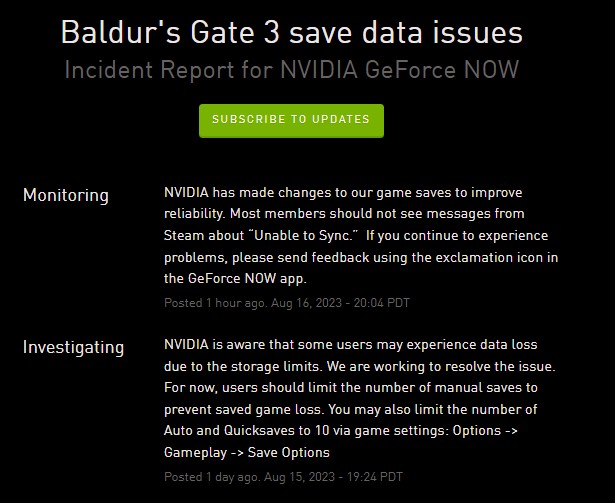
Baldur’s Gate 3 players on NVIDIA GeForce NOW have lately been experiencing save game data loss due to storage limits.
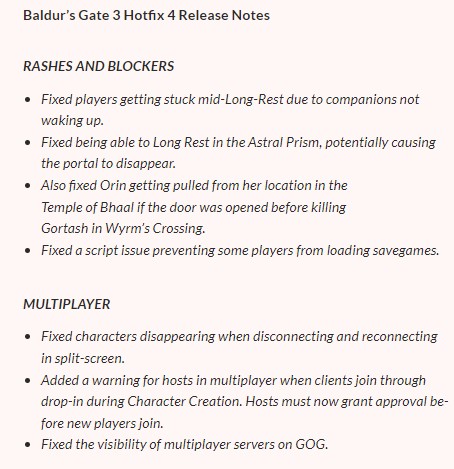
Larian Studios recently released Hotfix 4 for Baldur’s Gate 3, which brings bug fixes for some known issues and game play improvements.
Baldur’s Gate 3 save data issues on NVIDIA GeForce NOW
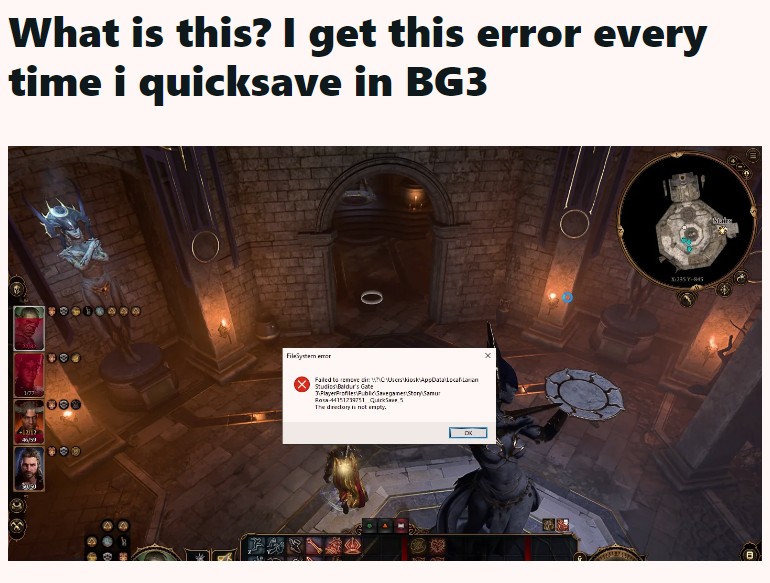
But according to reports (1,2,3,4,5,6,7,8,9,10), multiple Baldur’s Gate 3 players have been experiencing crashing issues while trying to save their in-game progress after installing the recent hotfix 4.
Notably, gamers get a ‘FileSystem error‘ when trying to do so. And to make matters worse, their save game data gets corrupted, and they lose long hours of progress, which is undeniably quite frustrating and annoying.
In addition to this, players receive a ‘Warning! The savegame has detected tampering or corruption. It is strongly advised that you do not continue on this savegame’ message as well.
This is without a doubt bad news for those who have already invested a lot of time in the game and have to restart the campaign.
Sadly, the saved progress of other characters is also being deleted. And this is happening even when the save file list is not full.
Interestingly, some are facing this problem only when using the ‘Quick Save’ option frequently. A few have also noted instances where the errors would keep popping up without any crashes.
Ive been getting this bullshit since today when i try to save; it works in the end but i never had this problem since release. I dont have many saves, below 15 in total.
Source
Lost around 25 hours of progress because of this “File System error” bug.
Source
And as a result, the developers have rolled back Hotfix 4. Notably, the game will be restored to the latest Hotfix once the issue has been completely addressed.
Official acknowledgment
The NVIDIA GeForce support team is aware of the issue and is currently working on fixing it. They have also recommended that gamers should limit the number of manual saves to prevent saved game loss.
Additionally, one should also limit the number of Auto and Quicksaves to 10.
Potential workarounds
It is recommended that you download the cloud saves from the Steam site to your local storage for the time being. In addition, you can also try saving the game manually and then use the quick save option.
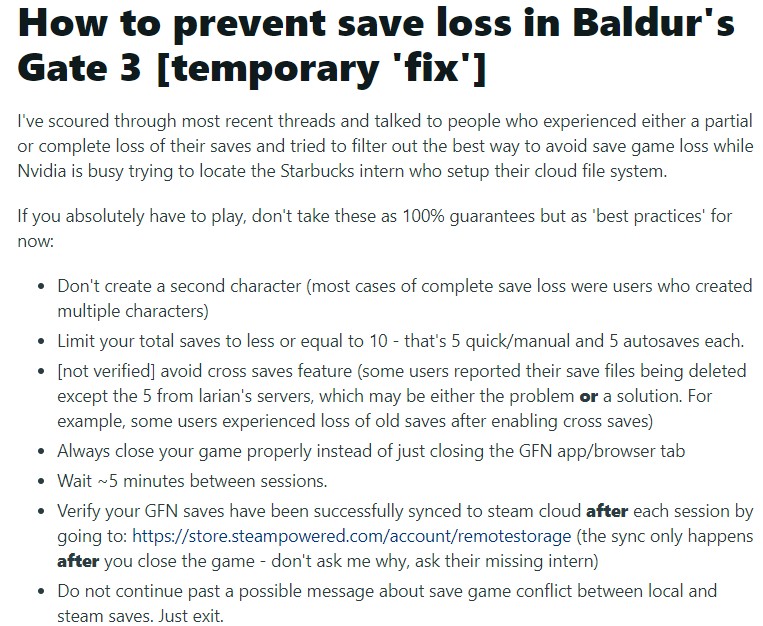
Also, you can try the workarounds mentioned below.
Note: There are more such stories in our dedicated Gaming section, so be sure to follow them as well.
Featured image: Baldur’s Gate 3.
PiunikaWeb started as purely an investigative tech journalism website with main focus on ‘breaking’ or ‘exclusive’ news. In no time, our stories got picked up by the likes of Forbes, Foxnews, Gizmodo, TechCrunch, Engadget, The Verge, Macrumors, and many others. Want to know more about us? Head here.
Tags
Baldur's Gate 3 Baldur's Gate 3 save data Baldur's Gate 3 save data issues on NVIDIA GeForce NOW Baldur's Gate 3 save game data bg3 hotfix 4 bg3 save incompatible version
Kanav Sood
740 Posts
I love technology and like to talk about the latest news in the Tech industry.
Next article View Article