![[Updated] Cyberpunk 2077 reportedly 'keeps crashing after v1.62 update' for some players](https://piunikaweb.com/wp-content/uploads/2023/04/Cyberpunk-2077-crashing-after-update.jpg "[Updated] Cyberpunk 2077 reportedly 'keeps crashing after v1.62 update' for some players")
Here’s the crux of the article in video form:
New updates are being added at the bottom of this story…….
Original story (published on April 12, 2023) follows:
Cyberpunk 2077 just received the v1.62 update that brings the new ‘Overdrive’ mode for Ray tracing. The patch is mostly focused on visual improvements. However, it has also broken the game for some.
New updates breaking old things is a common sight in the gaming sphere. It’s important to note that even the v1.5 update brought along significant FPS drops and stuttering-related problems.
Unfortunately, the issues introduced after the v1.62 update have made the game almost unplayable for some players on PC.
Cyberpunk 2077 crashing after v1.62 update
According to reports (1,2,3,4,5), Cyberpunk 2077 is crashing repeatedly after the recent update. For some, the game crashes on startup, while for others, severe performance drops cause the game to crash after short intervals.
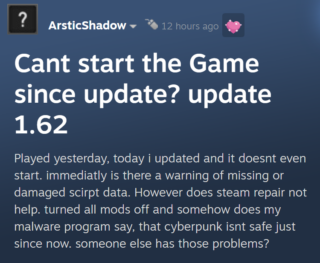
The crashing issues affect both NVIDIA and AMD graphics card owners. Turning Ray tracing off doesn’t help fix things either. For most, the game shows a black screen followed by a crash on startup.
Some report that Cyberpunk 2077 looks and runs significantly worse after the recent visual changes. The overall gameplay feels choppy, stuttery, and basically unenjoyable.
So I installed the update, and now the game will not run. Tried resetting, restarting, ect. Any ideas?
Source
Downloaded 1.62 and the game would crash immediately on startup. Updated graphics drivers and the game loads but I’m still getting random crashes.
Source
Gamers have already tried restarting their system and the game, reinstalling it, updating GPU drivers, verifying integrity of the files, but nothing seems to help. Luckily, we have a potential workaround.
Potential workaround
Going by reports, if the game is crashing on startup, it is likely due to outdated Cyberpunk 2077 mods installed on the system. The new update is not compatible with older mods and causes the game to shut down.
Some were able to fix the issue by deleting all their mods. If you do not want to delete a specific mod, you can either check for an updated version or wait for the mod developers to update it in the future.
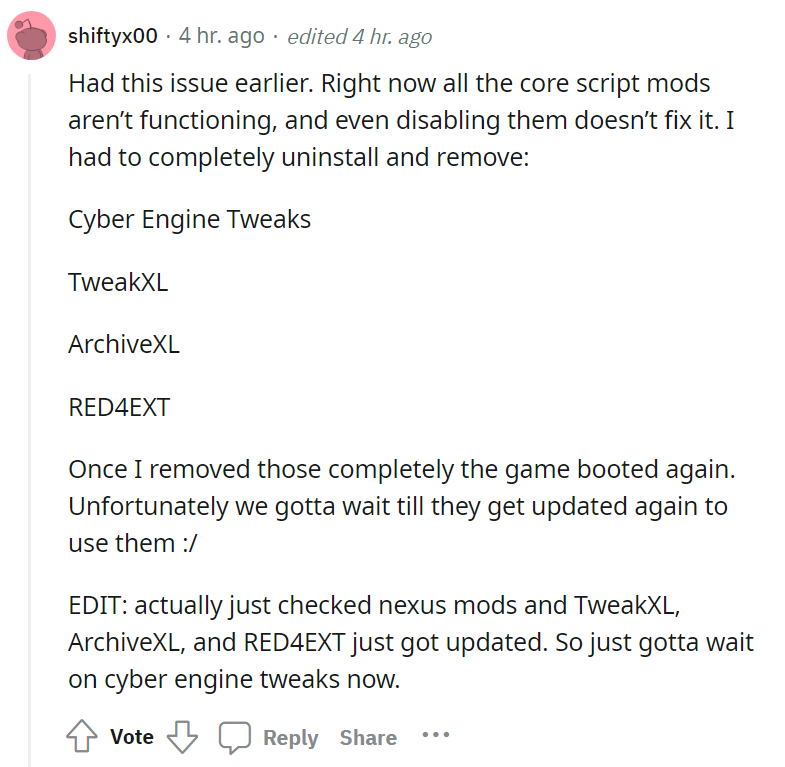
Unfortunately, not all crashing-related issues are caused by outdated mods. In some cases, players are experiencing these problems even after a fresh install.
Cyberpunk 2077 developers are yet to comment on the issues introduced after the v1.62 update. We’ll keep an eye on this matter and update this story to reflect noteworthy developments.
Update 1 (April 26, 2023)
07:15 pm (IST): On April 20, 2023, the developers released a hotfix that stated that it introduces fixes for the frequent crashes.
However, several reports (1,2,3,4,5,6,7) indicate that the update has done not completely addressed all the problems.
Featured image source: Cyberpunk 2077.
PiunikaWeb started as purely an investigative tech journalism website with main focus on ‘breaking’ or ‘exclusive’ news. In no time, our stories got picked up by the likes of Forbes, Foxnews, Gizmodo, TechCrunch, Engadget, The Verge, Macrumors, and many others. Want to know more about us? Head here.
Tags
Cyberpunk 2077 crashing Cyberpunk 2077 crashing 1.62 update Cyberpunk 2077 crashing after update Cyberpunk 2077 keeps crashing Cyberpunk crashing after 1.62 update
Jaspreet Singh
119 Posts
I have always been passionate about smartphones, cameras, computers and basically everything technology related. Writing content for PW allows me to express that nerd inside me and talk about things i love.
Next article View Article