![[Updated] Disney Dreamlight Valley players unable to change clothes in Wardrobe, workarounds inside](https://piunikaweb.com/wp-content/uploads/2022/09/Screenshot_255-compressed-e1663826064351.jpg "[Updated] Disney Dreamlight Valley players unable to change clothes in Wardrobe, workarounds inside")
New updates are being added at the bottom of this story…….
Original story (published on September 07, 2022) follows:
Gameloft recently launched Disney Dreamlight Valley in early access on PC and consoles. It is a life-sim adventure game where players can create their avatars and embark on quests for various Disney characters.
However, Disney Dreamlight Valley is currently not letting players change their avatar’s outfit. Even when an avatar’s outfit is changed, the game fails to save the changes.
Disney Dreamlight Valley players can’t change avatar’s clothes
Many players (1, 2, 3, 4, 5, 6, 7, 8) are reporting an issue where they are unable to change clothes of their avatars in the Wardrobe section.
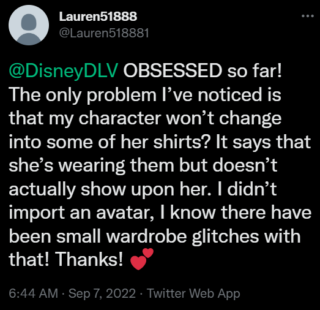
Exact same issue. It shows my character with the Scrooge McDuck Store Top but as soon as I leave wardrobe it reverts to the outfit I was wearing.
Source
I am unable to change my outfit and can only wear the one I made in the avatar designer tool. This means I also cannot get past the scrooge grand re-opening quest where you have to wear his shirt. Anyone else have this problem or know a fix?
Source
The issue is primarily about players not being able to save their avatar’s outfit. Even when an outfit change is prompted, it reverts back to the original clothing.
Moreover, the issue triggered after players ported their avatars into early access. As a consequence, they are now facing issues while completing the Scrooge quest.
Some players are also unable to claim the ultimate pack items in their Wardrobe. This is preventing them from adding preferred clothing items to their characters and avatars.
Official acknowledgment and potential workarounds
Fortunately, developers have acknowledged the issue and it’ll hopefully be fixed with an upcoming hotfix.
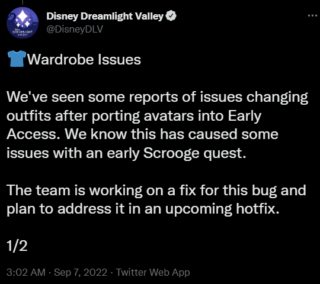
The developers also provided affected players with a workaround. You can check it out below:
As a workaround, enter your Wardrobe and replace each clothing slot with an owned clothing item that was not ported with your avatar. This should enable you to properly equip clothing in the meantime.
Source
Since the problem is sometimes caused by the avatar’s neckwear, those affected can also try the following workaround.
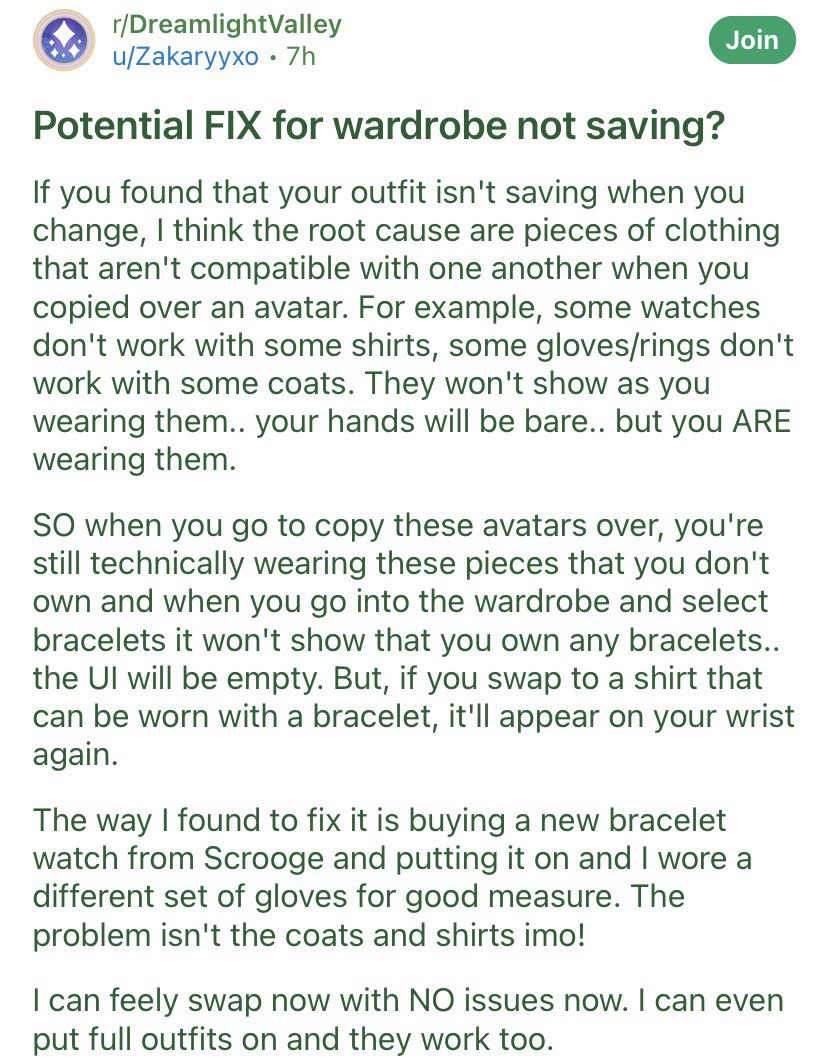
We hope that the issue gets fixed soon so that Disney Dreamlight Valley players can change their avatar’s clothes easily. We’ll keep tabs on further developments and update the article accordingly.
Update 1 (September 15, 2022)
06:47 pm (IST): Disney Dreamlight Valley support has confirmed that they are working on a patch that will include a fix for the issue where players unable to change clothes in Wardrobe.
Update 2 (September 19, 2022)
05:38 pm (IST): Disney Dreamlight Valley received a new September 2022 update and it includes a fix for the issue where players are unable to change clothes in Wardrobe.
Featured image source: Disney Dreamlight Valley
PiunikaWeb started as purely an investigative tech journalism website with main focus on ‘breaking’ or ‘exclusive’ news. In no time, our stories got picked up by the likes of Forbes, Foxnews, Gizmodo, TechCrunch, Engadget, The Verge, Macrumors, and many others. Want to know more about us? Head here.

Tags
Disney Dreamlight Valley Disney Dreamlight Valley avatar clothes Disney Dreamlight Valley Can’t Change Clothes Disney Dreamlight Valley outfit bug Disney Dreamlight Valley players can't change clothes Disney Dreamlight Valley unable to change avatar clothes Dreamlight Valley wardrobe not saving
Riya Madaan
868 Posts
Weaving a little bit of life into the articles I write. No, not really! That's not really possible for a trash writer like me but I still try. Apart from it, I skate, meditate and medicate. Also keep myself away from troubles as I age.
Next article View Article