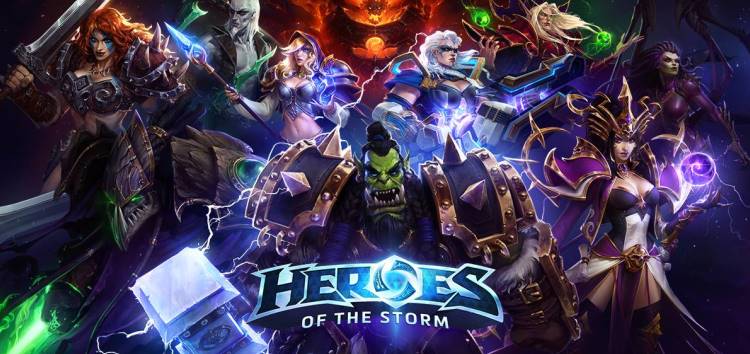
Heroes of the Storm is a successful multiplayer game that brings together the most iconic characters from Blizzard sagas such as Warcraft, StarCraft and Diablo.
Heroes of the Storm’s gameplay is based on the MOBA genre popularized by big names like League of Legends. Also, it is a free-to-play game that you can try without spending anything.
However, currently many Heroes of the Storm players are getting a ‘Client version mismatch error’ message when trying to start the game (1, 2, 3, 4, 5, 6, 7, 8, 9).
Heart of the Storm ‘Client version mismatch error’
The ‘Client version mismatch error’ is preventing Heroes of the Storm players from accessing the game as it gets stuck on the initial loading screen.
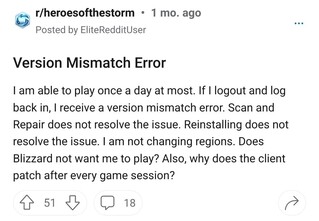
Version Mismatch
Hey guys. Its depressing to almost everyday open the game and have a big “VERSION MISMATCH” written, making me have to close and reopen the game 1-multiple times until it works.
Already tried (multiple times) to update it, already re-installed. Is there any way to fix this for good?
Source
In some cases, players are also receiving a prompt to download a Heroes of the Storm update every time they try to launch the game.
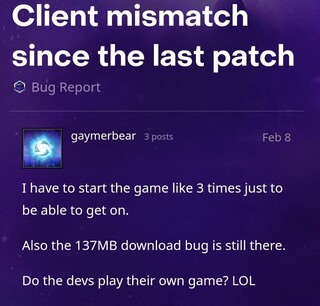
Problems with client
So I open up battle.net and get a 137mb download for HOTS every time. Then on my first time opening the game it says “version mismatch”, so I close my game because it’s left me at the login screen. Start it up a second time, and it 100% works and just opens straight up to the home screen of HOTS. Anybody else have this issue for the last few weeks?
Source
Players are forced to repeatedly close and open Heroes of the Storm until finally the error temporarily disappears. Also, some reports suggest that the issue started from a recent patch.
The cause of the issue, a potential workaround
Apparently, the cause of the problem is that some Heroes of the Storm login servers are not updated. So, when the game assigns you to a login server where your login credentials are not stored, you will receive a ‘version mismatch’ error.
That said, some players managed to find a workaround that reportedly helps resolve or mitigate the issue. The process is based on blocking 4 IP addresses related to outdated login servers through your computer’s firewall.
tl;dr In your firewall (e.g. Windows Defender), completely block these IP addresses:
172.217.0.46
52.185.211.133
172.217.1.206
172.253.63.97
Here’s a guide for Windows 10, just follow this except as an outbound rule rather than an inbound rule (or both if you want, but outbound seems sufficient to me thus far) and add a rule where specified and add those IP addresses. On any other platform, I’d just google how to block an IP address with your firewall and go for it.
Source
You can check the the guide to which the workaround refers from this link.
There is still no official acknowledgment on this issue by the developers yet. We will update this story if new details emerge regarding the matter.
PiunikaWeb started as purely an investigative tech journalism website with main focus on ‘breaking’ or ‘exclusive’ news. In no time, our stories got picked up by the likes of Forbes, Foxnews, Gizmodo, TechCrunch, Engadget, The Verge, Macrumors, and many others. Want to know more about us? Head here.
Tags
Heroes of the Storm Heroes of the Storm 'Client version mismatch error' Heroes of the Storm version mismatch
Jean Leon
1613 Posts
A tech enthusiast since ever. I like to always be up to date on the latest news in the industry and write about it. Twitter: @jean_ERdC

Next article View Article