From Software released Elden Ring late last month as its latest ‘Souls-like’ game. It is currently available for many consoles and platforms (both current and previous generation).
The game maintains the classic combat system seen in installments of sagas such as Dark Souls. This means that it keeps many of the actions available in those games, like dodge/roll (1, 2, 3, 4, 5).
However, Elden Ring players are experiencing difficulties using dodge/roll as there is input delay or lag when they press the button (1, 2, 3, 4, 5, 6, 7, 8, 9, 10, 11, 12, 13).
Elden Ring dodge/roll button input delay or lag
Many players are complaining about the issue as it affects the gameplay and unnecessarily complicates a game that is already difficult.
According to multiple reports, the input delay or lag issue when executing the dodge/roll action is around half a second from when you press the button.
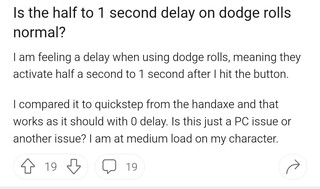
There seems to be a massive delay between when I input dodge and when the dodge actually comes out. I’m aware that the dodge is set to trigger on the release of the button due to the fact that dodge and sprint are mapped to the same button, and I think this issue may actually stem from that. It feels as though instead of triggering the dodge as soon as I release the button, it waits until the last possible moment before sprinting would start.
Source
Rolling / dodge button delay on Series X
Aside from the fake mouse-acceleration when turning the camera, which I don’t like, is anyone else having a very pronounced gap between the roll button being pressed and the actual dodge happening? Never had this in a Fromsoft game before.
Source
Input lag is more noticeable when playing, but you can see a bit of the effect in the video below:
Apparently, the problem could be related to the fact that the ‘sprint’ button and the ‘dodge/roll’ button are the same. So, the dodge/roll action will only be executed once you fully release the button.
I heard something about dodge being triggered on button release, because on controllers the same button when held is sprint. Trigger on release can feel very much like input delay since we expect the action as soon as we press.
Source

It’s worth pointing out that this is the same Dark Souls control setup. However, it seems that there is more delay time on Elden Ring.
Some potential workarounds
There are some potential workarounds that could help mitigate the issue (1, 2, 3, 4, 5). The first is for PC gamers using Nvidia GPUs, and is to set the ‘vertical sync’ option to OFF.
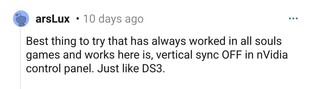
The above will cause a bit of a vertical tearing effect, but you can mitigate this by setting the ‘MAX FPS’ option to 58 fps.
The second workaround is for all platforms and consoles, and consists of trying to use a wired controller instead of a wireless one.
Another alternative for PC gamers is to play in borderless window mode instead of full screen. Additionally, you can also try changing the key of the Dodge action (for instance, use Spacebar instead of Shift).
Finally, if you have a Gsync/Freesync compatible monitor, enabling this option reportedly helps mitigate the issue in both borderless window mode and full screen.
There is still no official acknowledgment on the issue from the developers. We will update this story if new related details emerge in the future.
PiunikaWeb started as purely an investigative tech journalism website with main focus on ‘breaking’ or ‘exclusive’ news. In no time, our stories got picked up by the likes of Forbes, Foxnews, Gizmodo, TechCrunch, Engadget, The Verge, Macrumors, and many others. Want to know more about us? Head here.
Tags
Elden Ring Elden Ring button delay Elden Ring button lag Elden Ring dodge delay Elden Ring dodge lag Elden Ring roll delay Elden Ring roll lag
Jean Leon
1613 Posts
A tech enthusiast since ever. I like to always be up to date on the latest news in the industry and write about it. Twitter: @jean_ERdC

Next article View Article