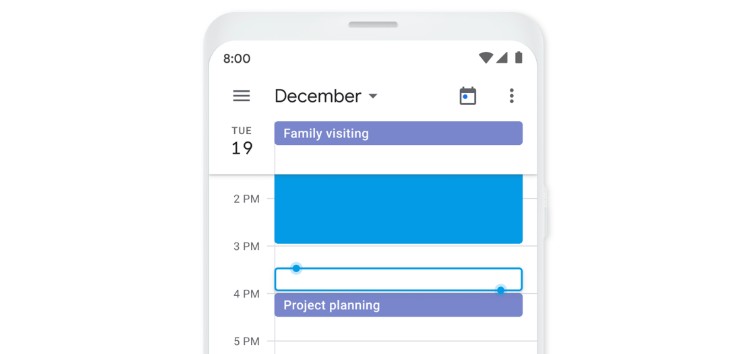
Google Calendar is a fantastic time-management and scheduling calendar app that now serves the needs for millions of employees, managers, and just about everyone else, especially those who are now working from home.
It allows users to manage and keep all events, meetings, and other upcoming projects synced on all their devices. The app works as expected for the most part, however, it’s not perfect.
A few days ago, we reported that some users were facing intermittent sync issues across several macOS versions. Although, Google developers are already looking into it.
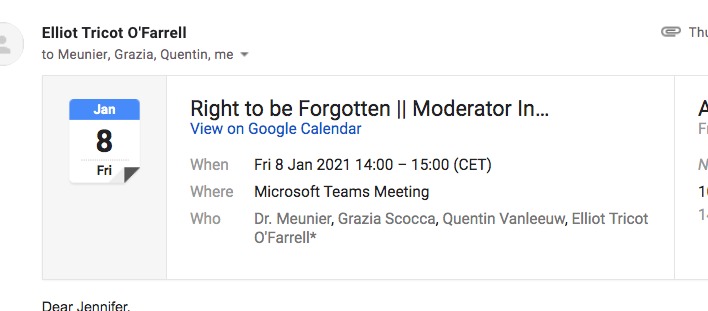
Now, it seems several Google Calendar users are reporting that the Yes/No/Maybe buttons are no longer visible when they receive meeting or event invites on Gmail.
We’ve shared a screenshot of the invite on Gmail as well as some reports from users for reference.
This has been happening to me in the last few days. At first, I could still see the meeting in my calendar and accept from there, but as of this morning I don’t even get that. It is currently impossible to accept or reject meetings and making my working life very difficult. (Source)
Not meaning to hijack this thread but we’re experiencing the same issue. Chrome is up to date, incognito has the same issue. Tried different browser but the same thing. (Source)
Also seeing this problem – a couple of colleagues have reported it this week. Chrome is up to date (Source)
(Source)
As the reports above highlight, the problem even persists when individuals use the incognito mode. Naturally, this has left many individuals frustrated since they now have to enter these details manually to the calendar.
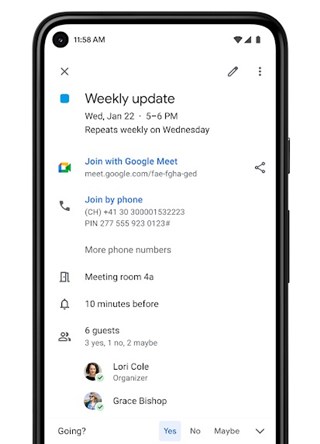
Some users have also claimed that Yes/No/Maybe buttons do not even appear in the Gmail or Calendar application on iOS and Android.
Fortunately, there are a couple of workarounds that appear to fix the problem for some individuals.
Workarounds for Google Calendar Yes/No/Maybe buttons missing from meeting invites on Gmail
1. Use Google Chrome on Android:
Some users have confirmed that the Google Calendar Yes/No/Maybe buttons work when they access Gmail on the Google Chrome browser on Android.
Update: Yes/No/Maybe options work ok on Android device (Chrome browser, not gmail app) (Source)
2. Enable Google’s Smart Features:
Another user highlighted a potential fix for the issue that has also been recommended by a Platinum Product Expert on the company’s support website. This involves turning on the new Smart Features from Google in Gmail.
For our users the problems occurred when they did not accept Googles new Smart Features. To resolve it users needed to do the following:
1- On Gmail, open “Settings” > “See all settings”.
2- In the General tab, scroll to “Smart features and personalization.”
3- Turn smart features on , then have them try receiving a new calendar invitation. Check that the RSVP buttons are coming up again. (Source)
At present, these are the only two workarounds available that fix the issue. In case you’ve figured out another way to solve the problem or if the workarounds above helped, feel free to drop a comment below to let us know.
PiunikaWeb started as purely an investigative tech journalism website with main focus on ‘breaking’ or ‘exclusive’ news. In no time, our stories got picked up by the likes of Forbes, Foxnews, Gizmodo, TechCrunch, Engadget, The Verge, Macrumors, and many others. Want to know more about us? Head here.

Tags
gmail Google Calendar
Dwayne Cubbins
3137 Posts
I cover fast-moving stories across apps, online platforms, and everyday tech — phones, wearables, consoles, and whatever else people are fighting with this week. Bugs, rollouts, scams, policy enforcement, and the occasional internet-culture rabbit hole are all fair game. My goal is simple — make confusing tech news readable. When I'm not working, I'm working out or chilling with my dog. Got a tip? You can find me on X @dcubbins.
Next article View Article