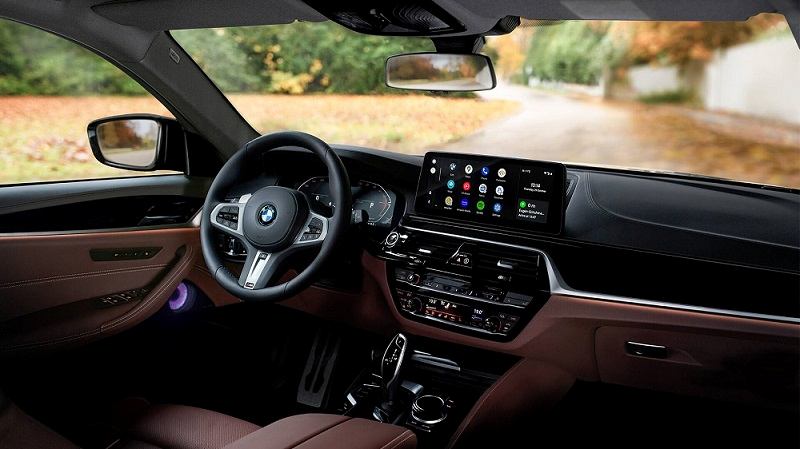
A new glitch related to Google’s in-car infotainment system is now coming to light. A recent update – apparently the one pushed out in the last week of March (as can be seen in the app’s Play Store listing) – has broken Android Auto’s physical navigation button functionality. Google is currently looking into the matter.
A Community Specialist on the company’s official help forum, who is also a member of the Android Auto team, broke the news this morning saying:
The issue has been forwarded to the team, and we’re actively investigation the issue. We’ll share an update when it’s available.

As already mentioned in the beginning, right after the update in question got live, AA users started complaining about the navigation button acting erratic, throwing users back to home screen instead of launching Google Maps. A quick go through the following user comments on Android Auto User Community, as well as the review section of the app’s Play Store listing, will give you more clarity on the matter.
After the latest update, Everytime I press the physical Navi button on my car it tried to take me to Google maps but it jumps back to the home screen. It worked fine before the latest update, it still works when I press media but not Navi.
Voice works, using the soft button works. But the navi button does not, even if have a route in use. Makes no difference with resetting cache and data on android app, resetting phone.
I have the same issue as others have stated. Navi buttom no longer takes me to Google maps it just flashes then stays on current screen.
Same issue with my 2016 GLA250. It won’t go to Google Maps if I press the Navi button on my car. It goes blank screen and goes back Home showing the weather or a searched location. I have an LG and 2 Samsung phones, all have the same behavior after this latest update.

With users complaining for more than two weeks now, Google has at least stated investigating the matter. We are keeping a close watch on all related developments and will update as and when any further development takes place.
Stay connected with us on Twitter (@PiunikaWeb) to hear about all related developments as and when they occur


Dr. Aparajita Sharma
1227 Posts
Ph.D (Psychology) by education. Coming to PiunikaWeb, I know it was a complete switch over, but the idea was appealing enough to put in all the effort it called for. My work primarily involves research, and you may also hear me out in some of the videos on our YouTube channel. Overall, I am enjoying whatever I am doing, and it's been a privilege to be associated since the commencement. Got a tip to share? You can reach me out on X @Aparajita_PW.
Next article View Article